
-
Please try to be as accurate as possible with your search.
-
We can quote you on 1000s of specialist parts, even if they are not listed on our website.
-
We can't find any results for “”.
Obsolete Mitsubishi PLC Inventory: Legacy System Support Specialist
Supporting legacy Mitsubishi PLCs is a discipline of its own. The goal is simple and unforgiving: preserve uptime while keeping technical debt, safety risk, and total cost under control. In practice, that means balancing short‑term life‑extension tactics with well‑timed migrations, making smart buys in a choppy secondary market, and validating every assumption from I/O mappings to protocol quirks. Drawing on field experience and guidance from reputable sources including Mitsubishi Electric Factory Automation, ICAD Automation, Industrial Automation Co, Forum Automation, MaintenanceWorld, NetSuite, and Microchip USA, this guide outlines how a Legacy System Support Specialist keeps older Mitsubishi controllers dependable without gambling the plant’s future.
Why Legacy Mitsubishi PLCs Persist—and Why That’s Okay
An obsolete PLC does not automatically mean downtime. Many facilities in building automation and vertical transport, such as elevators and escalators, run controllers that are decades old because the underlying process is stable and the risk of an ill‑planned change outweighs the incremental gains from new hardware. Forum Automation notes that with targeted measures such as spare‑parts stockpiles, protocol conversion, and careful logic optimization, aging systems can continue to run reliably while you prepare a measured migration. Industrial Automation Co adds an important lifecycle reality check: many PLC platforms see practical life spans on the order of 10 to 15 years before support and availability tighten. Treat that as a planning horizon, not a cliff. The specialist’s job is to stretch reliability where prudent and draw a firm line when the risk/benefit turns.
Terms That Matter When You’re Managing Obsolescence
Having precise definitions helps you make the right calls and communicate them clearly to stakeholders. Microchip USA provides sensible terminology across electronics and automation supply chains, and Industrial Automation Co adds practical sourcing terms that surface in legacy markets.
| Term | What it means | Typical next step |
|---|---|---|
| EOL (End‑of‑Life) | The OEM has discontinued the product and will stop official supply. | Evaluate last‑time buy, alternates, or migration. |
| NRND (Not Recommended for New Designs) | Product is still available but slated for phase‑out. | Avoid new deployments; plan migration for installed base. |
| PCN/PDN (Change/Discontinuance Notice) | Forthcoming design or lifecycle changes. | Assess impact, update BOM health, and plan mitigations. |
| LTB (Last‑Time Buy) | Final window to purchase from the OEM. | Model quantities against demand, warranty tails, and storage limits. |
| NOS (New Old Stock) | Unused inventory in the secondary market. | Vet provenance; require testing and warranty. |
| Refurbished | Used hardware restored to working condition. | Verify test coverage and ask for documented results. |
Mitsubishi Electric Factory Automation’s obsolescence reporting focuses on critical categories such as PLCs and HMIs, alongside drives, servo/motion, and robotics. That mix reflects what turns into hard‑to‑replace constraints during a legacy program.
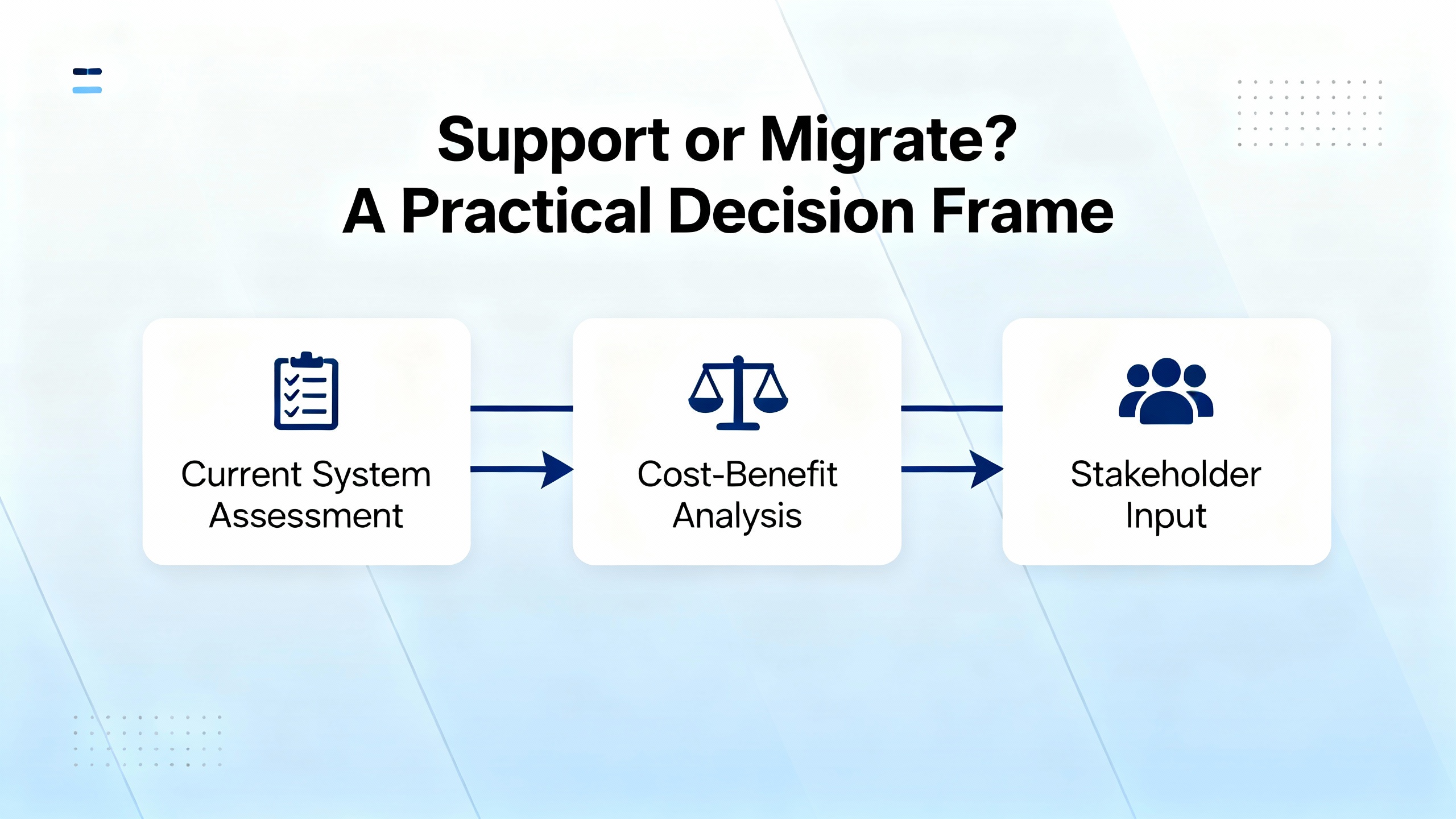
Support or Migrate? A Practical Decision Frame
In the field, the best outcomes come from looking at supportability, not age alone. Keep an older Mitsubishi PLC when you can ensure reliable parts, maintain code integrity, and isolate risks; migrate when you cannot guarantee those conditions without exceptional effort or cost.
| Factor | Keep running on legacy | Migrate to a modern platform |
|---|---|---|
| Parts availability | Verified access to spares and serviceable modules; NOS with warranty is available. | Scarce or counterfeit‑prone parts; LTB has passed with no viable alternates. |
| Logic portability | Proven logic with minimal change demand; minor updates suffice. | Substantial new features or safety requirements demand structured redesign. |
| Communications | Stable, well‑documented links to HMIs, drives, and peers; converters can bridge needs. | Multiple protocol gaps, vendor lock‑ins, or bandwidth constraints that block expansion. |
| Risk profile | Production impact of failure is low to moderate with spares on hand. | A single failure would cause line‑down with costly recovery and no spares. |
| Cyber posture | Segmented networks and known firmware states; risk is managed. | Unsupported software and unpatchable stacks expand the attack surface. |
Forum Automation emphasizes a two‑horizon plan: extend life safely while laying groundwork for a clean cutover. ICAD Automation’s risk assessment approach—cataloging every part number, checking module‑level availability, examining code conversion feasibility, and mapping communications—creates the objective view that drives this decision without guesswork.
Extending Uptime on Aging Mitsubishi PLCs
Short‑term life extension starts with disciplined spares and data. Maintain a bill of materials for the PLC chassis, CPUs, I/O, and communications modules with part numbers, firmware versions, and configuration notes. ICAD Automation underscores this detail because platforms often age unevenly; a still‑sold backplane might hide an I/O card that quietly went obsolete. Next, protect the logic. Keep verified backups, including the source project and any device parameter files, in a versioned repository. In practice, I treat each restored archive as guilty until proven clean by loading it into the engineering workstation and validating checksums and comments.
Protocol converters are an efficient way to bridge an older Mitsubishi PLC to modern drives, HMIs, or plant networks without ripping and replacing the controller. Forum Automation cites this as a frontline tactic, and it aligns well with ElectricNeutron’s emphasis on retrofitting with secure gateways and segmentation to minimize cybersecurity exposure from legacy stacks. Finally, tune the logic. Even modest refinements to ladder or Instruction List can shave scan times or remove brittle constructs that intermittently fail under peak load. That matters because scan determinism is your friend on aging hardware.
Program and Communications Considerations Specific to Mitsubishi Controllers
MaintenanceWorld’s explanation of Mitsubishi’s Instruction List offers helpful mental models that apply across languages. The controller reads inputs into an image table, executes logic sequentially via an accumulator, and writes outputs at the end of each scan. The sequence—not abstract Boolean precedence—governs outcomes, which is why mid‑scan changes or long rungs can cause surprises. For migrations or major revisions, this means you should validate altered code along the actual execution path, not just in a logical rewrite.
KWoco describes typical scan time ranges that frame performance expectations: discrete tasks often live in the 1 to 10 millisecond range, with more complex projects stretching beyond that depending on instruction mix, I/O update methods, and communications overhead. If you tighten scan budgets to chase responsiveness, reserve time‑critical logic in periodic tasks and move heavy communications or data copies out of fast cycles to preserve determinism. On a legacy Mitsubishi PLC, even simple schedule changes can be the difference between a steady scan and jitter that breaks downstream devices.
Communications planning is where many legacy programs stumble. ICAD Automation calls out the need to enumerate every device the PLC talks to by inspecting both hardware and code references, because a single Ethernet card can speak to dozens or hundreds of peers via different services. Once a conversion is in play, validate not only that the new hardware supports the required networks and devices but also that timing, addressing, and message structures line up with what those devices expect. In practice, any conversion plan should budget time for peer device changes as well; it is common to adjust polling, tag sets, or addressing in HMIs and neighboring PLCs to re‑establish compatibility.
Sourcing Obsolete Mitsubishi Hardware Without Regrets
The secondary market is indispensable for legacy programs, but it is also uneven. Industrial Automation Co stresses speed and rigor: legacy inventories turn over quickly, so establish availability alerts and act promptly, while insisting on testing and warranties to mitigate counterfeit and early‑failure risks. They cite multi‑point functional testing with documented reports and note that many products across major brands, including Mitsubishi, come with a 24‑month warranty. When you must go outside authorized channels, Microchip USA recommends AS6081/AS6171‑aligned test protocols, chain‑of‑custody documentation, and traceability to reduce quality exposure.
A Legacy System Support Specialist treats vendor screening like a safety system: it either works, or it does not. The table below summarizes criteria that reduce risk when buying NOS or refurbished Mitsubishi PLC modules.
| Screening area | What to require and verify |
|---|---|
| Certification | Quality credentials such as ISO for distributors; adherence to AS6081/AS6171 testing when purchasing from independents. |
| Test coverage | Documented functional test results, including I/O exercise, communications ports, and where applicable, stress or burn‑in summaries. |
| Traceability | Lot records, serialization, and chain‑of‑custody; clear declaration of NOS vs refurbished. |
| Warranty | Written coverage terms; Industrial Automation Co notes many items carry a 24‑month warranty—verify applicability by part. |
| Documentation | Photos of the exact unit, revision and firmware labels, and any configuration options; matching of part numbers including suffixes. |
| Returns | A defined RMA process and timelines for DOA or early failures. |
Whenever possible, buy two. Keeping a spare that has already been powered, validated against your backup, and labeled with its firmware and configuration is the fastest path back to production when an installed module fails.
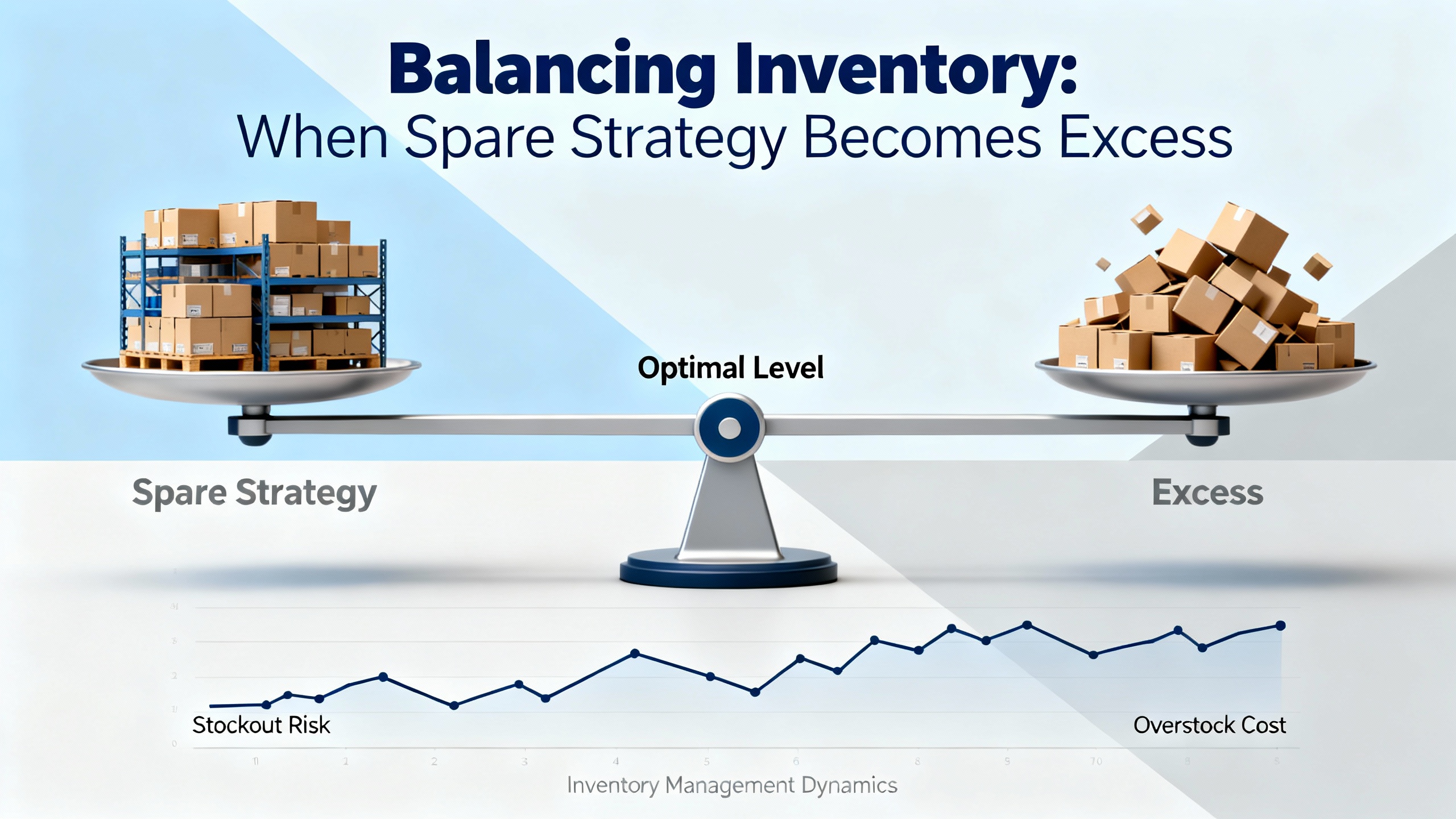
Balancing Inventory: When Spare Strategy Becomes Excess
Planning spares is a balancing act. NetSuite distinguishes between slow‑moving, excess, and obsolete inventory, and that matters for cash, storage, and write‑off exposure. You will need safety stock for critical modules, but stockpiling beyond practical coverage erodes profitability and increases the risk of aging into dead stock that ultimately must be written down or written off. Industrial Automation Co suggests pragmatic tactics that support both continuity and financial discipline: partner with reputable suppliers who can cross‑reference equivalents and advise retrofits, use real‑time visibility into availability, and monetize idle spares through surplus programs or consignment when migration retires a platform. Itemit’s emphasis on distinguishing excess from obsolete is useful at the policy level: excess can often be redeployed or discounted; obsolete typically requires disposal planning.
Cybersecurity and Reliability on Legacy Controls
ElectricNeutron frames a critical dimension of obsolescence that is sometimes underplayed in pure operations planning: unsupported hardware and software create performance and cybersecurity risks. On older Mitsubishi PLCs, separating control networks, using secure gateways, patching firmware where OEM support remains available, and deploying intrusion detection in higher‑risk environments reduce exposure without demanding immediate replacement. For remote access, prefer VPN and modern authentication, and avoid exposing fragile legacy services past well‑defined perimeters. When the control logic must be preserved but the original runtime is no longer viable, virtualization can isolate and stabilize legacy tools on modern platforms, reducing failures tied to aging operating systems and hardware.
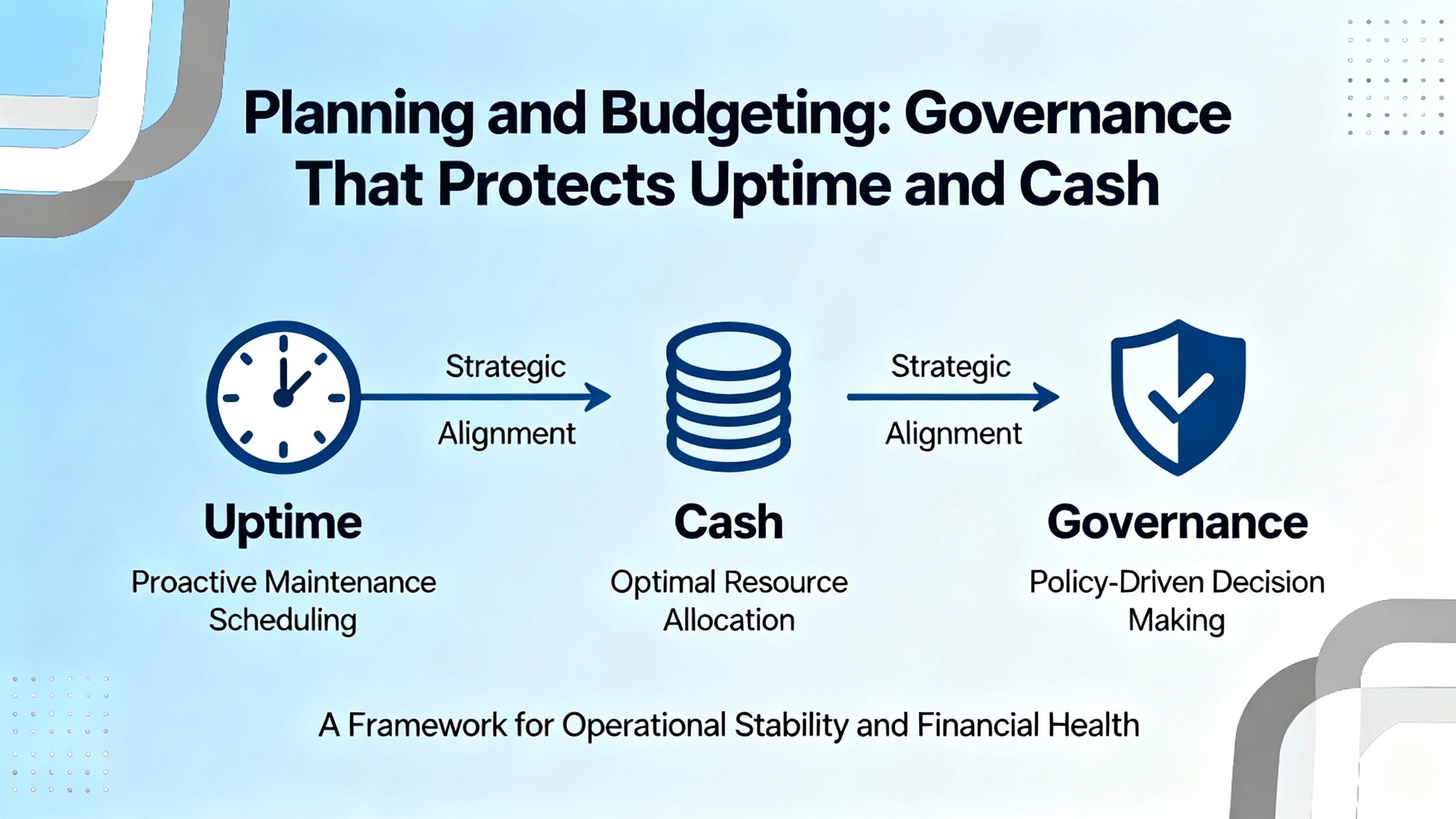
Planning and Budgeting: Governance That Protects Uptime and Cash
Governance beats heroics. Microchip USA outlines a cross‑functional approach that works in industrial controls as well as in electronics supply: maintain an obsolescence board that aligns engineering, supply chain, quality, finance, and legal. Track BOM health with risk scoring by availability and lead time, subscribe to lifecycle notices, and negotiate contract safeguards for EOL windows and last‑time buys. Model LTB decisions with realistic consumption, warranty tails, and storage or shelf‑life limits to control carrying cost and avoid waste. Internally, track KPIs such as dollars at risk, LTB coverage, the percentage of the BOM with qualified alternates, time‑to‑qualify an alternate part, and excess write‑downs. These metrics make trade‑offs visible and help the business commit to either extending life safely or funding a migration before risk becomes unmanageable.
A Field‑Tested Migration Plan When “Now” Is the Answer
When the decision tips to migration, a structured plan is the difference between a controlled cutover and a line‑down scramble. ICAD Automation recommends starting with a complete part‑number inventory, then verifying availability and platform migration paths. Where vendor‑supported conversion tools exist, use them but expect gaps; a rung‑by‑rung review remains non‑negotiable. Where tools do not exist, consider if a cross‑vendor conversion utility can get you partway, but budget for manual rewrite and system‑level verification. Communications mapping is a dedicated workstream, not an afterthought; re‑establish links to HMIs, drives, and other PLCs, and tune poll rates and addressing to recover performance. Forum Automation closes the loop by reminding teams to validate the upgrade and train operators and technicians so that first‑week recoveries are quick and confidence returns fast.
Care and Buying Tips for Obsolete Mitsubishi PLC Inventory
Approach each acquisition and installation with the same discipline you would apply to a new platform. Start by aligning the exact Mitsubishi part number, suffix, and option set to your installed base. Confirm firmware versions and verify that any required function sets or communications options are present. Ask the supplier for test proofs, warranty terms, and proof of provenance. Before installing, bench‑test the module against your backups, verifying I/O behavior and communications in a controlled environment. Label the spare with the tested configuration and store it in a clean, stable environment with clear traceability to the asset register. Finally, keep procurement in the loop on lifecycle status and availability signals; a well‑timed purchase is often less expensive than a rushed one after a failure.
Takeaway
Legacy Mitsubishi PLCs can deliver safe, reliable service when you pair disciplined spares, verified logic, and careful network hygiene with clear governance on when to migrate. Use reputable guidance to define lifecycle terms and actions, perform an honest risk assessment across parts, logic, and communications, and apply secondary‑market rigor with testing and warranties. When migration is due, convert methodically and train the team. Above all, own the plan. Legacy support rewards deliberate partners who combine practical fieldcraft with structured decision‑making.
FAQ
How long can I reasonably expect supportable life from a PLC platform?
Industrial Automation Co points to a practical lifecycle of about 10 to 15 years before support and availability become challenging. Treat that range as a planning prompt, not an expiration date. Your actual timeline depends on parts availability, logic complexity, and the cost of downtime if a failure occurs.
Is buying refurbished Mitsubishi PLC modules safe?
It can be, if you manage supplier risk. Seek vendors with quality credentials, require documented functional testing, and insist on traceability and warranty coverage. Industrial Automation Co notes that many products carry a 24‑month warranty; confirm applicability by part. When using independents, Microchip USA recommends AS6081/AS6171‑aligned testing to reduce counterfeit risk.
Can I keep an old Mitsubishi PLC and upgrade only HMIs or drives?
Often yes, using protocol converters to bridge older control to newer devices. Forum Automation highlights converters as a short‑term solution. The caveat is communications validation. Budget time to test addressing, polling, and performance from both sides of the link and confirm that any new device features do not require logic changes that your legacy PLC cannot accommodate.
What is the fastest way to assess migration effort?
Adopt ICAD Automation’s approach: catalog every module part number, check module‑level availability, analyze program conversion feasibility, map all communications from the PLC code and network hardware, and validate hardware and code compatibility for target devices. That sequence yields a defensible estimate of labor, risk, and schedule.
How do I protect legacy PLCs from cybersecurity risks without replacing them?
ElectricNeutron recommends network segmentation, secure gateways, firmware patching where possible, intrusion detection, and VPN for remote access. Keep legacy services behind controlled perimeters and prefer modern, secure protocols at the edge. If necessary, use virtualization to stabilize legacy engineering tools on supported compute platforms.
What inventory strategy avoids overbuying legacy spares?
Distinguish between slow‑moving, excess, and obsolete inventory as NetSuite suggests, and set safety stocks for truly critical modules only. Use live availability alerts and act quickly, as Industrial Automation Co advises, but monetize idle or superseded spares through surplus or consignment programs once migration retires a platform.
References
| Publisher | Topic used |
|---|---|
| Mitsubishi Electric Factory Automation | Obsolescence reporting focus on PLCs, HMIs, drives, servo/motion, robotics. |
| Forum Automation | Short‑term and long‑term tactics to handle obsolete PLCs without losing uptime. |
| ICAD Automation | Risk assessment steps before a PLC upgrade and migration feasibility. |
| Industrial Automation Co | Sourcing obsolete parts quickly, testing rigor, and warranty considerations. |
| MaintenanceWorld | Execution and Instruction List concepts on Mitsubishi PLCs. |
| KWoco | PLC scan time concepts and optimization considerations. |
| ElectricNeutron | Handling PLC obsolescence with cybersecurity and retrofit strategies. |
| NetSuite | Definitions and financial management for excess and obsolete inventory. |
- https://www.electricneutron.com/how-to-handle-plc-obsolescence/
- https://www.fishbowlinventory.com/blog/how-to-account-for-expired-inventory
- https://icadautomation.com/plc-risk-assessment-before-your-plc-upgrade/
- https://itemit.com/managing-obsolete-inventory/
- https://katanamrp.com/obsolete-inventory/
- https://kwoco-plc.com/plc-cycle-time/
- https://www.linkedin.com/posts/michaelcjones2020_excess-stock-outdated-forecasts-pos-that-activity-7368659224282791939-bXby
- https://www.microchipusa.com/industry-news/the-ultimate-playbook-for-handling-obsolete-components-and-excess-inventory?srsltid=AfmBOooZ8RNdwLEHagXADGxXRMprWMPHgT1xdDSUgeX1lGd0MyHLLVrr
- https://www.omniful.ai/blog/inventory-obsolescence-identifying-handling-outdated-items
- https://www.pdicstoreessentials.com/blog/how-to-successfully-manage-the-obsolete-stock-present-in-your-inventory
Keep your system in play!


Related articles Browse All
-
 amikong NewsSchneider Electric HMIGTO5310: A Powerful Touchscreen Panel for Industrial Automation2025-08-11 16:24:25Overview of the Schneider Electric HMIGTO5310 The Schneider Electric HMIGTO5310 is a high-performance Magelis GTO touchscreen panel designed for industrial automation and infrastructure applications. With a 10.4" TFT LCD display and 640 x 480 VGA resolution, this HMI delivers crisp, clear visu...
 -
 BlogImplementing Vision Systems for Industrial Robots: Enhancing Precision and Automation2025-08-12 11:26:54Industrial robots gain powerful new abilities through vision systems. These systems give robots the sense of sight, so they can understand and react to what is around them. So, robots can perform complex tasks with greater accuracy and flexibility. Automation in manufacturing reaches a new level of ...
 -
 BlogOptimizing PM Schedules Data-Driven Approaches to Preventative Maintenance2025-08-21 18:08:33Moving away from fixed maintenance schedules is a significant operational shift. Companies now use data to guide their maintenance efforts. This change leads to greater efficiency and equipment reliability. The goal is to perform the right task at the right time, based on real information, not just ...


- Q&A
- Policies How to order Part status information Shipping Method Return Policy Warranty Policy Payment Terms Email Marketing Policy VAT and Import Information
- Asset Recovery
- We Buy Your Equipment. Industry Cases Amikong News Technical Resources Why choose us
- Registered Address
-
32D Guomao Building, No.388, Hubin south Road, Siming district, Xiamen,Fujian, China

Leave Your Comment