
-
Please try to be as accurate as possible with your search.
-
We can quote you on 1000s of specialist parts, even if they are not listed on our website.
-
We can't find any results for “”.
Allen-Bradley SLC 500 Obsolete Parts: How to Sustain a Legacy Workhorse


Keeping an Allen-Bradley SLC 500 system running today is not just about swapping hardware; it is about managing obsolescence risk with discipline. As a systems integrator who has spent years commissioning, nursing, and retiring SLC platforms, I see the same pattern in many plants: the SLC keeps doing its job quietly, while the spare-parts situation steadily becomes more fragile and more expensive.
This article looks specifically at obsolete SLC 500 components and the realities of keeping a legacy SLC platform in production. It draws on published guidance from Rockwell Automation and specialist suppliers, case studies from migration projects, and the practical lessons that come from standing in front of a dead rack at 2:00 AM with production managers asking when the line will start again.
The goal is not to push you toward any particular vendor, but to help you make clear-eyed decisions about whether to sustain, selectively modernize, or fully migrate away from SLC 500 hardware, and how to source obsolete parts responsibly while you decide.
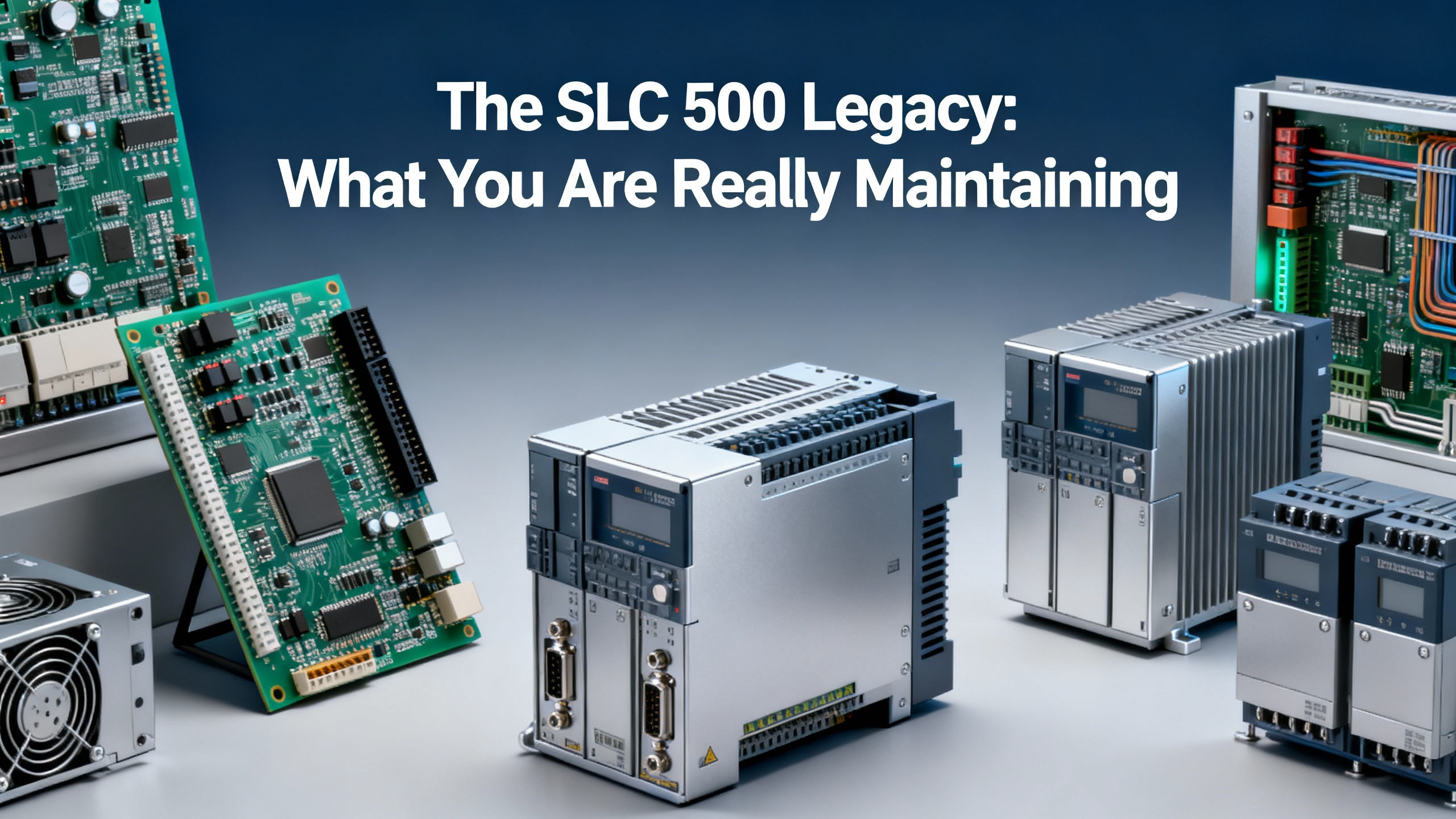
The SLC 500 Legacy: What You Are Really Maintaining
The Allen-Bradley SLC 500 family is a small, chassis-based, modular PLC platform that has been a global workhorse for roughly three decades. IndAXOnline describes it as reliable, flexible, and cost-effective for small and mid-sized systems, with support for ladder logic and structured text along with advanced instructions such as sequencers, diagnostics, shift registers, file handling, immediate I/O, and program control. Communication options span RS-232, RS-422, RS-423, Data Highway Plus (DH+), Ethernet, Remote I/O, DeviceNet, and ControlNet, depending on the processor model.
For many facilities, the SLC 500 became the “default” controller. As a result, entire production lines and sometimes entire plants still depend on it. Understanding exactly which parts of the platform you are maintaining is the first step toward managing obsolescence.
Core SLC 500 component categories
An SLC 500 installation typically revolves around the following categories, as described in selection and maintenance guides from sources such as PDFSupply and IndAXOnline.
Processors and CPU styles form the brain of the system. The SLC 500 family includes fixed-style controllers such as the 1747-L20, 1747-L30, and 1747-L40, where power supply, CPU, and a small number of I/O points are integrated in one compact unit. These target smaller applications. Modular SLC 5/01 through 5/05 processors are designed for medium to large systems, with higher computing capability and the option to select power supplies and I/O modules individually.
I/O modules and chassis make the SLC 500 a true modular platform. The 1746-series chassis accept a range of discrete and analog input and output cards, specialty modules, and communication interfaces. The modular architecture allows expansion through additional local chassis and through remote I/O. In large systems, you can interconnect multiple chassis or use remote I/O scanners to reach physically distributed I/O.
Communications and network interfaces are built into or attached to the processor. According to the processor selection guide, SLC 5/01 and 5/02 models provide a single channel for DH-485 communication. SLC 5/03, 5/04, and 5/05 add an RS-232 port that can be configured for DH-485, DF1, ASCII, DF1 radio modem, or Modbus RTU master. They also offer a second channel that can be DH-485 (5/03), DH+ (5/04), or Ethernet/IP (5/05). Additional communication modules can be used when dedicated interfaces or backup communication paths are needed.
Power supplies, batteries, and backup scanners support continuity. Each modular system needs a compatible power supply sized for the chassis and I/O load. For SLC 5/03, 5/04, and 5/05 processors, IndAXOnline notes that a replaceable lithium battery provides RAM backup for about two years and will maintain RAM data for at least thirty minutes during battery change. For hot-backup systems requiring high availability, pairs of 1747-BSN backup scanner modules may be used to synchronize two CPUs.
In practice, most SLC 500 systems in service today are modular with SLC 5/03, 5/04, or 5/05 processors, a mix of discrete and analog I/O, some form of remote I/O, and at least one legacy network such as DH+, DH-485, or Remote I/O. This mix matters when you start sourcing obsolete parts or planning a migration.
Obsolescence Reality: Where the SLC 500 Stands Today
Rockwell Automation began phasing out the SLC 500 roughly in the early 2010s. IndAXOnline reports that SLC 5/01 and 5/02 controllers under Bulletin 1747 became obsolete and unavailable for sale in January 2017, and Bulletin 1746 SLC 5/03 8K controllers were discontinued in August 2018. Many SLC 500 products are now classified as “mature,” which in Rockwell lifecycle terms means limited availability and an approaching end-of-life.
From a plant’s perspective, “mature” is not a comfort. It means:
Equipment on the shelf is aging. Any SLC hardware you can still buy is either old new stock or used. Components that have been in storage for years still age, and devices that have already seen field service are closer to failure.
Genuine parts are scarcer and more expensive. Multiple sources, including IndAXOnline and various modernization guides, note sharply rising prices for OEM SLC spares as availability shrinks.
Lifecycle support is shifting toward migration. Rockwell now recommends migrating SLC 500 applications to CompactLogix 5370 or 5380 platforms, with the goal of preserving performance while reducing downtime and manufacturing costs. Schneider Electric describes a similar trend across the industry, estimating that tens of billions of dollars’ worth of installed automation is near end-of-life.
Operational risks from obsolete SLC 500 parts
When critical components are obsolete, every unplanned failure carries more risk. Based on downtime and obsolescence analyses from Industrial Automation Co., Schneider Electric, and IndAXOnline, the main risk categories are clear.
Unplanned downtime becomes harder to control. For a running process, a failed SLC CPU or key I/O module can still be replaced quickly if the plant has a known-good spare on site. When the failed item is obsolete and no spare is available, you face extended outages while you search global inventory, rework controls, or push through an emergency migration.
Spare-part costs escalate. As OEM supply dries up, pricing for remaining SLC modules rises. That pressure pushes some buyers toward auction sites and gray-market vendors, where the risk of counterfeit or marginal-quality hardware is high.
Support skills are fading. Younger technicians are trained on modern tools such as Studio 5000, EtherNet/IP, and web-based HMIs. Fewer people are comfortable with RSLogix 500, DH+, and block transfer instructions. That skills gap shows up during fault-finding and after emergency replacements.
Cybersecurity and connectivity limitations persist. Modern PLCs offer better security features, diagnostics, and connectivity to higher-level systems. Legacy SLC controllers and networks are harder to secure and integrate cleanly into modern architectures.
The bottom line is that continuing to rely on SLC 500 hardware is a legitimate strategy in the near term, but only if you treat obsolete-parts management as an explicit risk to be engineered, not as an afterthought.
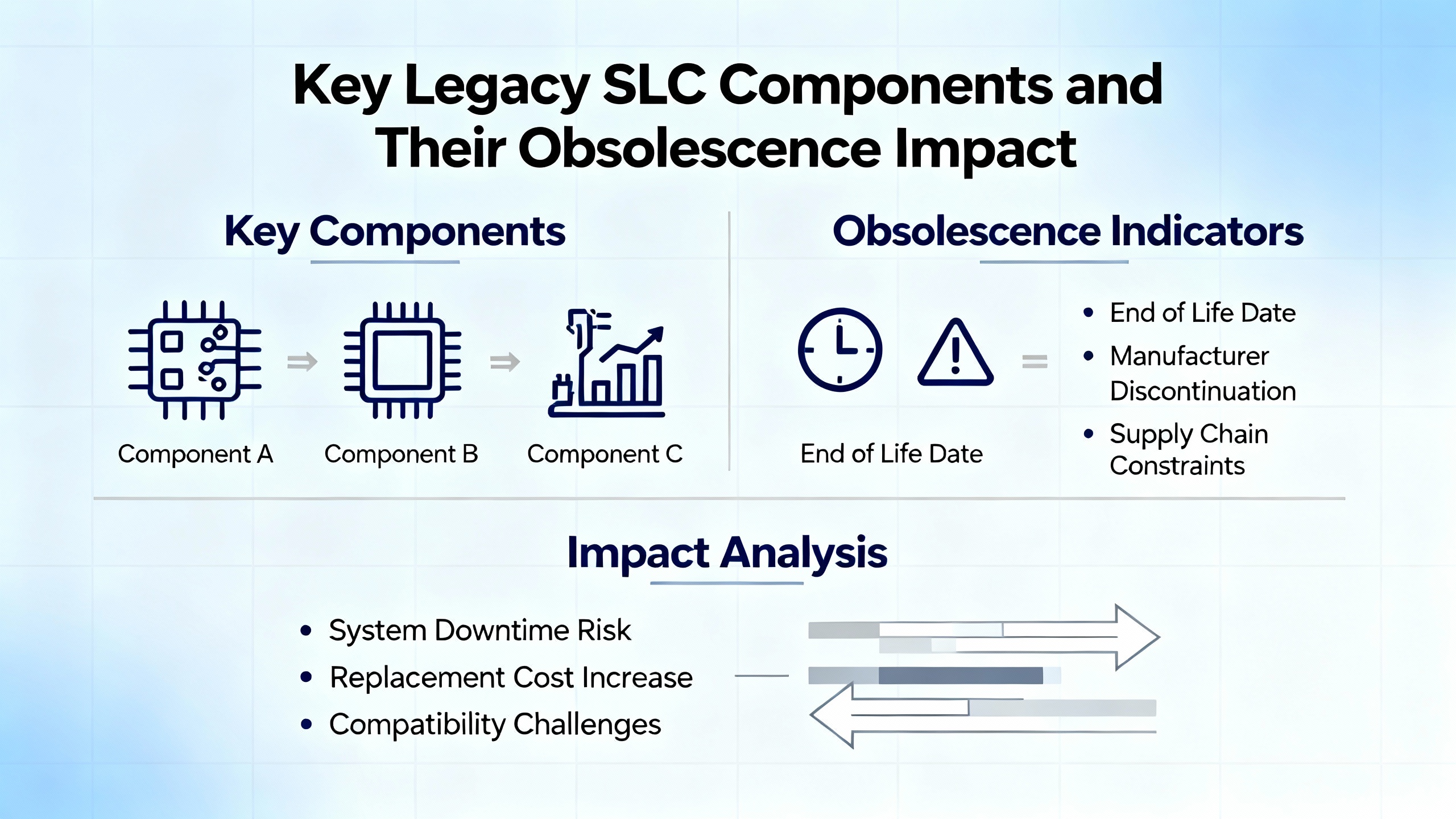
Key Legacy SLC Components and Their Obsolescence Impact
Not every SLC module carries the same risk for your process. Some components fail rarely and have reasonable workarounds. Others, such as CPUs and certain communication cards, are single points of failure.
The table below summarizes the practical impact of obsolescence for typical SLC 500 components, drawing from PDFSupply’s processor selection guide and IndAXOnline’s maintenance guidance.
| Component type | Typical role | Obsolescence impact |
|---|---|---|
| Processor (SLC 5/01–5/05) | Executes all logic, manages communications, holds program and data. | Highest risk; failure stops the process. Some models already obsolete. Replacement availability and program backup practices determine recovery time. |
| Fixed-style CPU (1747-L20/L30/L40) | Integrated CPU, power, and small I/O for micro systems. | Compact form factor limits options. When failed, often forces full panel or controller replacement. |
| Discrete I/O modules | Majority of on/off field signals. | Usually easier to source; can sometimes substitute functionally similar modules. Still critical in high-channel-count racks. |
| Analog I/O modules (for example, 1746-NI8) | Handle process signals such as temperature, pressure, and flow. | Often more specialized. Differences in channel counts, differential versus single-ended wiring, and scaling complicate substitution or migration. |
| Communication modules and network ports | Connect SLC to HMIs, SCADA, drives, and other PLCs. | Legacy networks such as DH+, DH-485, and Remote I/O are increasingly difficult to support. Losing a key interface may force re-architecture. |
| Power supplies and chassis | Provide power and mechanical structure for modules. | Failures are less common but can affect an entire rack. Mechanical fit and power ratings limit substitutes. |
| Batteries and memory backup | Preserve RAM and program during power loss. | Consumable with predictable life. If neglected, loss of battery can mean total program loss on power outage. |
Processors and memory: the core risk
In the SLC 500 world, the processor is the most expensive and most critical part of the system. PDFSupply emphasizes that SLC CPUs are the central element executing user logic and managing communications, and can even be used stand-alone for testing and training. For modular SLC 5/01 through 5/05 processors, the selection guide notes that I/O capacity can reach several thousand points through chassis interconnection and distributed I/O, making these CPUs central to large, complex systems.
Obsolescence hits processors hardest for two reasons. First, each processor model supports a certain mix of communication protocols, memory sizes, and instruction sets. When a given model is discontinued, simply substituting another SLC CPU may break communications or run out of memory. Second, if you lose both the processor and the program backup, you are not just replacing hardware; you are rebuilding control logic.
This is why Metromotion Controls and other upgrade specialists insist that the single most important risk-mitigation step for SLC systems is maintaining a current backup of the PLC program, including all setpoints and modifications, and testing that backup periodically.
I/O modules and remote racks: where subtle differences matter
Discrete I/O cards are usually easier to replace, as long as you match voltage, current, and wiring arrangements. Analog modules, however, can be trickier. A forum thread on upgrading from an SLC 5/04 to ControlLogix highlights how an SLC analog module such as the 1746-NI8, which supports eight channels that can all be configured as differential or single-ended, does not map one-to-one to a ControlLogix 1756-IF8, which only supports up to four differential channels. To maintain eight differential signals, the engineer in that discussion considered using a 1756-IF16 instead.
That kind of nuance matters even if you stay within the SLC family, because replacement modules must match both the electrical behavior and the way your application logic expects data to appear. When remote racks and block transfers are involved, as with Remote I/O scanners and FLEX I/O, any change in module type or communication architecture can ripple into the ladder logic.
PDFSupply notes that SLC modular systems can scale to very large I/O counts, either through up to about thirty interconnected chassis or through distributed I/O over remote communication links. Maintaining these architectures with obsolete hardware requires clear documentation of which remote racks and modules are truly critical, and where redesign is acceptable.
Communications modules and legacy networks
On-board communication capabilities differ significantly between SLC processor models. SLC 5/01 and 5/02 rely on DH-485. SLC 5/03 to 5/05 add RS-232 and additional channels that may be DH-485, DH+, or Ethernet/IP. Higher-level communication, such as PLC-to-PLC messaging and redundant architectures, often depends on specific modules such as 1747-BSN backup scanners or Ethernet sidecars.
As newer systems standardize on Ethernet/IP and modern security practices, the gap widens between what SLC networks can do and what plants expect. Migration guides from Atlas OT and PLCDepartment point out that modern ControlLogix and CompactLogix platforms integrate more naturally with today’s networks and software. From an obsolescence perspective, that means every failed DH+ or Remote I/O card pushes you a little closer to a redesign decision.
Batteries and data retention: the simplest preventable failure
For SLC 5/03, 5/04, and 5/05 processors, IndAXOnline explains that a replaceable lithium battery provides RAM backup for about two years. A BATT status LED warns when voltage is low, and the battery will keep RAM data intact for at least thirty minutes during replacement.
The recommended changeout flow is straightforward. You de-energize the system and release the retainer clips to remove the processor from the chassis. With the module on the bench, you unplug the old lithium pack, free it from its retaining clips, fit the new battery in place, reconnect the plug, and slide the processor back into the chassis, locking the clips. If you work within that thirty-minute window, the RAM contents remain intact.
In practice, many plants neglect this basic maintenance, leaving aged batteries in place for far longer than two years. When power is lost after the battery has failed, the processor can lose its program and data entirely. For a mature and obsolete product line, this is an avoidable way to lose a control program.
Sourcing Obsolete SLC 500 Parts Without Increasing Your Risk
Obsolete-parts sourcing is not just a purchasing activity; it is an engineering control measure. Industrial Automation Co. frames it as part of a broader resilience strategy, and that view applies directly to SLC 500 components.
Start with a disciplined installed base audit
You cannot protect what you have not inventoried. Obsolescence specialists such as Industrial Automation Co. recommend auditing the entire production line, with a detailed asset inventory for mission-critical items including PLCs, variable-speed drives, HMIs, servo drives, and associated communication modules.
For SLC 500 systems, that inventory should capture catalog numbers, series and revision levels, serial numbers, installation dates, maintenance history, firmware or OS revisions, configuration details, and expected lifespan where available. Asset management software combined with end-of-life announcements from Rockwell Automation can then be used to flag SLC items that are already obsolete or approaching obsolescence.
In my own projects, a well-built inventory has often paid for itself the first time a CPU failed. Knowing exactly which SLC 5/04 model and firmware you have, and which chassis and I/O cards are linked to it, makes the search for a legitimate replacement far faster and more precise.
Classify risk and prioritize critical SLC components
Industrial Automation Co. suggests classifying items by obsolescence risk. High-risk components are those with no easy substitute and no bypass, such as SLC processors with rare communication options or specialty analog modules. Low-risk components are commoditized or easily replaceable, such as standard discrete I/O cards in non-critical areas.
For SLC 500 installations, processors, key communication interfaces, and large remote racks typically fall into the high-risk category. Those are the parts you should either stock in depth or plan to replace through a structured migration.
Training maintenance staff to spot early failure signs is equally important. For PLCs and I/O, that can mean intermittent communication faults, increasing error counts, unusual status indicators, or unexplained process anomalies. Catching a module that is “going soft” before it fails completely can turn a crisis into a scheduled change.
Choosing the right supplier for obsolete SLC modules
Obsolete SLC 500 parts are now sourced largely through specialist distributors and secondary markets. Industrial Automation Co. and IndAXOnline outline several factors that differentiate reliable suppliers from risky ones.
A credible obsolete-parts partner will have broad sourcing capability, including access to new old stock and properly refurbished units, along with familiarity with industrial standards such as ISO 9001 and UL. They should be able to cross-reference part numbers, recommend retrofit options, and explain how a proposed replacement will integrate into your existing SLC architecture with minimal rewiring.
Equally important are response times and engineering support. When a processor fails on a live system, you need fast confirmation that a tested, compatible replacement is available, not just a quote that turns into a backorder. Some suppliers offer engineering assistance to identify migration options when a like-for-like SLC replacement is no longer realistic.
Testing, warranties, and counterfeit avoidance
Because legacy inventories move quickly, the temptation is to grab the first unit you find on an auction-style marketplace. Multiple sources caution against that approach. IndAXOnline points out that buying SLC spares from informal online marketplaces exposes you to spurious or counterfeit parts, with little or no warranty or accountability if the hardware fails.
Industrial Automation Co. emphasizes the importance of rigorous testing and robust warranties. They describe multi-point functional testing and typical twenty-four-month warranties on brands that include Allen-Bradley. Buyers are encouraged to ask suppliers to detail their testing protocols, including continuity checks, load testing, and real-world simulation, and to confirm that refurbished parts meet or exceed OEM specifications.
In practice, if you are using obsolete SLC components in safety-related or high-value processes, a long warranty and detailed test reports are not luxuries. They are part of your risk control. A slightly higher unit price is often cheap insurance compared with an unplanned line shutdown.
Using surplus and buyback programs
Many plants have obsolete SLC modules gathering dust in cabinets. Specialist suppliers such as Industrial Automation Co. and IndAXOnline operate surplus and asset recovery programs that can buy back unused SLC components, refurbish them, and return them to the market.
Documenting surplus items properly makes these programs more useful. Industrial Automation Co. recommends recording condition, photos, test results, and packaging details, and engaging only with vetted networks to avoid counterfeit issues. This kind of controlled surplus program supports a circular economy, extends part lifecycles, and can help fund future upgrades.
A simple way to look at it is that every unused, legitimate SLC module you return to a reputable channel becomes one more potential spare for an operator somewhere else who is facing the same obsolescence challenge.
Keep Running or Migrate? A Pragmatic Decision Framework
At some point, every SLC 500 owner faces the big question: is it smarter to keep this platform running with carefully managed spares, or to commit to a migration? There is no one-size-fits-all answer, but the factors are well understood across migration guides from Atlas OT, PLCDepartment, Schneider Electric, Metromotion Controls, and others.
When it still makes sense to maintain SLC 500
Maintaining an SLC 500 platform can still be a sound choice in several scenarios.
If your process is stable and changes rarely, the existing SLC logic and hardware may have proven itself over many years. The risk from change may be higher than the risk from obsolescence in the short to medium term.
If you have invested in a disciplined spares strategy and partnered with a legitimate obsolete-parts supplier, you may be able to secure enough tested SLC CPUs and key I/O modules to support a planned remaining lifecycle.
If your team is deeply familiar with RSLogix 500 and SLC diagnostics, troubleshooting can be efficient, even outpacing less experienced use of newer platforms. In that case, your main challenge is sourcing parts and managing backups, not day-to-day operation.
In these circumstances, the focus should be on hardening batteries and backups, stocking the most critical obsolete components, and planning a gradual migration path instead of reacting to crisis.
When migration becomes the safer bet
On the other hand, several clear signals indicate that migration is becoming the lower-risk option.
Rockwell Automation now formally recommends migrating SLC 500 systems to CompactLogix 5370 or 5380 controllers. Atlas OT describes this as the primary path for maintaining compatibility and gaining a unified development environment, especially when new communication needs and SCADA integration are in play.
Metromotion Controls highlights the practical limits of relying on obsolete SLC hardware, noting that any SLC module still available is either old stock or used. As processors and I/O modules become scarcer and more expensive, buying additional spares becomes less attractive than investing those funds into a structured migration.
Schneider Electric points out that legacy platforms such as SLC 500 struggle to keep up with modern connectivity and data requirements. They promote migration to Modicon M340 and Unity Pro as a way to access modern network architectures, improved diagnostics, better mean time between failures, and more efficient maintenance.
If your operation has high downtime costs, needs stronger cybersecurity and integration with modern analytics, or is already facing multiple obsolete-part crises, migration should be treated as a strategic project rather than a future wish.
Main migration paths from SLC 500
Several migration paths are commonly used in the field, often in combination.
Rockwell-centric migrations to CompactLogix or ControlLogix are the most natural for many plants. Atlas OT and PLCDepartment describe structured processes that start with full hardware and logic assessments, define future requirements, and then plan either complete replacement or phased migration. Rockwell tools such as Integrated Architecture Builder and Studio 5000 Logix Designer support I/O planning and program conversion from SLC to Logix. Metromotion Controls notes that you can sometimes replace only the SLC processor with a CompactLogix or ControlLogix CPU while keeping existing SLC I/O and field wiring through adapter hardware, then migrate I/O later in stages.
Schneider-based migrations move from SLC 500 to Modicon M340 platforms with Unity Pro, as outlined in Schneider Electric modernization guides. Schneider’s conversion tools can automatically translate existing SLC 500 applications into Unity, preserving I/O tag names, rung comments, and overall behavior. Quick wiring terminal blocks allow reuse of existing field wiring, reducing installation time and wiring errors. Migration options range from full replacement to partial migration where existing SLC racks are retained for a time while the CPU and supervisory networks are replaced.
Vendor-neutral and cost-optimized paths, including alternative PLC platforms such as Automation Direct, IDEC, Opto 22, and PLCnext, are highlighted in discussions from ElectricianTalk and multi-vendor distributors like PCC. These approaches focus on reducing licensing and hardware costs, sometimes at the expense of vendor migration tools. A common recommendation is to pilot an alternative platform on a non-critical process, learn its strengths and weaknesses, and then decide how broadly to deploy it.
All of these strategies share a common principle: treat the migration as a project with defined scope, risk assessment, and clear success criteria, not as a one-night “rip and replace” event.
Comparing “sustain” versus “migrate” strategies
The tradeoffs between sustaining a legacy SLC platform and pursuing modernization can be summarized as follows, based on the sources cited above.
| Strategy | Advantages | Drawbacks | Best fit situations |
|---|---|---|---|
| Sustain SLC 500 with managed spares | Minimal change to proven logic and wiring; avoids retraining in the short term; can be cost-effective when good spares are available and downtime costs are moderate. | Increasing difficulty and cost of sourcing parts; fading OEM support; limited cybersecurity and connectivity; growing reliance on shrinking expertise. | Stable processes with manageable downtime impact and access to tested SLC spares through reputable channels. |
| Phased migration (CPU first, I/O later) | Spreads capital cost over time; preserves existing field wiring initially; allows gradual training and debugging on the new platform; can use conversion tools to port logic. | Requires careful design of interface between new CPU and old I/O; may involve temporary complexity; not all SLC functions map cleanly to the new architecture. | Lines where you can tolerate limited downtime windows and where wiring changes are expensive or difficult. |
| Full migration to a modern PLC platform | Maximizes long-term support, security, and connectivity; simplifies future expansions; aligns with modern engineering tools; reduces reliance on obsolete parts. | Highest upfront cost; more extensive downtime and commissioning effort; requires thorough training and documentation. | Critical lines with high downtime costs, heavy integration needs, and limited tolerance for obsolescence risk. |
As a systems integrator, I generally advise clients to treat sustaining SLC 500 as a deliberate, time-bounded strategy, not an indefinite one. The right path is often a phased migration where you stabilize the present with good spares and backups while designing a modern target architecture.
Practical Maintenance and Risk-Reduction Moves for Existing SLC 500 Systems
Whether or not you are ready to commit to a migration project, there are practical actions you can take now to reduce risk on your existing SLC platform, consistent with guidance from IndAXOnline, Industrial Automation Co., Metromotion Controls, and PLCDepartment.
Protect your programs before anything else
Metromotion Controls calls out one practice as more important than any other: keep an up-to-date backup of every SLC processor program, including all current setpoints and logic changes. That means more than a single file on a laptop. Best practice is to maintain multiple copies in secure locations, verify that your RSLogix 500 licenses and cables actually allow you to connect, and periodically test restoring a backup to a spare processor or a simulation environment.
If you do not have a current backup, the priority is to retrieve the program from each running SLC processor immediately and store it. The time to discover a missing backup is not after a processor fails and the RAM image is lost because of a dead battery.
Prioritize critical spares and stocking strategy
Industrial Automation Co. recommends adopting a hybrid stocking approach. For non-critical spares, a just-in-time model may still be workable. For high-risk obsolete components such as SLC CPUs, key communication modules, and large remote racks, it is prudent to maintain a targeted on-site buffer.
IndAXOnline notes that they can supply hard-to-find SLC 500 spares for up to about five years beyond typical market availability, with three- or five-year support windows and warranty coverage depending on the model. That kind of supplier capability can be used to shape your stocking policy. The question becomes how many years of coverage you want from your combined on-site inventory and partner network, and how that horizon lines up with your migration plans.
Tighten basic maintenance: batteries and documentation
Battery maintenance, though mundane, is critical. Based on IndAXOnline’s guidance, SLC 5/03, 5/04, and 5/05 batteries should be replaced roughly every two years, with careful attention to BATT LED indicators and the thirty-minute window of RAM retention during replacement. In practice, I recommend building battery replacement into your preventive maintenance schedule and treating overdue batteries on SLC processors as a high-priority corrective item.
Documentation is equally important. The asset inventory described earlier should be kept current as modules are replaced or upgraded. Wiring diagrams, I/O maps, network topologies, and controller configurations should be accessible, not locked in a retired engineer’s laptop. Obsolete systems are harder to support if their documentation is also obsolete.
Train your team for both legacy and future
Migration and maintenance guides from PLCDepartment and Atlas OT emphasize training and knowledge transfer. For SLC 500 users, that means ensuring your team can still interpret RSLogix 500 projects and legacy network diagnostics, while also learning the tools and concepts of the target platform, whether that is CompactLogix, ControlLogix, Modicon, or an alternative.
A common and effective pattern is to pair maintenance work on the legacy SLC system with structured exposure to the future platform. For example, technicians might shadow the migration of a small, low-risk process to a modern PLC, learning Studio 5000 or Unity Pro on a project that has room for experimentation.
Frequently Asked Questions about Obsolete SLC 500 Parts
Are refurbished SLC 500 modules safe to use in a critical process?
They can be, but only if they come from reputable suppliers who test and warrant them properly. Industrial Automation Co. and IndAXOnline both describe multipoint functional testing, real-world simulation, and multi-year warranties as standard parts of their offering. In contrast, anonymous sellers on auction-style marketplaces rarely provide meaningful test documentation or assume responsibility for failures. For critical lines, insist on detailed testing procedures, clear traceability back to the original OEM, and warranties measured in years, not days.
How long can we realistically keep an SLC 500 system in service with obsolete parts?
There is no single universal number of years, but several constraints are clear from the sources discussed here. Rockwell has already discontinued key SLC processors and placed much of the family in a mature lifecycle phase. IndAXOnline states that they can supply SLC 500 spares for up to roughly five years beyond normal market availability. Schneider Electric estimates that a large share of installed automation globally is already near end-of-life. Taken together, these indicators suggest that sustaining an SLC platform is a medium-term strategy. With disciplined spares management and strong supplier relationships, many plants can support critical SLC lines for several more years, but planning for migration should run in parallel rather than waiting for support to disappear.
Is it worth migrating away from Rockwell if we are standardized on SLC 500?
The answer depends on your priorities. Rockwell’s own modernization guidance and the experience summarized by Atlas OT and PLCDepartment show clear advantages to moving from SLC 500 to CompactLogix or ControlLogix, especially if you want tight integration with Rockwell HMIs, drives, and tools. At the same time, ElectricianTalk discussions make a strong case that alternative vendors such as Automation Direct can deliver capable systems at lower cost, particularly for small to medium projects where standardization is less rigid. Multi-vendor suppliers such as PCC and Schneider Electric highlight migration paths that move away from Rockwell altogether. The practical approach is to define your technical and business requirements first, then evaluate whether staying within the Rockwell ecosystem or adopting a different platform best meets those needs over the lifetime of the new system.
Closing Thoughts
The SLC 500 has earned its reputation as a durable and forgiving platform, but its hardware lifecycle is now firmly in the rearview mirror. Treating obsolete SLC parts as an ad hoc purchasing problem is no longer enough. You need a clear inventory, a structured spares strategy, vetted suppliers, disciplined backups, and a realistic migration roadmap.
In my role as a systems integrator, the most successful SLC 500 projects I see are the ones where maintenance, engineering, and purchasing agree on that roadmap and act before a failed processor or rare communication module forces their hand. If you approach your legacy SLC platform with that mindset, you can turn an aging control system from a looming liability into a managed, predictable part of your long-term automation strategy.
References
- https://www.nmcc.edu/wp-content/uploads/UPDATED-7.23-Course-Catalog-FINAL_1_2022-2024.pdf
- https://www.emcc.edu/wp-content/uploads/2019/07/2019-2020-Catalog_1.pdf
- https://www.plctalk.net/forums/threads/slc-500-removing-and-inserting-modules.34440/
- https://www.artisantg.com/info/AB_SLC500_Selection_Guide.pdf?srsltid=AfmBOopLhXcn1wTKUwloaUPM9GyZMRaFB420ZnmcaOwo9EacFTSa-ZyZ
- https://metromotioncontrols.com.au/allen-bradley-slc-500-upgrade/
- https://www.indaxonline.com/articles/how-to-better-maintain-allen-bradley-slc-500-system?srsltid=AfmBOoozzCoiKL4yeFzbP9xx3NxI_vOfksNivxWpOGNKiHfq1UErVUwQ
- https://www.linkedin.com/posts/plc-hardware_rockwell-automation-slc-500-migration-guide-activity-7332920097319096321-IffD
- https://www.oukecnc.com/blog/your-ultimate-guide-to-sourcing-allen-bradley-replacement-parts-for-industrial-automation.html
- https://www.pccweb.com/upgrading-slc-500/
- https://www.schneiderelectricrepair.com/slc-500-migration-benefits/
Keep your system in play!
Top Media Coverage
Categories



Related articles Browse All
-
 BlogImplementing Vision Systems for Industrial Robots: Enhancing Precision and Automation2025-08-12 11:26:54Industrial robots gain powerful new abilities through vision systems. These systems give robots the sense of sight, so they can understand and react to what is around them. So, robots can perform complex tasks with greater accuracy and flexibility. Automation in manufacturing reaches a new level of ...
 -
 BlogOptimizing PM Schedules Data-Driven Approaches to Preventative Maintenance2025-08-21 18:08:33Moving away from fixed maintenance schedules is a significant operational shift. Companies now use data to guide their maintenance efforts. This change leads to greater efficiency and equipment reliability. The goal is to perform the right task at the right time, based on real information, not just ...
 -
 BlogThe Evolution of Steam Turbine Control Systems2026-03-31 08:33:35CALL US:+86-18020776786 | E-MAIL:INFO@AMIKON.CN In-depth analysis of the GE Mark VIe control system Mark VIe: A Modern Mainstay for Industry 4.0 Mark VIe's core concepts are "high availability, open connectivity, and intelligent readiness." It utilizes comm...


- Q&A
- Policies How to order Part status information Shipping Method Return Policy Warranty Policy Payment Terms Email Marketing Policy VAT and Import Information
- Asset Recovery
- We Buy Your Equipment. Industry Cases Amikong News Technical Resources Why choose us FAQs
- Registered Address
-
32D Guomao Building, No.388, Hubin south Road, Siming district, Xiamen,Fujian, China

Leave Your Comment