
-
Please try to be as accurate as possible with your search.
-
We can quote you on 1000s of specialist parts, even if they are not listed on our website.
-
We can't find any results for “”.
DCS Redundancy Failure Recovery: System Restoration Steps
Distributed control systems are the central brain of most energy‑intensive, process‑heavy facilities. When you add redundancy around that brain, you are not buying perfection; you are buying time. In other words, redundancy gives you a chance to keep the plant running when something fails and to restore the system before the process notices.
In practice, that only works when redundancy is paired with disciplined recovery procedures. I have seen too many sites lean on the word “redundant” as if it were a magic spell, only to discover during a 2:00 AM outage that no one remembers where the last valid controller backup lives.
This article walks through how to recover from DCS redundancy failures and restore the system to a healthy, redundant state. The focus is practical: what to do before an incident, what to do during the failure, and what to do afterward so you do not repeat the same night shift again six months later. The guidance is grounded in industry experience reflected in work from ISA, Control.com, Automation.com, Industrial Cyber, Schneider Electric, and others.
What DCS Redundancy Really Delivers
A distributed control system is an industrial control architecture where control functions are spread across multiple controllers instead of concentrated in a single box. That distribution already gives you some resilience. Redundancy adds a second layer: it deliberately duplicates critical components so a single failure does not cost you the process.
In industrial automation practice, redundancy usually spans four layers of a DCS network. Controller redundancy means at least two controllers can run the same plant section, so a standby can take over if the primary fails. Module redundancy means critical I/O cards and similar modules are duplicated, so a single card failure does not take down signal acquisition or actuation. Network redundancy means multiple communication paths, cables, switches, or even wireless links exist so traffic can be rerouted around a failed path. Power redundancy uses dual power supplies, UPS systems, and sometimes backup generators to keep control hardware powered through disturbances.
Done well, redundancy reduces unplanned downtime, protects equipment, and supports safety by preventing hazardous process conditions when hardware fails. Articles from OJ Automation and LinkedIn’s industrial automation community describe how hot standby controllers, dual industrial Ethernet networks, and redundant power supplies have become standard in power generation, refining, and pharmaceutical plants where interruptions are unacceptable.
However, redundancy is not free. It adds hardware cost, configuration complexity, and more to maintain. General engineering guidance on redundancy stresses that you should apply it where failure has high safety, environmental, or economic consequences, not indiscriminately everywhere. It is also crucial to remember that redundancy is about availability, not about data recovery. It will not fix corrupted logic, missing historian data, or a compromised domain controller. That is where recovery planning comes in.
Why Redundant Systems Still Fail
When a plant invests in dual controllers and networks, it is easy for leadership to assume that “the DCS is covered.” The field reality is more nuanced. Control.com’s discussion of disaster recovery for IT and OT, along with a range of troubleshooting articles, highlight recurring failure causes even in redundant systems.
The first category is plain hardware failure. Hard disks, power supplies, fans, and network interface cards wear out. Even redundant arrays of independent disks (RAID) can fail if multiple drives fail close together or if rebuilds are mismanaged. Power supplies derated to operate below roughly forty percent load, as recommended in a large ISA naphtha cracker case study, last longer and fail more gracefully, but they still fail.
The second category is software and configuration faults. Application bugs, operating system problems, and misconfigured redundancy links are common. Software migration between generations of DCS, like the ISA case where an older UNIX‑based system had to be replaced, brings the risk of subtle function block differences that only appear under abnormal conditions. Misconfigured controller loading, poorly tested custom function blocks, and mismatched network parameters can all break failover when you need it most.
The third category is communication and network problems. Switch or router failures, fiber breaks, mispatched cables, or broadcast storms can isolate a redundant node. Automation.com’s coverage of DCS redundancy notes that high port traffic from SCADA, PLCs, and industrial switches can degrade both performance and security if ports are not audited and segmented properly.
The fourth category is environmental and external factors. JiweiAuto’s fault diagnosis work reminds us that extreme temperature, humidity, vibration, electromagnetic interference, and unstable power can all degrade hardware and create intermittent faults that are hard to track. ISA’s petrochemical case required components rated to operate from roughly 32°F up to about 122°F, in relative humidity from around ten to ninety‑six percent, with vibration up to about 0.2 G and displacement up to about 0.01 in, precisely because real plants are not clean laboratories.
Finally, there is cyber risk and human error. Industrial Cyber has documented how ransomware and other attacks now deliberately target OT environments and even backup systems. At the same time, pressured staff often favor quick fixes over structured fault finding, as noted in Automation.com discussions on failure management. A rushed change on a live redundant controller, without tested rollback, can leave you with two bad legs instead of one good and one bad.
When you combine hardware, software, network, environment, and human factors, the lesson is simple. Redundancy reduces the probability that a single failure stops production; it does not eliminate the possibility that several misaligned factors will take you into a degraded or failed state. Recovery planning must assume that someday the redundant design will be tested in the worst possible way.
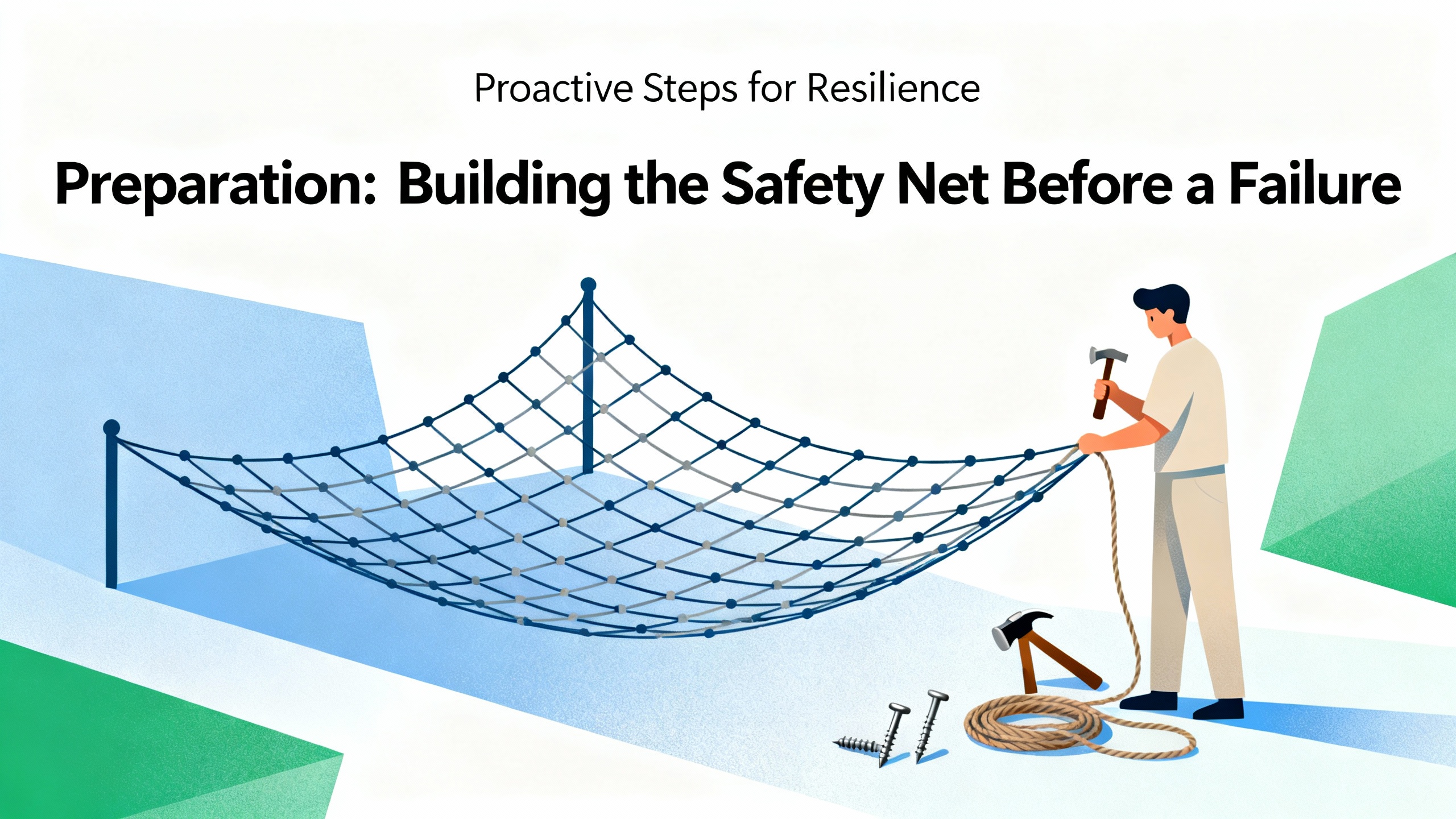
Preparation: Building the Safety Net Before a Failure
Recovery is won or lost long before the pager goes off. The best emergency procedures in the world will fail if you do not have usable backups, accurate documentation, and a clear view of what is actually redundant in your architecture.
Identify Critical Assets and Redundancy Boundaries
A Control.com article on disaster recovery in IT and OT recommends an explicit inventory of critical equipment types across the whole system. In an industrial control system this typically includes remote terminal units and programmable logic controllers that interface with field devices, servers and workstations that host HMI and application logic, network switches and routers that provide local and wide area connectivity, real‑time human‑machine interfaces and database services such as Oracle or SQL Server, domain controllers that manage authentication and authorization, and NTP clocks that keep RTUs, PLCs, intelligent electronic devices, and computers synchronized.
It is not enough to know you have a redundant DCS controller. You also need to know whether the historian is redundant, whether domain controllers are redundant and properly backed up, which switches form the dual control network, and which of those devices support hot swap versus requiring a shutdown. The Automation.com redundancy and security coverage stresses that both master and standby units must be monitored continuously, with health checks and synchronization status.
In practice, this inventory feeds both your redundancy design and your disaster recovery plan. It should be kept current and accessible, not locked in a single engineer’s cell phone or a dated spreadsheet.
Establish Layered Backups for OT and IT Assets
Multiple sources converge on one point: redundancy without backups is an accident waiting to happen. DCS maintenance guidance and Control.com’s disaster recovery strategy both emphasize a layered backup model spanning system images, databases, and configuration data.
For IT‑style assets such as servers and workstations, a monthly system image backup is a common baseline. Control.com cites using disk imaging tools, like Acronis True Image, to clone the full operating system, proprietary applications, drivers, and environment settings, either to external drives or to network attached storage. These images support fast bare‑metal restoration after a hard disk failure or a corrupted operating system.
For plant databases, including process historians and alarm/event archives, daily online backups are standard in practice. Tools such as HP Data Protector can automate backups for Linux and Windows servers, controlling schedules from a central backup server that often doubles as a domain controller. TheAutomationBlog reminds us that every intelligent device should have a recoverable configuration, and that automated backups dramatically reduce workload and errors in larger facilities.
Operational technology assets such as PLCs and RTUs also need configuration backups. Control.com and JiweiAuto both highlight the value of backing up PLC and RTU application programs, network settings, time synchronization parameters, and network device running configurations. Many RTU platforms, such as ABB’s RTU560 mentioned by Control.com, expose a web server that allows uploading and downloading complete configuration backups.
Industrial Cyber adds an important nuance: in a cyber incident, only offline, immutable, or air‑gapped backups can be trusted. If your only DCS backups live on the same Windows domain that a ransomware attack just encrypted, your redundancy and your backups fall together. NIST and IEC 62443 guidance reflected in Industrial Cyber’s analysis encourage a mix of online, offline, and periodically tested backups, all treated as critical Tier 0 assets.
Maintain and Monitor Before the Failure
DCS maintenance articles consistently argue that routine inspection and health monitoring detect issues long before they become failures. Regular physical inspections of control panels, wiring, and components catch loose terminations, contamination, and visible damage. Tools like HP Integrated Lights‑Out on ProLiant servers provide early warning by tracking disk and memory utilization, temperatures, network load, and power supply health.
In the ISA naphtha cracker case, design limits targeted controller load below roughly forty percent, network load below about fifty percent, and power supply load again below about forty percent, with free memory kept above half capacity. That kind of margin allows the system to absorb peaks and degradation without falling over. Similar principles apply in DeltaV optimization guidance from Industrial Design Solutions, which recommends continuous monitoring of diagnostics and health metrics to spot component degradation before it triggers downtime.
Preventive maintenance tasks such as tightening connections, cleaning filters, and checking calibration are simple but powerful. JiweiAuto’s troubleshooting work and DCS maintenance best practices both note that environmental issues like high humidity, dust, and unstable power frequently sit behind intermittent controller or I/O faults that later masquerade as “mysterious” redundancy issues.
Keep Cybersecurity and Software Governance in Scope
Redundant DCS and RCM architectures increasingly connect to IT networks. Automation.com and Industrial Cyber emphasize that this convergence raises the risk that a cyber incident will affect both sides of a redundant architecture simultaneously.
Recommended practices drawn from those sources include network segmentation of critical systems, use of firewalls and intrusion detection at IT–OT boundaries, one‑way data paths such as data diodes where appropriate, and strict access control for centralized engineering and control software. Firmware and software patching is acknowledged as difficult in high‑availability plants but cannot be ignored. Best practice is to test patches in isolated environments, schedule changes during planned downtime, and use virtual patching where immediate risk reduction is required but a full update cannot be applied immediately.
Software governance also matters. Automation.com warns that unlicensed or poorly maintained PLC applications, unverified firmware, and weak rollback mechanisms all increase cyber and operational risk. Maintaining a current software inventory, applying only verified firmware, and ensuring you can revert to a known good state are all prerequisites for a safe recovery when something goes wrong.
System Restoration Steps After a Redundancy Failure
With foundations in place, the question becomes what to do when redundancy fails in anger. In practice, you will see several variants of failure: the primary fails and the standby takes over correctly, but redundancy is now degraded; the primary fails, the standby also fails during changeover; or both legs suffer from a common mode issue such as a software bug or network fault.
The recovery path is similar in all these cases, although the risk profile differs.
Step 1: Stabilize the Process and Make the Plant Safe
The first job in any DCS incident is the process, not the hardware. Zeroinstrument’s work on emergency response for DCS and PLC failures, along with general OT incident guidance, stresses three immediate goals: protect people, protect equipment, and prevent uncontrolled environmental impact.
If the standby controller is running and the process is stable, resist the urge to “fix redundancy” immediately. Confirm with operations that the plant is in a safe state, alarms are visible, and critical interlocks and trips are functional. If graphics, alarm consoles, or historian functions are impaired, establish whether local control at the field or subsystem level can maintain safety while you work on restoration.
When both legs are compromised, you may need to shift to manual or local control using PLC local panels, field controls, or backup procedures. Emergency response concepts reflected in Industrial Cyber and general DCS practice emphasize having predefined playbooks for these scenarios, so crews are not inventing safe states on the fly.
Step 2: Diagnose What Actually Failed
Once the plant is safe, diagnosis begins. JiweiAuto’s troubleshooting guidance recommends starting with symptoms: sluggish response, frozen displays, frequent alarms, or loss of specific signals all hint at different root causes.
You will typically combine several tools. On the hardware side, you inspect controllers, I/O modules, and network equipment for power and status indications, verify supply voltages, and check cabling. Where signals are suspect, multimeters or oscilloscopes help confirm whether the fault sits in the field, the I/O module, or the network.
On the software side, you review system logs, event viewers, DCS diagnostic screens, and alarm messages. Many modern DCS platforms and server hardware provide error codes or health metrics for redundancy links, communication channels, and storage. If a disk in a mirrored RAID pair has failed and the array is degraded, that points toward a very different recovery approach than a misconfigured redundancy link between controllers.
Network diagnostics are particularly important for redundant architectures. Control.com’s DR article and Automation.com’s network guidance both recommend mapping out paths between controllers, I/O, and workstations, then testing connectivity and latency along those paths. Network monitoring tools or switch diagnostics can reveal port errors, rapid spanning tree reconvergence, or storm control events that line up with the time of failure.
Where the root cause remains unclear, JiweiAuto suggests the classic module replacement method: substitute suspected controllers or I/O cards with known good spares and see whether the fault moves. In redundant systems, you must do this methodically and with clear coordination so you do not remove the last working leg by mistake.
Step 3: Decide on the Recovery Strategy and RPO Targets
With a working diagnosis, you can decide whether to repair in place, restore from backup, or rebuild the affected components. This is also where you confront recovery point objectives, the amount of data or configuration change you are willing to lose to get back quickly.
Spiceworks’ analysis of server redundancy and recovery points makes an uncomfortable but valuable point: only a tiny fraction of organizations truly need zero data loss, and the cost of that goal is very high. Most plants, once the trade‑offs are explained, accept a small window of potential data loss in historian logs or non‑critical configuration changes in order to keep cost and complexity reasonable.
In a DCS context, that means deciding whether to roll a failed controller or server back to the last full configuration image, potentially losing some minor tuning changes, or to attempt a more surgical repair that preserves every small change at the cost of longer downtime and more risk of lingering corruption.
Your backup and DR plan should already define acceptable RPO ranges for different asset classes. For example, historian data may tolerate a small gap; safety‑related logic changes may require extremely conservative recovery with intense verification; domain controllers may follow Microsoft’s non‑authoritative restore model so that their database is treated as outdated and then updated by replication from healthy peers.
Step 4: Restore Controllers and Servers from Known Good Backups
When the strategy calls for restoration, you move up through the stack.
If an application server or operator workstation has failed, Control.com and DCS maintenance guidance recommend restoring from the most recent valid system image. Using disk imaging tools, you can often rebuild a box to a known good state within hours, assuming images were actually taken and stored on accessible media or storage.
For historian and real‑time database servers, you restore the operating system and DCS software first, then restore database backups. HP Data Protector and similar tools can orchestrate these restores across Linux and Windows platforms from a central console. Here the RPO decision comes into play: you select the backup set that balances recency with confidence in its integrity.
For controllers and RTUs, configuration backups are your lifeline. JiweiAuto and Control.com both emphasize keeping copies of controller programs and parameters. You load the validated program into the replacement or repaired controller, check that firmware versions match what your software inventory records describe, and only then consider reconnecting it to the live process.
For domain controllers and other directory infrastructure that support your DCS environment, Microsoft guidance summarized by Petri recommends a non‑authoritative system state restore for failed Windows domain controllers. You boot the failed DC into directory services restore mode, restore the system state using Windows Server Backup or an equivalent tool, then allow Active Directory replication from healthy DCs to update its data. Registry hacks and ad hoc scripts are explicitly discouraged because they risk subtle, long‑term directory corruption that is very hard to debug.
Throughout restoration, Industrial Cyber and Automation.com both urge maintaining an isolated environment where possible, especially after cyber incidents. If you suspect malware, you restore into a quarantined network, validate with security tools, and only then re‑admit the restored node into the production control network.
Step 5: Re‑Establish Redundancy and Synchronization
Once individual nodes are healthy, you must re‑create redundancy.
For controller pairs, this involves re‑establishing the redundancy link, verifying that both controllers are running compatible firmware and configurations, and ensuring that state synchronization works. Automation.com notes that effective redundancy requires continuous monitoring of both master and standby, including real‑time health checks, verification that communication is healthy, and confirmation that the standby is ready to take over.
For redundant networks, you confirm that both paths are operating, that spanning tree or similar self‑healing protocols converge quickly, and that traffic is balanced in line with your network design. OJ Automation’s network redundancy discussion stresses eliminating single points of failure between controllers, field devices, and SCADA or HMI systems by using dual independent networks and redundant switches or gateways.
For storage and server redundancy, you validate that RAID mirrors are healthy, that any clustered database or application services see both legs, and that failover logic behaves as expected. This may involve testing redundant virtual machines or active‑passive server pairs, similar to how IT uses tools like Zerto in DR environments to achieve low recovery point objectives.
Power redundancy also needs explicit validation. Dual power supplies should be fed from separate feeds where designed, UPS systems should carry the load long enough for orderly shutdowns or generator cut‑in, and redundant transformers or feeds from separate substations, as described in OJ Automation’s power redundancy coverage, should be periodically tested.
Step 6: Test with Controlled Failovers and Functional Checks
Redundancy that has never been tested is a comfort blanket, not a guarantee. ISA’s petrochemical upgrade case shows how the best projects treat testing seriously: they reused panel enclosures but tested fully assembled mounting plates with controllers, I/O, communication modules, barriers, and power supplies at the factory. They built spare controllers and testbeds to prove third‑party communications for analyzers, turbine controls, and emergency shutdown systems. Their factory and site acceptance testing covered one hundred percent of loops, graphics, redundancy, OPC connections, and fieldbus signatures.
In day‑to‑day operations, you may not have that luxury, but the principle holds. Once redundancy is re‑established after a failure, you should perform controlled functional tests. That may include exercising critical control loops, verifying alarm annunciation and acknowledgments, testing historian logging for key tags, and confirming domain authentication for operator logons.
Most importantly, you should carry out at least one planned failover for each redundant element that was involved in the incident. That means forcing the primary controller to relinquish control so the standby takes over while you observe the process response, monitoring switchover for redundant networks by disabling a link or switch under controlled conditions, and transferring clustered services from one node to another and back. Medium’s general redundancy guidance and OJ Automation’s recommendations both stress regular failover drills to ensure bumpless behavior and to uncover misconfigurations early.
Industrial Cyber and NIST‑aligned frameworks also advocate regular tabletop and live exercises for post‑incident recovery, not just for cyber events but for broader OT failures. Measuring mean time to recovery and identifying points of confusion during these exercises provides input for continuous improvement.
Step 7: Capture Root Cause and Improve the System
The final step may be the hardest: investing time after the incident to understand why it happened and how to prevent or mitigate a recurrence.
Automation.com points out that failure management often stops at immediate rectification instead of root cause analysis. Time pressure, production targets, and limited staffing all push teams toward quick fixes. To break that pattern, organizations should embed root cause procedures into failure management plans, maintain open collaboration with DCS vendors and OEMs, and train engineering teams in structured troubleshooting.
TheAutomationBlog recommends capturing and sharing lessons from each recovery event, including what failed, how recovery unfolded, where procedures or backups fell short, and what was improved. Without that, knowledge leaves the plant with retiring staff and the next incident repeats the same mistakes.
Industrial Cyber advocates continual improvement loops using metrics such as reduced mean time to recovery and closure of identified control gaps. For redundancy and recovery, these metrics might include time to restore from single and dual failures, the rate of successful planned failovers, and the proportion of devices with current, tested backups.
Finally, Schneider Electric’s DCS migration guidance reminds us that obsolescence is a risk multiplier. The ISA naphtha cracker case showed that clinging too long to an obsolete DCS with withdrawn vendor support, scarce spares, and rising failure rates eventually forced a full upgrade under pressure. Proactive lifecycle planning, including staged modernization and selection of partners with strong lifecycle support, reduces the likelihood that your next redundancy failure becomes a forced crisis migration.
Pros and Cons of Deeper Redundancy for Recovery
Redundancy and recovery are intertwined, but more redundancy is not always better. A concise comparison can help frame decisions.
| Design Choice | Advantages for Recovery | Drawbacks and Risks |
|---|---|---|
| Simple single controller per unit | Easier to understand and troubleshoot; fewer moving parts | Any controller failure is a process outage; recovery is slower |
| Hot standby controller redundancy | Very short or near‑zero downtime on single controller failure | Requires careful synchronization and testing; higher hardware cost |
| Redundant networks with dual switches | Communication failures less likely to halt control | More complex network design; misconfiguration can cause hidden failure modes |
| RAID mirroring for system disks | Fast recovery from single disk failure; often transparent | Does not protect against logical corruption or malware |
| Redundant power supplies and UPS | Better ride‑through of utility disturbances; graceful shutdown | More maintenance; false confidence if upstream feeds share failure modes |
| Extensive geographic or site redundancy | Protection from site‑level disasters; very low RPO possible | High capital and operating cost; added operational complexity |
These trade‑offs echo the DR cost discussion in Spiceworks and the broader redundancy patterns described in Medium’s system design guide. The overarching message is to match redundancy depth to business criticality, risk tolerance, and realistic recovery objectives, then document and test the resulting design.
A Few Practical Questions Answered
Does redundancy mean I no longer need backups?
No. Redundancy keeps the process running when hardware fails; backups give you something trustworthy to restore when software, configuration, or data is lost or corrupted. Control.com and TheAutomationBlog both make the same point: you need current, tested backups for every intelligent device in your OT network, whether the hardware is redundant or not.
How often should I test failover and recovery?
Industry sources on DCS redundancy and OT cyber recovery advocate regular testing, but the exact frequency depends on risk and downtime tolerance. At minimum, you should test critical controller and network failovers during planned outages or maintenance windows and run at least annual tabletop or lab‑based recovery exercises that walk through restoring from backups. High‑criticality systems often justify more frequent drills.
What is a realistic data loss target for DCS recovery?
Spiceworks’ DR practitioners report that only a tiny minority of customers truly need zero data loss, and that the cost of achieving it is very high. Most industrial sites accept a small window of potential data loss in historians and some configuration changes, provided safety and regulatory obligations are met. The key is to define acceptable recovery point objectives up front, document them, and design both redundancy and backup architectures accordingly.
Closing Thoughts
Redundancy failure is when a control system shows its true character. Plants that have invested not just in duplicate hardware but also in clear inventories, disciplined backups, realistic recovery objectives, and practiced procedures usually ride out these events as hard lessons rather than crises.
If you treat redundancy and recovery as a single design problem, grounded in the kind of practices described by ISA, Control.com, Automation.com, Industrial Cyber, and others, you will turn redundancy from a buzzword into a reliable project partner. That is ultimately what your operations team needs from a DCS: not perfection, but predictable, well‑understood behavior when things go wrong, and a clear path back to a healthy, redundant state.

References
- http://www.web.mit.edu/medard/www/00803380.pdf
- https://blog.isa.org/dcs-upgrade-reduce-stress-execution
- https://jiweiauto.com/dcs-systems-fault-diagnosis-troubleshooting.html
- https://automationcommunity.com/dcs-maintenance/
- https://idspower.com/deltav-dcs-optimization-tips/
- https://ojautomation.com/content/redundancy-in-industrial-power-and-automation-systems
- https://petri.com/key-strategies-for-active-directory-disaster-recovery/
- https://theautomationblog.com/evaluating-your-control-system-failure-to-recovery-methods/
- https://www.wevolver.com/article/mastering-distributed-control-systems-a-comprehensive-guide-to-dcs-architecture-components-and-applications
- https://zeroinstrument.com/comprehensive-guide-to-diagnosing-and-troubleshooting-dcs-failures/
Keep your system in play!


Related articles Browse All
-
 amikong NewsSchneider Electric HMIGTO5310: A Powerful Touchscreen Panel for Industrial Automation2025-08-11 16:24:25Overview of the Schneider Electric HMIGTO5310 The Schneider Electric HMIGTO5310 is a high-performance Magelis GTO touchscreen panel designed for industrial automation and infrastructure applications. With a 10.4" TFT LCD display and 640 x 480 VGA resolution, this HMI delivers crisp, clear visu...
 -
 BlogImplementing Vision Systems for Industrial Robots: Enhancing Precision and Automation2025-08-12 11:26:54Industrial robots gain powerful new abilities through vision systems. These systems give robots the sense of sight, so they can understand and react to what is around them. So, robots can perform complex tasks with greater accuracy and flexibility. Automation in manufacturing reaches a new level of ...
 -
 BlogOptimizing PM Schedules Data-Driven Approaches to Preventative Maintenance2025-08-21 18:08:33Moving away from fixed maintenance schedules is a significant operational shift. Companies now use data to guide their maintenance efforts. This change leads to greater efficiency and equipment reliability. The goal is to perform the right task at the right time, based on real information, not just ...


- Q&A
- Policies How to order Part status information Shipping Method Return Policy Warranty Policy Payment Terms Email Marketing Policy VAT and Import Information
- Asset Recovery
- We Buy Your Equipment. Industry Cases Amikong News Technical Resources Why choose us
- Registered Address
-
32D Guomao Building, No.388, Hubin south Road, Siming district, Xiamen,Fujian, China

Leave Your Comment