
-
Please try to be as accurate as possible with your search.
-
We can quote you on 1000s of specialist parts, even if they are not listed on our website.
-
We can't find any results for “”.
GE Fanuc Series 90-30 EOL Parts End-of-Life Replacement Options
As a systems integrator who has kept more than a few aging GE Fanuc racks earning their keep on factory floors, I approach the Series 90-30 end-of-life question with two priorities in mind: keep production safe and stable today, and put you on a sane, low-risk path to a supported platform tomorrow. The 90-30 family served industry well for decades, but it is now obsolete. New factory parts are not being produced, and spares are increasingly sourced from surplus channels. That reality changes how you maintain, buy, and plan, and it adds urgency to building a migration strategy that does not take the plant down for days. This article lays out the practical options, the tradeoffs, and the buying and care tips I use in the field, with brief references to reputable sources such as Instrumart, PDF Supply, and GE/Emerson documentation posted by distributors.
What End-of-Life Means for the Series 90-30
End-of-life means the original manufacturer no longer produces new 90-30 modules and does not provide mainstream updates. The most immediate implications are limited availability of certain CPUs, I/O, and power supplies; rising prices for hard-to-find parts; and a growing reliance on reseller warranties rather than OEM coverage. PDF Supply explains plainly that surplus sellers are not authorized by OEMs, that their warranties are their own, and that you should not assume manufacturer firmware or support. This is a profound but manageable shift. In practice, you will source refurbished modules, verify revisions and firmware carefully, and maintain a bench-tested spare set for the modules most likely to fail.
Obsolescence also affects integration. A 90-30 can be coaxed to talk to modern networks using bridges and serial-to-Ethernet gateways, but it will not match the security, diagnostics, and communications depth of supported PAC families. Instrumart recommends migrating to Emerson’s PACSystems RX3i, citing higher performance, better security, and modern comms while giving clear steps for converting a 90-30 project with Proficy Machine Edition. In our experience, that path reduces long-term risk while preserving your control narrative and I/O wiring where possible.
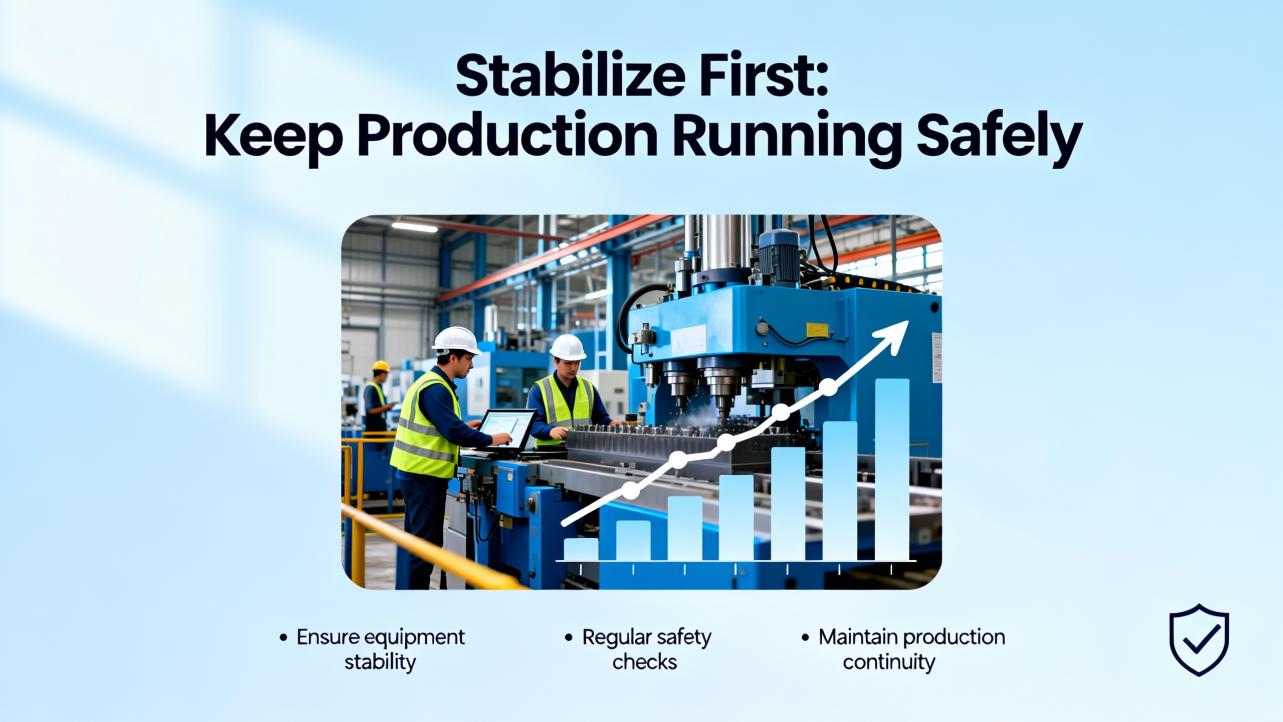
Stabilize First: Keep Production Running Safely
When a legacy system is asked to run longer than its design lifecycle, basic discipline does most of the heavy lifting. Before buying anything or changing code, walk through the essentials so you are not chasing phantom faults or losing a program to an avoidable power-down.
Triage by the LEDs and the battery
PDF Supply’s 90-30 troubleshooting guidance is aligned with what we do on-site. Start with the power supply front panel. If the green POWER LED is off, preserve the CPU program by installing a good battery before any power cycling or module swaps. If the CPU’s green OK LED does not come on after power is stabilized, suspect a CPU hardware fault. If the RUN LED is on and you still have a process problem, the fault is likely downstream in field devices or I/O modules rather than in the CPU scan. These simple checks take minutes and can prevent a bad call that turns a nuisance trip into a prolonged outage. Battery changes should be hot-swapped with the PLC powered, following vendor battery-door procedures, so volatile RAM contents are not lost.
Use the fault tables, not guesswork
Once the controller is communicating, connect with your programming software and open the CPU and I/O fault tables. Time-stamped entries often point to the rack and slot that exited RUN or lost communication. Clearing the tables after a fix verifies whether the issue returns on the next power cycle and prevents confusion with stale events. PDF Supply’s approach emphasizes methodical diagnosis and replacement only of confirmed-faulty components. In my field work, that discipline pays back immediately in fewer emergency purchases and cleaner root cause records.
Respect baseplate distances and cabling
If you are rearranging racks to keep a flaky remote base running, remember that not all backplane connections are equal. Documentation summarized by Do Supply and echoed in vendor FAQs sets useful limits: expansion baseplates should be within roughly 50 ft of the CPU baseplate for speed and reliability, while remote baseplates can be placed up to roughly 700 ft from the CPU baseplate to reach distant areas of the plant. Planning within those limits avoids intermittent comms and mysterious dropouts that masquerade as module failures. For network communications, option modules vary widely in supported distances; some legacy serial links stretch to thousands of feet, but practical limits depend on cable type, baud rate, and noise environment. When in doubt, test locally and keep runs conservative.
Spares, firmware, and revision control
Most Series 90-30 projects used a mix of CPUs in the 311–374 range, often with special capabilities like integrated Ethernet on the 364 or 374, or extra serial ports on the 363. When buying EOL replacements, match catalog numbers and suffix letters and confirm the required firmware. PDF Supply’s warranty and firmware disclaimers are a reminder that surplus controllers may not carry the firmware you expect, and third-party sellers do not supply OEM firmware on your behalf. Qualitrol International’s communications highlight multi-year warranties on refurbished parts in some cases, which can be valuable if documented in writing alongside return terms. In short, insist on specifics: exact part number, hardware revision, stated firmware presence and version, seller warranty term, and return procedure. That documentation is your safety net when a module that looks right fails a bench test.
Replacement Paths: Like-for-Like, Cross-Grade, or Full Migration
You have three broad options when a 90-30 part fails or a spare strategy is overdue. Like-for-like replacement keeps your program and wiring untouched, cross-grade replacement refreshes a 90-30 with selective modern additions such as Ethernet bridges or protocol converters, and full migration moves the application to a supported platform. The table summarizes the tradeoffs.
| Path | When to Choose | Primary Pros | Primary Cons | Downtime Expectation |
|---|---|---|---|---|
| Like-for-like refurbished 90-30 module | A failed module must be replaced immediately with minimal risk | No wiring or logic changes; fastest return to service | Surplus quality varies; OEM warranty not available; firmware must be checked | Typically measured in minutes to a few hours for swap and test |
| 90-30 plus modern bridge or add-on | The controller is stable but needs a network or data uplift | Adds Ethernet or protocol connectivity without re-wiring the rack | Security and diagnostics remain limited by legacy CPU; bridging adds points of failure | Typically a planned maintenance window, often under one shift |
| Migration to Emerson RX3i | Long-term reliability, security, and support are required | Supported hardware and tools; higher performance; cleaner diagnostics | Requires conversion, validation, and change management | Often a planned outage; Instrumart notes some projects complete in hours, but plan conservatively |
These are generalizations drawn from field projects and vendor narratives. Where they rely on typical practice rather than a specific data sheet, confidence is medium and contingent on plant complexity and the uniqueness of custom logic.
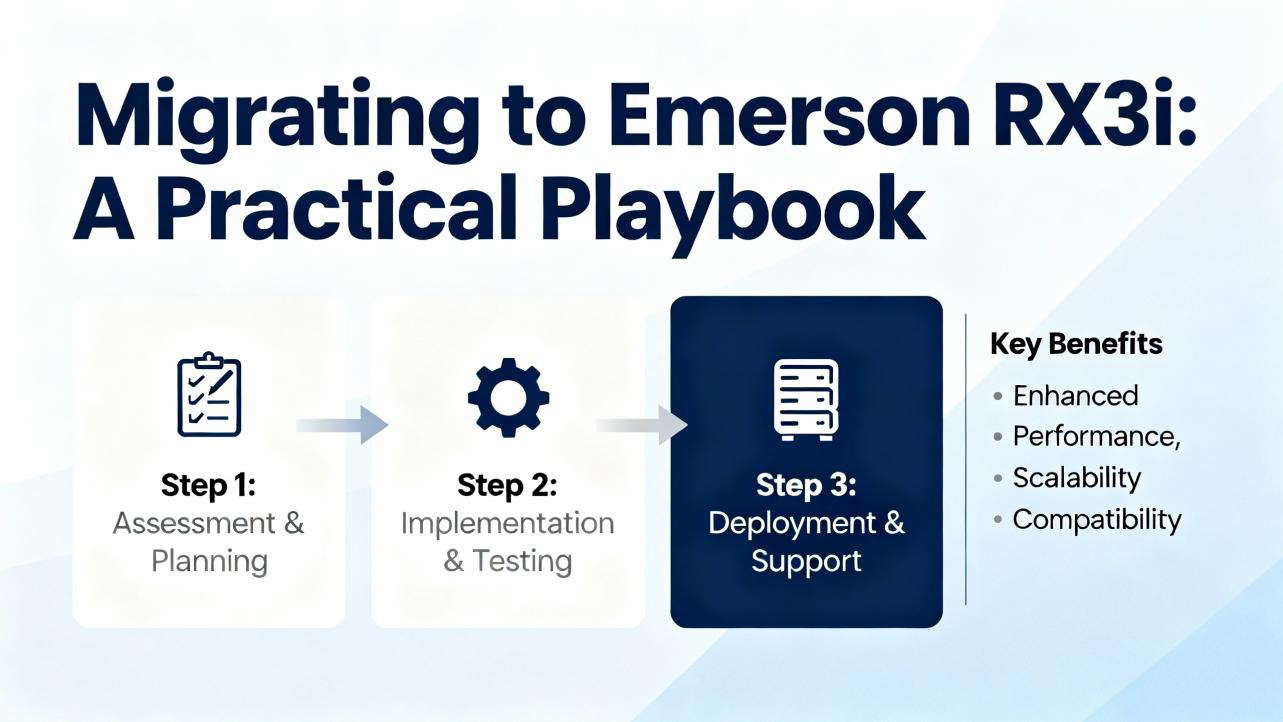
Migrating to Emerson RX3i: A Practical Playbook
Instrumart recommends moving from 90-30 to RX3i for a modern, supported platform. My experience aligns with that guidance because you retain much of your control design while stepping into current hardware and software. A pragmatic migration roadmap starts with a thorough assessment. Inventory every I/O module, document all communications ports and protocols, and capture a clean backup of the 90-30 project. This step determines whether the RX3i can directly host the existing I/O modules, which is often possible but must be validated against an official compatibility chart. Where direct reuse is not possible, plan for adapter modules or rewiring.
Once the inventory is stable, develop an RX3i bill of materials that includes a baseplate, power supply, CPU, and any required communication or motion modules. With Proficy Machine Edition, open the 90-30 project and change the project target to PACSystems RX3i. Acknowledge and review the conversion warnings. The tool creates a Target Conversion Report that calls out any blocks or instructions needing manual updates. Treat that report as your action list. The next phase is bench validation. Load the converted program into a test rack that mirrors the production module mix and simulate critical I/O. In our projects, we capture a short punch list of differences, fix them in the lab, and re-run until the expected sequences reproduce reliably. Only then do we schedule the cutover.
Cutover planning is where downtime is won or lost. Instrumart notes that some migrations complete in hours. Our experience echoes that, but only when plant wiring can be reused and the program conversion requires minimal hand edits. If you must redesign panel layouts, allow extra time for new baseplates, cable routing, and labeling. The upside is that once in RX3i, you gain better diagnostics, modern Ethernet options, and a supported platform with a growth path.
Selecting and Buying EOL Parts Without Regret
For like-for-like replacements, the seller’s warranty and reputation are your first filter. Qualitrol International’s materials describe multi-year warranties on refurbished GE Fanuc parts, while PDF Supply’s disclaimers make it clear that their warranty is their own and that OEM firmware is not guaranteed. Those two perspectives capture the reality of sourcing EOL spares: check the warranty length, confirm return rights in writing, and assume you will need to flash or verify firmware against your project requirements. On marketplaces, pay attention to the stated return window and who pays return shipping, since those details vary and can affect total cost if a module does not pass bench test. For detailed return terms and part-condition statements, the seller page matters more than the product photo.
Do not skip revision control. Even for common items such as the 10-slot base IC693CHS391 family, suffix letters denote hardware revisions that can affect compatibility. Confirm suffix-to-suffix compatibility with your existing CPU and power supply and record it in your maintenance logs so the next technician is not forced to guess. Before you power any surplus CPU, perform a visual inspection of connectors, backplane pins, and electrolytic capacitors, and then power it on with a stable bench supply. Only after the OK LED stabilizes should you attempt an upload or firmware check. This slows you down by a few minutes and saves hours of rework.
Care and Handling Tips for Legacy GE Fanuc Hardware
Legacy hardware rewards calm hands and predictable handling. Work in an ESD-safe environment and keep I/O cards in antistatic bags until needed. Use filler panels to keep dust out of unused rack slots and mind ventilation around power supplies. Many 90-30 systems failed quietly due to clogged enclosures and hot spots long before a module truly reached end of life. Treat terminal boards gently during removal and reinstallation; later models include holding screws that should be snugged firmly but not over-tightened. Replace CPU batteries with power maintained and document the date and battery model on the door; this habit avoids silent memory loss years later. If you use the PLC’s 24 VDC auxiliary outputs to power field inputs, confirm the available current in the power budget and leave margin for inrush and transient loads. These are all small moves that extend useful life without capital expense. They are common-sense, experience-based practices rather than data-sheet facts, and I state them with high confidence because they consistently reduce nuisance faults on aging racks.

Cost, Risk, and Timeline: How to Decide
The decision boils down to what you value most in the next 6–24 months. If a single failed module will stall a critical line for a day, full migration may represent the lowest risk. If you have three spare racks and a conservative process, like-for-like refurbishment can carry you through a planned modernization window. In between, bridging moves such as adding Ethernet for better diagnostics or historian feeds let you harvest more value from the 90-30 while you stage RX3i hardware and train staff on the new toolchain. Budget both capital and time for bench validation and a clean cutover plan. Instrumart’s claim that some migrations finish in hours is credible under the right conditions, but your plant’s complexity and wiring realities will dominate the schedule. My general inference is that a well-scoped migration can be accomplished in one or two maintenance windows for mid-size systems, with medium confidence depending on custom motion, specialty I/O, and third-party device count.

Examples and Reference Points from the Field
A few concrete references can help orient decisions. Do Supply describes the basic 90-30 architecture of baseplates in either five or ten slots, with the power supply typically in the left-most slot and cabling distance limits that separate expansion from remote baseplates. PDF Supply provides practical troubleshooting order of operations using the power and status LEDs, the CPU battery, and the fault tables, and highlights the importance of preserving the program during power interventions. Qualitrol International’s blog-style materials emphasize that refurbished parts can be warranted for multiple years and that a broad catalog exists for power supplies such as the IC693PWR321 and related families. Those three perspectives together frame a workable strategy: confirm the exact hardware and distances you run today, stabilize with sound troubleshooting and spares, and build a migration plan that leverages your existing I/O where possible.
Takeaway
The Series 90-30 did its job for a long time, but it is firmly in its end-of-life phase. If you operate one today, treat stability as a project, not an accident. Back up the program, triage using LEDs and fault tables, manage batteries and cooling, and buy spares with eyes wide open about warranties and firmware. At the same time, chart a migration path to Emerson RX3i so you gain modern security, diagnostics, and vendor support without throwing away your control narrative or field wiring. In well-prepared plants, I have seen these migrations executed in a single maintenance window; in others, a staged approach over a few weeks creates less risk and more predictability. Either way, a steady hand and a structured plan are your best allies.
FAQ
Q: Is it still safe to buy used or refurbished GE Fanuc Series 90-30 modules? A: It can be safe if you buy from reputable resellers and verify the details. Sellers like PDF Supply clearly state that they are not authorized distributors and that their warranties are their own; that transparency lets you plan accordingly. Ask for the exact catalog number and hardware revision, confirm whether firmware is present and at what version, and require a written warranty and clear return terms. Bench test modules before deploying them in production. This guidance is standard practice with high confidence.
Q: Can I reuse my existing 90-30 I/O when migrating to Emerson RX3i? A: Many 90-30 I/O modules have a reuse path with RX3i, but you must validate against an official compatibility chart. Instrumart emphasizes verifying module compatibility and using Proficy Machine Edition to convert your project target. In my experience, successfully reusing I/O reduces downtime and rework, but the degree of reuse depends on your exact module mix. Confidence is high that at least a subset will be reusable in typical systems.
Q: How long will a well-planned migration take? A: Under favorable conditions, some migrations are completed within hours, as noted by Instrumart. Those conditions include stable, well-documented 90-30 logic, compatible I/O, and minimal panel rework. If panel redesign or specialty motion is involved, expect a longer window. My inference is that a mid-size system can often be migrated in one or two planned maintenance windows with medium confidence.
Q: What are the cable distance limits I should respect when moving or extending racks? A: Documentation summarized by Do Supply and vendor FAQs is consistent with common practice. Keep expansion baseplates within roughly 50 ft of the CPU baseplate to maintain speed and reliability. If the distance must exceed that, use remote baseplates, which can reach roughly 700 ft to the farthest remote baseplate. Network option modules vary widely in supported distances, so verify those per module data.
Q: What should I check first when a 90-30 stops running unexpectedly? A: Start with the power supply and CPU LEDs, then the battery, and finally the fault tables in your programming software. A green POWER LED suggests stable supply, a green OK LED suggests the CPU passed self-test, and a green RUN LED points you toward field devices and I/O. Fault tables provide time-stamped clues about which rack and slot caused the stop. This sequence comes from PDF Supply’s field guidance and aligns with best practice, and I recommend it with high confidence.
Q: Do I need new software tools to move from 90-30 to RX3i? A: Yes. You should use Proficy Machine Edition to open the 90-30 project, change the target family to PACSystems RX3i, and work through the conversion report. This is the approach described by Instrumart and used in the field. Plan time to validate and, where necessary, hand-edit logic elements that do not auto-convert.
A final word from a veteran integrator
You do not have to choose between nursing old hardware indefinitely and ripping everything out. Stabilize the 90-30 with disciplined maintenance and documented spares, then move steadily toward RX3i so your next decade of uptime rests on a supported platform. Keep the maintenance habits that made the 90-30 last this long, but align procurement and planning with the reality of an EOL platform. If you need a practical starting point, begin by backing up the project, auditing the installed base against distance and compatibility limits, and building a one-page migration scope. The rest follows naturally, and it keeps your plant running while you modernize on your terms.
References
- https://www.plctalk.net/forums/threads/ge-fanuc-90-30-question.57519/
- https://www.pdfsupply.com/support-ge-fanuc-series-90-30-troubleshooting-guide.php?srsltid=AfmBOopXXyKvMboDSozWTqk_fbbvQksdKCpX1mJaX52PeADhiUmCPQQv
- https://www.artisantg.com/info/GEFanuc_9030_Manual.pdf?srsltid=AfmBOor2jdd2Ce3FS2MTAId8Y9OOMflhYaHA8zX_PNm_uykQ3fF2zYsR
- https://www.ebay.com/itm/252450811574
- https://en.industryarena.com/forum/ge-fanuc-90-30-plc--56383.html
- https://www.linkedin.com/pulse/dealing-obsolete-ge-fanuc-90-30-plc-challenges-gani-graceni-ui9lc
- https://www.vicpas.com/pid18418604/GE-Fanuc-90-30-IC693PWR322H-IC693PWR322J-IC693PWR322K-HMI-Case.htm
- https://program-plc.blogspot.com/2015/12/get-parts-availability-updated-every.html
- https://www.dosupply.com/automation/ge-fanuc/series-90-30?srsltid=AfmBOorVILCA7J7Pf7CC5dyiAOOsqZygQhqQvJQl6zCtPNpaZWFOqrNy
- http://www.efesotomasyon.com/html/ge-fanuc/Series%2090-30%20PLC%20Installation%20and%20Hardware%20Manual.pdf
Keep your system in play!


Related articles Browse All
-
 amikong NewsSchneider Electric HMIGTO5310: A Powerful Touchscreen Panel for Industrial Automation2025-08-11 16:24:25Overview of the Schneider Electric HMIGTO5310 The Schneider Electric HMIGTO5310 is a high-performance Magelis GTO touchscreen panel designed for industrial automation and infrastructure applications. With a 10.4" TFT LCD display and 640 x 480 VGA resolution, this HMI delivers crisp, clear visu...
 -
 BlogImplementing Vision Systems for Industrial Robots: Enhancing Precision and Automation2025-08-12 11:26:54Industrial robots gain powerful new abilities through vision systems. These systems give robots the sense of sight, so they can understand and react to what is around them. So, robots can perform complex tasks with greater accuracy and flexibility. Automation in manufacturing reaches a new level of ...
 -
 BlogOptimizing PM Schedules Data-Driven Approaches to Preventative Maintenance2025-08-21 18:08:33Moving away from fixed maintenance schedules is a significant operational shift. Companies now use data to guide their maintenance efforts. This change leads to greater efficiency and equipment reliability. The goal is to perform the right task at the right time, based on real information, not just ...


- Q&A
- Policies How to order Part status information Shipping Method Return Policy Warranty Policy Payment Terms Email Marketing Policy VAT and Import Information
- Asset Recovery
- We Buy Your Equipment. Industry Cases Amikong News Technical Resources Why choose us
- Registered Address
-
32D Guomao Building, No.388, Hubin south Road, Siming district, Xiamen,Fujian, China

Leave Your Comment