
-
Please try to be as accurate as possible with your search.
-
We can quote you on 1000s of specialist parts, even if they are not listed on our website.
-
We can't find any results for “”.
Legacy DCS System Parts: Maintaining Older Control Infrastructure
Keeping an aging distributed control system running is a craft learned over many outages, cutovers, and 2:00 AM alarm floods. As a veteran systems integrator, I tend to be pragmatic: protect operations today with the right parts and practices, and build a credible path to tomorrow without forcing a risky, all‑at‑once replacement. This article explains how to sustain legacy DCS platforms with disciplined spare‑parts strategy, rigorous care, and modernization steps that respect uptime and budget.
U.S. agencies still spend hundreds of millions annually operating legacy systems, according to the Government Accountability Office, and the average ransomware incident now runs to about $1,850,000 to resolve. In manufacturing and energy, RT Engineering notes roughly $65,000,000,000 of automation assets are at or beyond end of life. Those numbers set the context: waiting for a failure to tell you what to buy is no longer defensible. A reliable plan for parts, preventive maintenance, and staged upgrades is the difference between a controlled future and a string of costly surprises.
What “Legacy DCS” Really Means
A distributed control system coordinates complex processes using networked controllers with a central supervisory HMI and historian. That basic definition is stable, as described by industry sources such as IDSpower, but the implementation has changed dramatically over time. A system becomes legacy when it depends on outdated hardware, operating systems, or software, has limited vendor support, or cannot interface cleanly with modern equipment and data platforms. Boomi characterizes legacy systems as those tied to obsolete frameworks and runtimes with poor support and rising maintenance costs. TymiQ adds an important nuance: legacy is a business judgment as much as a date stamp; a platform becomes legacy when the cost and risk to keep it exceed the benefit, not simply because it is old.
From an integrator’s chair, legacy usually shows up as some mix of end‑of‑life controllers, aging I/O, discontinued operator workstations, and HMI software that will not install on current operating systems without creative, fragile workarounds. The system still runs, but every change takes longer, every patch day feels risky, and spare parts look more like scavenger hunts than planned logistics.
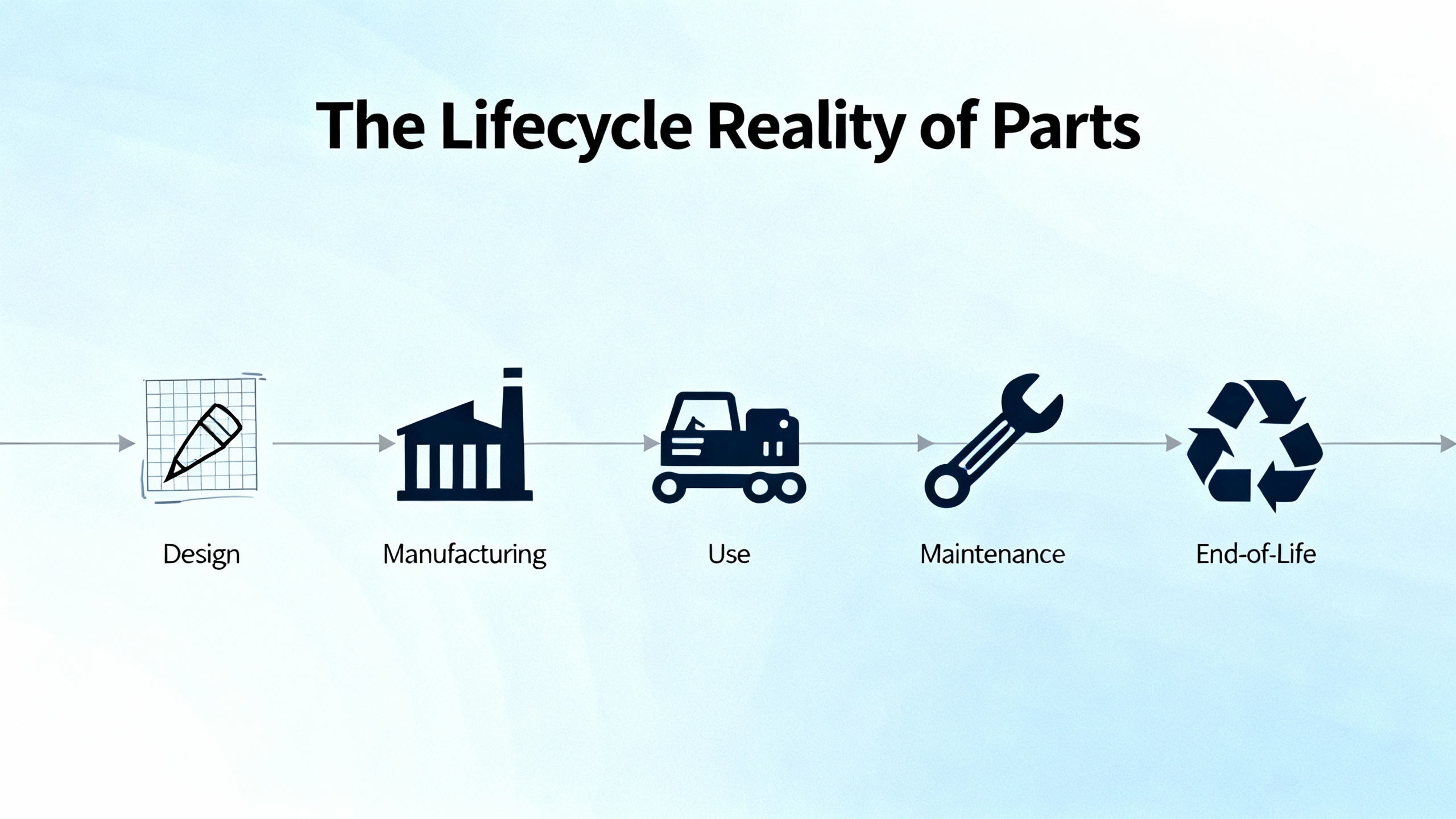
The Lifecycle Reality of Parts
An honest parts strategy starts with acknowledging lifecycle facts. EPRI’s life cycle management guidance for DCS platforms frames the core problem: if you wait for a vendor end‑of‑support notice to start planning, your options narrow and costs rise. Equipment failure risk compounds when replacement modules are scarce or only available as questionable used units. Rockwell Automation captures the reality in a phrase maintenance teams know too well: the “eBay and pray” approach to spares is not a strategy.
Across plants, I see the same pattern. First, the obvious consumables disappear, then specific I/O families, then critical controller variants. Eventually, the only “available” units are untested pulls with no warranty. That is when one failed power supply or a noisy backplane turns into hours of downtime and a weeks‑long procurement scramble. The alternative is deliberate obsolescence management: inventory what you have, track vendor roadmaps, execute last‑time buys for high‑impact modules, and line up vetted repair and refurbishment channels before you are pressed for time.
What Fails and How to Spot It Early
Failures cluster in predictable areas. On legacy DCSs, I/O modules drift or drop channels, controllers freeze intermittently, power supplies reset a chassis under load, and communications modules flap under line noise or bandwidth spikes. Amikong catalogs early warning signs worth treating as triggers for inspection or preemptive replacement: nuisance alarms that begin to chatter, HMI updates that lag, intermittent loop misbehavior, rising timeouts in event logs, and any physical clues such as board discoloration, connector corrosion, bulging capacitors, clogged fans, new buzzing from power electronics, or a faint hot‑electronics smell near a cabinet.
Many “system problems” are actually power and environment problems. ZeroInstrument emphasizes verifying clean, stable power and proper grounding before you chase software ghosts. Temperature swings, dust, and vibration degrade electronics long before they fail obviously. CrossCo points out that proactive replacement of life‑limited components like fans and batteries, combined with better environmental control in panels, can markedly reduce breakdowns.
Logging Discipline That Pays Off
Aging systems demand better diagnostics, not less. InfinityQS provides a practical playbook for disciplined logging that translates well across vendors. Treat event logs as your first‑fault truth. Use the viewer to filter entries by application, event type, time range, and machine. Failures deserve immediate escalation. Warnings and cautions should drive action lists during maintenance windows. When chasing intermittent issues, raise the logging level temporarily to include informational events, then revert to avoid noise. In InfinityQS environments, administrators can set the logging level from errors‑only to full detail in the C:\ProgramData\InfinityQS International\Settings\IQS_PFDCS.ini configuration, and a scheduled purge keeps databases from bloating. The point is not the specific tool; it is the ritual. Know where your events go, increase fidelity during investigations, capture baselines, and keep the purge policy and export routines working. Teams that live this way spend less time guessing and more time fixing.

Keep It Running or Start Modernizing
There is no virtue in ripping out controls that perform reliably and safely, and there is risk in changing a working system just to look modern. Yet every lifecycle curve has a tipping point. Rockwell Automation compares DCS migration to brain surgery for a reason: risk is real, and the impact of failure is broad. IEBmedia suggests an important decision split. Replication replaces hardware one‑for‑one to preserve functions and muscle memory; innovation redesigns control strategies, HMI, and I/O to exploit modern capabilities. Replication is often quicker with modest performance gains and lower change risk; innovation yields bigger throughput, quality, and uptime improvements but demands deeper design effort and stronger project governance.
For most sites, the smart middle ground is phased modernization aligned to outages and risk. ABB’s “Innovation with Continuity” makes that case explicit: get onto a supported platform in steps, avoid a big bang, and then modernize continuously using modular upgrades. This approach keeps risk manageable, leverages existing assets like field wiring and cabinets, and keeps your options open.

The Case for Extending Life, Carefully
Extending the life of a legacy DCS is rational when the platform is stable, process risks are well understood, and parts and expertise are available. The benefits are tangible. Operators keep a familiar HMI, maintenance avoids a steep learning curve, and you spread capital outlay over time. CrossCo notes you can squeeze more reliability out of an old platform by improving environmental controls, stabilizing power quality, virtualizing engineering stations where vendor‑approved, and standardizing backups and restoration drills.
The drawbacks rise over time. Vendor spares dry up and unofficial channels fill the gap. Cyber exposure grows on outdated operating systems and firmware. Talent thins out as experts retire and younger engineers expect modern tools. Compliance pressures ratchet up with new safety and security requirements. Boomi highlights the compounding cost of maintaining old stacks and the integration roadblocks created by obsolete interfaces. At some point, the cost to maintain or work around limitations overtakes the cost to migrate. That is when downtime risk, not feature desire, should drive the decision.
A Spare‑Parts Strategy That Actually Works
The backbone of legacy system reliability is parts readiness. Start with an installed‑base audit that covers every controller, I/O, network interface, power supply, HMI node, and server with a verified version, serial, and location. Prioritize by consequence of failure and lead time. Controller CPUs, critical analog input cards, and communications modules deserve higher stocking levels than low‑consequence digital channels. Where vendor guidance exists, align recommended spares with your failure history and outage opportunities.
Amikong recommends last‑time buys when vendors announce end‑of‑life, paired with targeted use of OEM‑refurbished or third‑party specialist spares that come with in‑house testing and a documented warranty. Treat gray‑market units with caution; use them only with rigorous incoming inspection and burn‑in tests, and never for safety systems. Harvesting spares from decommissioned drops is a practical way to seed a parts room while budgets catch up. Blanket purchase orders and relationships with stocking distributors cut order friction and weekend lead times.
| Sourcing Channel | What You Get | Primary Risks | When It Fits | Warranty/Traceability Notes |
|---|---|---|---|---|
| OEM New or Refurbished | Known provenance, correct revisions, and platform alignment | Cost and potential long lead times | High‑criticality modules and safety functions | Strongest serial tracking and return policy |
| Vetted Third‑Party Specialists | Tested units with functional warranties | Variable quality across vendors | Bridging gaps on discontinued parts | Insist on test reports, burn‑in records, and RMA terms |
| Gray‑Market/Online Marketplaces | Immediate availability at attractive prices | Counterfeit, corrosion, and latent defects | Only as a short‑term stopgap with testing | Require photos, date codes, and accept that risk is yours |
Testing matters. For refurbished modules, bench test on a representative backplane, cycle I/O under load, verify firmware levels, and confirm the module passes network communications and redundancy switchover if applicable. Record evidence. The best parts program is worthless if you cannot trust what sits on the shelf.
Practical Care to Stretch Service Life
Legacy systems respond well to methodical care. Clean cabinets and replace filters on a routine cadence. Keep cable troughs neat, terminations tight, and marshalling panels labeled. Replace panel fans and batteries on predictable intervals. Validate redundant power supplies under load and fix grounding and surge protection that do not meet today’s expectations. CrossCo’s recommendation to stabilize power quality with proper UPS and conditioning fits neatly with ZeroInstrument’s diagnostic order: verify power and grounding first, then inspect controllers and networks, and only later dig into software.
Use your historian to trend module temperatures, communication error rates, scan times, and CPU loads. When any trend drifts, schedule replacements during outages rather than waiting for an event. Amikong’s advice to hold monthly alarm reviews pays dividends. Look at frequency, bad actors, resolution time, and recurring patterns. Use those meetings to tune alarm thresholds, retire nuisance alerts per ISA‑18.2 principles, and update standard responses for operators. Culture matters as much as hardware; operators who know what to do and why will protect your uptime as surely as a spare on the shelf.
Buying Tips for Legacy DCS Parts
The most expensive spare is the right part that fails in service because something subtle did not match. For regulated environments, Amikong’s guidance is clear: prioritize like‑for‑like replacements proven functionally equivalent in form, fit, and function, and run changes through formal risk and impact assessment. Installation Qualification and Operational Qualification should be scaled to the change, and documentation such as the Validation Master Plan and drawings must reflect what is actually installed.
In practice, treat every purchase as an engineering activity, not a clerical task. Verify part and revision codes carefully, especially where mixed backplane populations can introduce compatibility issues. Confirm that firmware levels can be aligned to your installed fleet without breaking redundancy or creating incompatibilities with peer modules. Insist on warranty terms that mean something, and avoid “no returns” deals for core modules. If you are buying from a third‑party specialist, ask for test protocols and results with your specific revision, and keep those records attached to the serial number in your asset system. Where tools allow, keep a powered test rack on site and perform incoming verification on critical modules before you label them ready for service.
Diagnostics and Logging: Make Your Tools Earn Their Keep
On platforms using InfinityQS services for DCS‑adjacent logging, treat the Event Viewer as your first stop, not an afterthought. The tool allows deep filtering by application, machine, event type, and time range so you can isolate patterns. Event types carry intent: severe failures require immediate action or escalation, warnings call for corrective measures, cautions warrant attention before they escalate, and information entries round out a timeline. During an investigation, temporarily raise the logging level to include information events and export a compact log file when you need to share with remote support. Then lower the logging level to keep noise out of daily operations. This simple habit shortens the path from symptom to cause on legacy systems where every clue matters.
Planning Modernization Without Breaking Operations
Even when life extension is justified, it should be paired with a multi‑year modernization roadmap. IEBmedia lays out a practical sequence that many plants follow. Start with HMI modernization to improve operator effectiveness and to build simulation capability. Connect modern HMIs to legacy controllers so operators train and procedures change while production continues. Next, install faster controllers with more memory and advanced control options, and validate configurations thoroughly in simulation. Use I/O scanners to emulate legacy I/O during controller testing. Finally, address I/O with hardware‑in‑the‑loop testing on representative signals, using vendor wiring solutions and open protocols such as EtherNet/IP to keep cutovers short.
Hot and cold cutovers are fundamentally different economic choices. Running old and new systems in parallel and migrating loop‑by‑loop usually reduces downtime and risk at the cost of space and temporary complexity. A cold cutover swaps everything at once with a single restart, concentrating risk and downtime. Most plants choose hot cutover unless a long shutdown is feasible and low risk. ABB’s stepwise philosophy matches that reality, and Rockwell Automation’s guidance to schedule around each unit’s maintenance cadence and to invest in simulation aligns with what works on the ground.
| Cutover Mode | Downtime Profile | Risk Profile | Typical Use Case | Notes |
|---|---|---|---|---|
| Hot (Parallel) | Lower, spread over many windows | Lower per step, higher project complexity | Continuous operations with limited outage windows | Requires careful space planning and parallel I/O strategies |
| Cold (Single Restart) | Higher, concentrated | Higher impact if issues arise | Plants with long planned shutdowns and robust pre‑commissioning | Demands exhaustive simulation and rollback planning |
Modernization is not only architecture. Lumenalta’s governance perspective is a good reminder: keep a risk‑ordered backlog that ties each step to outcomes such as uptime, risk reduction, or productivity. Superblocks describes a phased pattern that translates directly to controls projects: assess and audit, plan and design, execute and cut over, test and validate, then optimize and operate. Control Engineering highlights the operational benefits that result when you do this well: better alarm handling and HMI, virtualization for reliability and recovery, and easier integration to MES and enterprise systems that unlock visibility.
KPIs and ROI That Clarify Decisions
When leadership asks whether investment is paying off, put numbers on reliability and response. IDSpower suggests tracking uptime, response times, throughput or batch metrics, quality deviations, and energy intensity. Boomi recommends monitoring enhancement velocity and user satisfaction as part of governance for legacy‑to‑modern transitions. Rockwell Automation notes a practical tipping point many sites already feel: ongoing maintenance now exceeds upgrade cost when you account for unplanned downtime and its business impact. If you measure downtime frequency and mean time to repair and correlate those with spare availability and support tickets, your own data will show the curve turning.
Field‑Tested Advice from a Partner Who Has Been There
A parts room tells the story of a plant. I look for labeled, tested spares with revision and firmware notes, not random boxes with hand‑scribbled numbers. I look for an engineering laptop image that is known‑good and can be restored quickly. I look for a simple test bench with a backplane and power supply so we can validate a replacement card before a high‑stakes swap. I look for a shelf with controller, analog input, power supply, and communications modules for the most critical systems. When those basics exist, outages are shorter and colleagues sleep better.
On the operations side, the best predictor of calm nights is a culture that treats change carefully. That looks like routine configuration backups with verification restores, logging that is tuned and used, and monthly sessions where operators and maintenance review the top ten alarms and what changed. Legacy does not mean fragile when teams maintain discipline.
Takeaway
You can keep an older DCS dependable with a thoughtful parts strategy, consistent care, and a modernization plan that reduces risk rather than amplifies it. The recipe is straightforward: know your installed base, stock the parts that prevent your critical downtime, test what you buy, stabilize power and environment, keep logs that tell a clear story, and improve in small, verifiable steps. Reputable guidance from EPRI, Rockwell Automation, ABB, IEBmedia, Control Engineering, and others all converge on the same point: plan early, act in phases, and let data guide sequencing. That is how veterans keep plants safe, compliant, and productive while positioning for the next generation.
Short FAQ
What is the most important spare to stock for a legacy DCS? Start with what stops production fastest and takes longest to procure. In many plants that means controller CPUs, critical analog input cards, and communications modules, followed closely by power supplies. Your failure history and lead times should set final quantities.
How do I reduce risk when buying refurbished parts? Use OEM‑refurbished or trusted specialists with documented in‑house testing and meaningful warranties. Perform incoming inspection and bench tests on a representative backplane before shelving the unit. Keep serial, revision, and test results in your asset system. Avoid gray‑market units for safety functions.
Can logging really help on old systems with limited diagnostics? Yes. Even on older platforms, consistent event logging narrows time windows and pinpoints the first fault. Follow InfinityQS‑style practices: increase logging fidelity during investigations, export clean evidence for remote support, and then return to quieter settings to avoid noise.
Is a full rip‑and‑replace ever the right answer? Sometimes, but only with a strong business case, exhaustive simulation, and a long enough shutdown to shake out issues. Most sites benefit from phased “innovation with continuity” approaches like ABB advocates, preserving wiring and cabinets and modernizing HMI, controllers, and I/O over time.
What KPIs should I track to justify parts investment and phased upgrades? Track uptime, mean time to repair, alarm floods and bad‑actor counts, throughput or batch cycle times, quality deviation rates, and energy intensity. Add governance metrics such as enhancement velocity and operator satisfaction during HMI improvements. Those measures reveal where parts and modernization deliver returns.
How do I choose between replication and innovation during upgrades? Replication exchanges like for like to minimize disruption and retain legacy behaviors. Innovation redesigns control strategies, HMI, and I/O to gain throughput, quality, and reliability. IEBmedia suggests deciding by process architecture, outage windows, and business priorities. Many plants mix both, innovating where benefits are clear and replicating where risk or time is tight.
References
- https://insideautomation.net/the-challenge-of-maintaining-legacy-systems/
- https://lifecycleiq.rockwellautomation.com/cfe-ott-dcs-migration-best-practices-open-the-door-to-the-modern-world
- https://www.ai-infra-link.com/10-strategies-and-best-practices-to-modernize-legacy-systems/
- https://www.amikong.com/n/aging-dcs-life-extension
- https://www.athenacontrols.com/todays-challenges-of-maintaining-legacy-control-systems/
- https://www.controleng.com/modernize-legacy-distributed-control-systems-for-a-competitive-edge/
- https://www.csemag.com/why-and-how-to-upgrade-legacy-control-systems/
- https://idspower.com/how-a-distributed-control-system-dcs-upgrade-can-boost-plant-reliability-and-efficiency/
- https://lumenalta.com/insights/7-proven-strategies-for-modernizing-legacy-systems-you-can-apply-today
- https://www.rteng.com/blog/common-issues-with-aging-industrial-control-systems
Keep your system in play!


Related articles Browse All
-
 amikong NewsSchneider Electric HMIGTO5310: A Powerful Touchscreen Panel for Industrial Automation2025-08-11 16:24:25Overview of the Schneider Electric HMIGTO5310 The Schneider Electric HMIGTO5310 is a high-performance Magelis GTO touchscreen panel designed for industrial automation and infrastructure applications. With a 10.4" TFT LCD display and 640 x 480 VGA resolution, this HMI delivers crisp, clear visu...
 -
 BlogImplementing Vision Systems for Industrial Robots: Enhancing Precision and Automation2025-08-12 11:26:54Industrial robots gain powerful new abilities through vision systems. These systems give robots the sense of sight, so they can understand and react to what is around them. So, robots can perform complex tasks with greater accuracy and flexibility. Automation in manufacturing reaches a new level of ...
 -
 BlogOptimizing PM Schedules Data-Driven Approaches to Preventative Maintenance2025-08-21 18:08:33Moving away from fixed maintenance schedules is a significant operational shift. Companies now use data to guide their maintenance efforts. This change leads to greater efficiency and equipment reliability. The goal is to perform the right task at the right time, based on real information, not just ...


- Q&A
- Policies How to order Part status information Shipping Method Return Policy Warranty Policy Payment Terms Email Marketing Policy VAT and Import Information
- Asset Recovery
- We Buy Your Equipment. Industry Cases Amikong News Technical Resources Why choose us
- Registered Address
-
32D Guomao Building, No.388, Hubin south Road, Siming district, Xiamen,Fujian, China

Leave Your Comment