
-
Please try to be as accurate as possible with your search.
-
We can quote you on 1000s of specialist parts, even if they are not listed on our website.
-
We can't find any results for “”.
Urgent Allen‑Bradley ControlLogix Modules: Critical CLX System Parts
When a ControlLogix node fails on a live line, the clock does not tick in minutes—it ticks in lost orders, scrapped product, and safety exposure. I write this as a systems integrator who has stood in warm plant rooms at 3:00 AM with a dead rack, a production manager asking for an ETA, and a team looking for the fastest path to a safe restart. This guide distills hard-earned practices for identifying, sourcing, and installing critical Allen‑Bradley ControlLogix (CLX) modules under real downtime pressure. It pairs field-proven tactics with vendor guidance from Rockwell Automation and reputable suppliers and service firms to help you make good decisions quickly, without trading tomorrow’s reliability for today’s restart.
What “Critical” Means in a ControlLogix Rack
A ControlLogix system is a modular backplane that combines a chassis, power supply, controller, communications interfaces, and I/O modules. When the controller, primary network interface, or essential I/O module fails, production stops. In urgent cases, the fastest path back to safe operation is a like‑for‑like replacement that satisfies electronic keying, firmware, and wiring requirements, backed by a proven backup and restore process and verified environmental conditions.
One frequently urgent part is the Allen‑Bradley 1756‑OB32, a 32‑point, 24 VDC digital output module in the CLX series. A digital output module drives field devices with binary on/off signals at a specified voltage; in this case, it provides thirty‑two discrete channels at 24 VDC. The function is straightforward, but a rushed swap can fail if the firmware, keying, or terminal mapping are mismatched. AFI Systems notes availability and repair options with a standard two‑year warranty and recommends confirming your application’s 24 VDC standard and channel count before ordering. That level of due diligence prevents buying speed from turning into installation delay.
Controllers and network modules are equally decisive. For example, the 1756‑L85E controller integrates an Ethernet port and offers 32 MB of user memory, and it is currently active in the Rockwell lifecycle according to NJT Automation. On the network side, EtherNet/IP modules such as the 1756‑EN2T, 1756‑EN2TR, and 1756‑EN3TR serve as the plant’s information highway; their replacement often determines whether a line can rejoin supervisory systems without manual workarounds.
First‑Hour Triage When a Module Fails
The first hour determines whether you recover with what you have or need an immediate replacement. Start with the basics that frequently save an unnecessary purchase. Confirm that the power supply is in spec and seated, the backplane connectors are clean, and the key switch on the controller is in the intended position. Read status and fault LEDs and record codes; ControlLogix uses a clear fault taxonomy of Fatal, Major, and Recoverable events with LED states and codes, as summarized by DoSupply’s repair guidance. Reseat suspect modules once—just once—to eliminate poor contact as a root cause. If you have a known‑good spare or a noncritical module in a parallel rack, a bench swap can confirm whether the failure is module‑specific or systemic.
Environmental conditions matter more than most teams realize during crisis. Rockwell positions many CLX assemblies for typical industrial ranges; DoSupply cites an operating temperature band of 32–140 °F, which is a useful reference point. If you are repeatedly losing comms or seeing intermittent I/O faults, check enclosure airflow, dust load, and vibration. A quick thermal image can reveal a fan that quietly failed weeks ago. Simply put, confirm the environment is not destroying the replacement you are about to buy.
Compatibility That Makes or Breaks an Urgent Swap
Electronic Keying is the feature that determines whether a replacement module will talk on the backplane or be silently quarantined. As described by Industrial Automation Co., exact‑match keying verifies device type, series, and firmware before communication and is the most conservative setting. Compatible keying allows minor firmware revisions within a series and can be used to get a plant running when an exact match is not immediately available, assuming your change control permits it. In practice, teams get burned by assuming compatible keying is configured only to discover that a previous integrator set everything to exact match. Confirm the controller project’s keying mode for the affected slot before you buy.
Security and configuration protections also affect urgent replacements. Role‑Based Access Control, project source protection on controller SD cards for the L7x family, and EtherNet/IP Secure for encrypted network traffic influence who can change what, and how a hot‑swap behaves on a secure network. Even under time pressure, honor the plant’s defense‑in‑depth model: do not disable protections as a shortcut. If access is restricted, escalate according to your site’s change control procedure rather than trying to bypass it.
Firmware and Studio 5000 Version Control
Hale Engineering emphasizes a disciplined cadence for firmware management: review quarterly, test updates offline, and deploy with validated backup‑restore protocols. ControlFLASH is the standard tool to update controllers and modules, and Studio 5000 should be kept current with patches to close vulnerabilities. When you are buying a replacement under time pressure, ask the supplier to confirm the catalog number and major revision, and verify that your project’s development environment supports it. The difference between a thirty‑minute swap and a late‑night scramble often comes down to firmware alignment and the availability of a good backup.

Critical Modules and What to Check Before You Buy
A focused assessment of a few checks will make your purchase pay off on arrival: catalog number and series, firmware major revision and keying mode, chassis slot fit and backplane current, field wiring interface, and any environmental or hazardous‑area ratings your installation requires. The table below summarizes critical module types and the highest‑yield verifications in an urgent procurement scenario based on the cited sources and field practice.
| Module type | Examples from sources | Primary role | Verify before you buy | Notes and risk cues |
|---|---|---|---|---|
| Controller (PAC) | 1756‑L85E | Execute user logic and manage I/O and communications | Catalog number and series, user memory needs, integrated Ethernet requirement, firmware major revision supported by your Studio 5000 | NJT Automation notes integrated Ethernet and 32 MB user memory; life cycle active. Ask for exact revision to match keying if set to exact. |
| Ethernet communications | 1756‑EN2T, 1756‑EN2TR, 1756‑EN3TR | EtherNet/IP backbone to SCADA, historians, and peer controllers | Port count and redundancy needs, firmware major revision, isolation expectations relative to backplane | Rockwell lists typical continuous 30 V isolation Ethernet↔︎backplane; type tested at 980 V AC for 60 seconds. Confirm exact module datasheet for your catalog number. |
| Digital output | 1756‑OB32 | Drive discrete 24 VDC actuators across 32 channels | 24 VDC standard, channel count, terminal block style, diagnostics needs, firmware revision and keying | AFI Systems supplies and repairs this module with a two‑year warranty. Verify that 32 outputs meet application I/O requirements. |
| Chassis | 1756‑A17 | Mechanical backplane for modules | Slot count, enclosure dimensions, mounting, power supply compatibility | A 17‑slot chassis expands capacity; ensure enclosure space and thermal budget are adequate. |
| Power supply | Family‑appropriate 1756‑P[A/B]xx | Provide regulated chassis power | Input voltage, output capacity vs installed modules, redundancy strategy | Confirm available load headroom to avoid brownouts, especially after adding modules. |
| Remote I/O adapter | 1756‑RIO (conceptual) | Bridge to remote I/O networks | Protocol fit, firmware major revision, keying mode, wiring topology | “RIO” denotes remote I/O in many contexts. Always consult the specific datasheet for electrical and protocol details. |
Confidence note: the examples and checks above stick to publisher statements in the cited sources. Where an inference is made for general practice—such as power supply load headroom—the rationale is standard control engineering practice, stated with high confidence.
Electrical Isolation Considerations that Affect Safety and Noise
Isolation ratings define how a module separates field circuits from the backplane and from each other. This determines susceptibility to noise, the risk of fault propagation, and grounding strategies. Rockwell’s ControlLogix module documentation lists per‑path insulation levels and type tests; two distinctions matter in the field. Basic insulation is single protective insulation, while reinforced insulation provides a level equivalent to two independent basic insulations.
The table below summarizes typical values reported by Rockwell Automation for common paths in the 1756 family. Always consult the datasheet for your exact catalog number; use the continuous rating for steady‑state design and consider the type‑test values only as one indicator of robustness.
| Isolation path | Typical continuous rating | Type‑tested withstand for 60 s | Notes |
|---|---|---|---|
| USB or Ethernet to backplane | 30 V (basic) | 980 V AC | Common on EtherNet/IP modules such as 1756‑EN2T, 1756‑EN2TR, 1756‑EN3TR. |
| ControlNet to backplane | 30 V (basic) | 500 V AC | Redundant A/B paths may have isolation considerations between channels. |
| DeviceNet to backplane | 50 V (basic) | 853 V AC | Some variants note no isolation between USB and backplane. |
| Input group to backplane | 125 V (basic) | Module‑specific | Group isolation influences cross‑talk and fault containment. |
| Inputs or outputs to backplane | 250 V (reinforced, often) | Up to 1500 V AC on some outputs | Many input and output modules provide reinforced backplane isolation. |
| Channel‑to‑channel | Often basic or none | Module‑specific | Some modules have no isolation between channels; design accordingly. |
This level of detail matters when a channel blows during a fault—replacing the module restores operation, but choosing a version with group isolation or reinforced backplane isolation may improve resilience in a noisy cell.
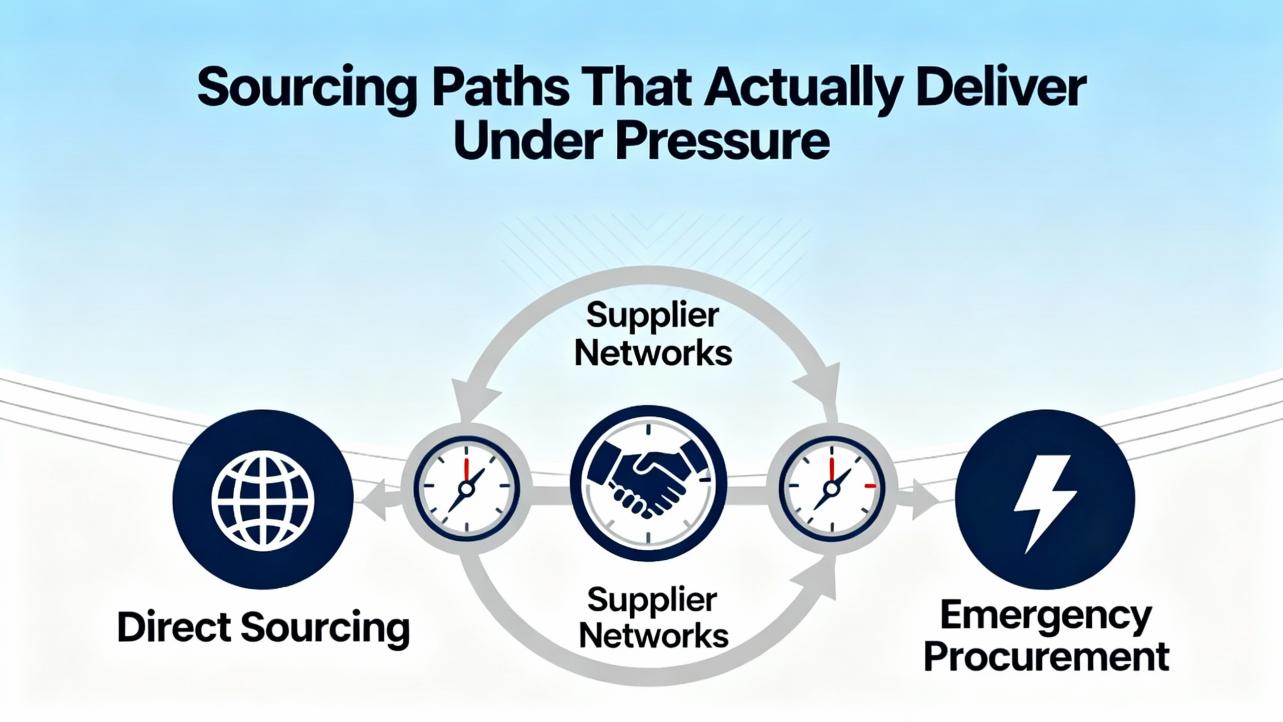
Sourcing Paths That Actually Deliver Under Pressure
Once you know exactly what you need, your lead time depends on your supplier’s real inventory, condition options, and shipping agility. Industrial Automation Co. offers new surplus sealed, new surplus open box, and refurbished Allen‑Bradley parts with a two‑year warranty across conditions. They deliver quotes in roughly ten minutes during business hours and can coordinate same‑day courier for emergencies, with two‑day shipping for items under 20 lb within the continental U.S. That combination of speed and warranty coverage is valuable when management wants a restart and you want risk bounded.
AFI Systems lists the 1756‑OB32 and related ControlLogix parts with repair service and a standard two‑year warranty; they explicitly advise calling in breakdown situations to accelerate dispatch. For plants that prefer to extend the service life of installed hardware, K+S Services maintains a large catalog of remanufactured Allen‑Bradley parts that are fully system‑tested with a one‑year warranty and operate an exchange program to minimize downtime. When repair is the right path, DoSupply outlines common CLX fault areas and executes module repair, which can be a cost‑effective alternative when you have a spare on the shelf and can rotate the failed unit back into service later.
The procurement model matters, too. NJT Automation handles RFQs for controllers such as the 1756‑L85E and targets a quote within about one hour during business hours. They support next‑day air on request and state clear conditions for unused surplus, refurbished, and used units. Those differences in warranty and documentation expectations should match the plant’s risk posture and compliance needs.
A concise comparison of service signals from the sources is shown below for quick reference.
| Provider | Offering focus | Warranty signal | Speed and access signal |
|---|---|---|---|
| Industrial Automation Co. | New surplus, open box, refurbished Allen‑Bradley parts | Two‑year warranty across conditions | Quotes in about 10 minutes; two‑day shipping under 20 lb; same‑day courier coordination |
| AFI Systems | Supply and repair of CLX modules including 1756‑OB32 | Standard two‑year warranty | Call for breakdowns to expedite dispatch |
| K+S Services | Remanufactured AB spares, exchange program | One‑year warranty | Exchange to reduce downtime; global footprint |
| DoSupply | Repair services for ControlLogix modules | Service‑backed | Troubleshooting depth and repair on common CLX fault modes |
| NJT Automation | RFQ‑based sourcing for controllers like 1756‑L85E | Condition transparency | Quote within about one hour; next‑day air; standard 3–5 business days |
Confidence note: the warranty periods, shipping options, and quote timing are taken from each publisher’s stated positions. In practice, confirm terms on the day you buy because inventory and logistics vary by season and region.
Conditions, Warranty, and Risk You Should Actually Weigh
Condition definitions are not semantics—they define the risk you assume. Industrial Automation Co. uses three clear categories with two‑year coverage across all three. New surplus sealed indicates original sealed packaging and may show shelf wear. New surplus open box means original packaging is unsealed and documentation or accessories are not guaranteed. Refurbished parts are professionally restored to working condition, with packaging and documentation varying.
If you run a regulated process or need traceability for audits, open‑box or refurbished might be acceptable if you can obtain a certificate of conformity and test reports; otherwise, new surplus sealed is often the cleanest choice to clear an internal quality gate quickly. Conversely, if every hour of downtime dwarfs the module price, an expedited refurbished unit with a solid warranty is often the pragmatic choice. K+S’s one‑year warranty on remanufactured units is strong in that segment; compare with the two‑year coverage on some surplus and refurbished parts to calibrate cost versus coverage.
Backup and Restore Discipline That Saves the Day
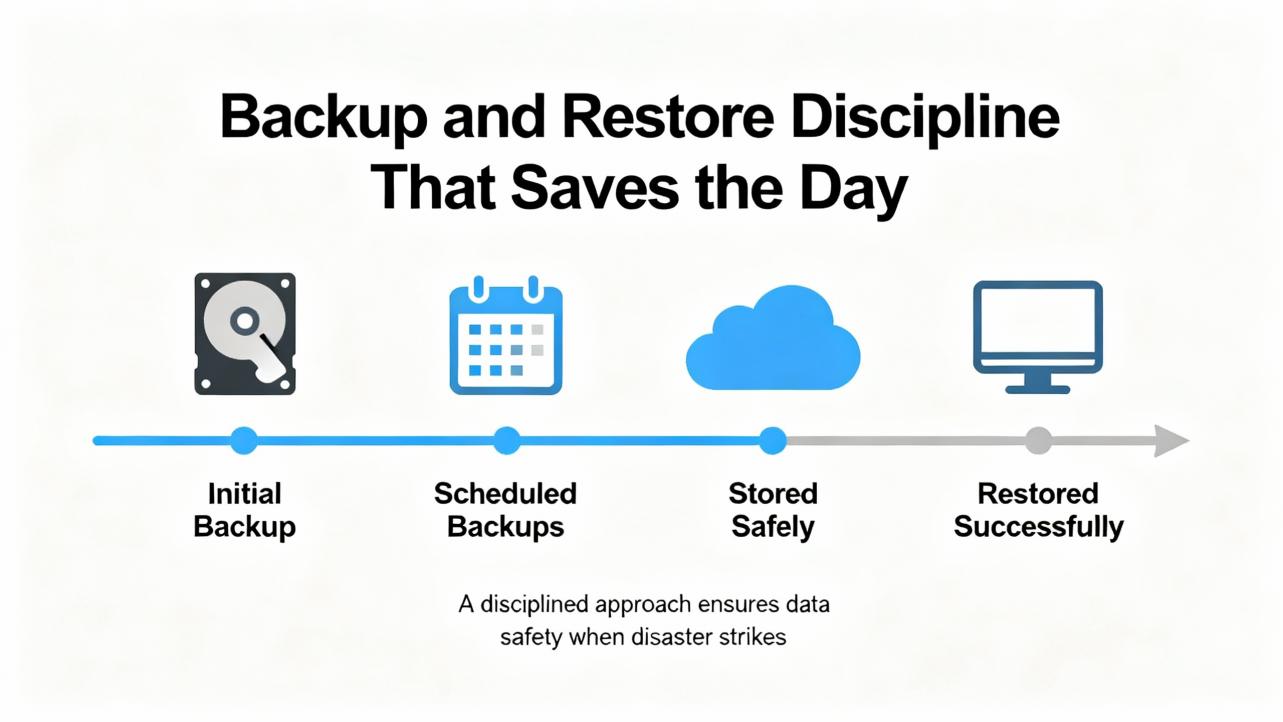
Nothing accelerates an urgent module swap like a clean backup and an operator who has practiced the restore. PLC Department advises using Studio 5000 or RSLogix 5000 for ControlLogix to upload a verified project, store it with clear naming that includes date, machine, and location, and test restores on a regular cadence. Many Allen‑Bradley controllers support SD card backups, which can make a field restore nearly push‑button if configured ahead of time. Store backups centrally with redundancy on‑site and off‑site. Your restore checklist should include aligning controller firmware with the backup, confirming tags, data types, and routines, and validating I/O addressing and communications settings before switching to Run. The time to find a missing add‑on instruction is in a mock restore, not on a live line when operators are waiting.
Environment and Maintenance Practices to Prevent the Next Breakdown
Hale Engineering’s PLC health check pattern is a practical framework to reduce emergency calls. Keep firmware and software current, test updates offline, and manage backups with quarterly restore simulations. Check physical conditions such as dust, heat, vibration, airflow, and terminal integrity; use thermal imaging and vibration analysis where justified by criticality. Watch controller diagnostics for memory use and scan time trends and monitor network integrity on EtherNet/IP with the tools you already own, such as FactoryTalk Diagnostics and Studio 5000. Standardize documentation and tag naming so that when the next incident hits, the night shift can find what they need without calling the day team. A cadence of general maintenance every six to twelve months, with quarterly firmware, memory, and network reviews, is a reasonable baseline that can be adjusted to your risk tolerance and incident history.
Security Hygiene When Swapping Hardware Under Fire
Security corners cut during a hot fix have a way of becoming permanent. Industrial Automation Co. highlights several ControlLogix‑relevant controls that can be applied without slowing recovery. Maintain least‑privilege access through RBAC with unique accounts and strong passwords. Respect Electronic Keying policy; exact match gives the best assurance that only intended hardware will communicate. Where supported, use controller SD card source protection to prevent unauthorized uploads and changes. Encrypt communications with EtherNet/IP Secure if your environment has adopted it and segment plant networks with firewalls and VLANs to keep control zones isolated from enterprise traffic. Log configuration changes, firmware updates, and downloads and set alerts for unusual access. Strong VPN authentication for remote support and documented change control protect your system well beyond a single incident. Security in ICS remains defense in depth; a hardware swap should not dismantle layers built over months.
Frequently Asked Questions
How do I know if a “near‑match” replacement will work with my controller project?
Electronic Keying determines compatibility at runtime. If your project enforces exact match, the replacement must match the module’s type, series, and firmware major revision. Compatible keying is more forgiving for minor revisions, but confirm policy in your project before you buy. This behavior is described by Industrial Automation Co. and is consistent with Rockwell practice.
What is the fastest way to get a ControlLogix module in an emergency?
Call a supplier that quotes quickly and ships the same day. Industrial Automation Co. states quotes in about ten minutes during business hours, two‑day shipping for parts under 20 lb in the continental U.S., and the ability to arrange a same‑day courier. AFI Systems advises phoning in breakdowns to expedite dispatch. Your local logistics time will still dominate; start procurement while you finish diagnostics.
Should I repair or replace a failed CLX module?
It depends on downtime cost and spares strategy. Replacement is fastest if a part is stocked regionally; exchange programs from remanufacturers like K+S Services can also minimize downtime. Repair through firms such as DoSupply is sensible if you have a spare to cover the gap and want to return the failed unit to inventory. Consider warranty differences: some surplus and refurbished parts carry a two‑year warranty, while remanufactured repairs commonly carry one year.
What operating temperature should I assume for a CLX rack?
A useful reference cited by DoSupply is 32–140 °F for typical industrial ControlLogix assemblies. Always confirm the datasheet for your exact catalog numbers, enclosure rating, and ambient conditions, especially near ovens, furnaces, or outdoor panels where local conditions can exceed those limits.
What are the most important steps to prepare for the next urgent swap?
Maintain verified backups, test restores quarterly, align firmware and Studio 5000 versions, record keying settings, and monitor environmental and network health. Hale Engineering and PLC Department both stress disciplined backups and structured change control as the foundation for fast recovery.
Does ControlLogix support smart instrumentation like HART during urgent replacements?
ControlLogix integrates HART instrumentation according to DoSupply’s overview. If a replacement involves HART channels, verify the exact module’s HART capability, firmware, and configuration and validate device integration as part of post‑restore checks.
Takeaway
Urgent ControlLogix module replacements reward preparation far more than heroics. In practice, the winning combination is a clean backup and restore routine, clear knowledge of your project’s electronic keying and firmware expectations, and a short list of suppliers who can deliver the right condition part with a strong warranty, fast. Rockwell’s isolation and interface guidance helps you avoid unintended regressions under noise or fault conditions, while Hale Engineering’s maintenance patterns and Industrial Automation Co.’s security practices keep today’s fix from becoming next quarter’s outage. When the line is down and each minute costs money, disciplined fundamentals, not clever improvisation, bring the plant back safely and keep it there.
References
Rockwell Automation
Hale Engineering
Industrial Automation Co.
AFI Systems
NJT Automation
DoSupply
K+S Services
PLC Department
- https://afi-systems.com/1756-OB32-Allen-Bradley
- https://www.k-and-s.com/allen-bradley-spare-parts
- https://www.cambiaplc.com/collections/allen-bradley?srsltid=AfmBOoqZ6Rvfzxl7jtKDhhJ9nJeCgjsM2fiNT2CsZqbqT830KA1_n4tE
- https://hale-eng.co.uk/top-5-allen-bradley-plc-maintenance-best-practices-and-why-a-health-check-is-essential/
- https://www.dcssupplier.com/collections/allen-bradley-rockwell-controllogix?srsltid=AfmBOooKu-88XcUDTIRHVvri4LeDYe1wFZkZtycox1mn7tA5qBL6N2wI
- https://www.ebay.com/itm/376406357491
- https://industrialautomationco.com/collections/allen-bradley-electronic-parts?srsltid=AfmBOoqfEZU8wG3mr-U0h4Nv2ReULL1Uk2rvkAwnAaSgfAG60FMMkBuZ
- https://www.linkedin.com/posts/andy-hale-miet-a3368027_allen-bradley-plcs-are-among-the-most-reliable-activity-7374429559212896256-ROXq
- https://njtautomation.com/1756-l85e/
- https://plc-security.com/content/Top_20_Secure_PLC_Coding_Practices_V1.0.pdf
Keep your system in play!

Related articles Browse All
-
 amikong NewsSchneider Electric HMIGTO5310: A Powerful Touchscreen Panel for Industrial Automation2025-08-11 16:24:25Overview of the Schneider Electric HMIGTO5310 The Schneider Electric HMIGTO5310 is a high-performance Magelis GTO touchscreen panel designed for industrial automation and infrastructure applications. With a 10.4" TFT LCD display and 640 x 480 VGA resolution, this HMI delivers crisp, clear visu...
 -
 BlogImplementing Vision Systems for Industrial Robots: Enhancing Precision and Automation2025-08-12 11:26:54Industrial robots gain powerful new abilities through vision systems. These systems give robots the sense of sight, so they can understand and react to what is around them. So, robots can perform complex tasks with greater accuracy and flexibility. Automation in manufacturing reaches a new level of ...
 -
 BlogOptimizing PM Schedules Data-Driven Approaches to Preventative Maintenance2025-08-21 18:08:33Moving away from fixed maintenance schedules is a significant operational shift. Companies now use data to guide their maintenance efforts. This change leads to greater efficiency and equipment reliability. The goal is to perform the right task at the right time, based on real information, not just ...


- Q&A
- Policies How to order Part status information Shipping Method Return Policy Warranty Policy Payment Terms Email Marketing Policy VAT and Import Information
- Asset Recovery
- We Buy Your Equipment. Industry Cases Amikong News Technical Resources Why choose us
- Registered Address
-
32D Guomao Building, No.388, Hubin south Road, Siming district, Xiamen,Fujian, China

Leave Your Comment