
-
Please try to be as accurate as possible with your search.
-
We can quote you on 1000s of specialist parts, even if they are not listed on our website.
-
We can't find any results for “”.
Allen-Bradley 2711P‑T10C4D9 PanelView: Display Specifications and Connectivity


When someone on the plant floor asks me about the Allen‑Bradley 2711P‑T10C4D9, what they usually care about is not the catalog code. They want to know two things: how usable is the 10‑inch screen for their operators, and how cleanly will the terminal connect into the rest of their control and information architecture. In other words, they are really asking about display specifications and connectivity in a real‑world setting.
This article looks at the 2711P‑T10C4D9 as a representative 10‑inch PanelView Plus terminal. I will lean on Rockwell Automation’s PanelView Plus manuals and technical data, particularly the material covering 10‑inch class display modules such as the 2711P‑RDT10C, and the PanelView Plus 6 700–1500 family. I will also bring in practical display selection guidance from industrial display specialists, along with field‑tested integration practices that come from putting these terminals into service in tough environments.
You should still confirm final numbers against the official Rockwell datasheet for your exact catalog number, but this walkthrough will help you read that datasheet like an integrator instead of as a parts list.
Where the 2711P‑T10C4D9 Sits in the PanelView Ecosystem
Allen‑Bradley’s PanelView line has been the workhorse HMI family in Rockwell‑centric plants for decades. As the Hesco article on PanelView and FactoryTalk Optix points out, PanelView is the stable, long‑running hardware platform for teams that prioritize proven performance and on‑premise control rather than cloud‑first experimentation. It is common in food and beverage, water and wastewater, packaging, and general manufacturing where ruggedness and predictable behavior matter.
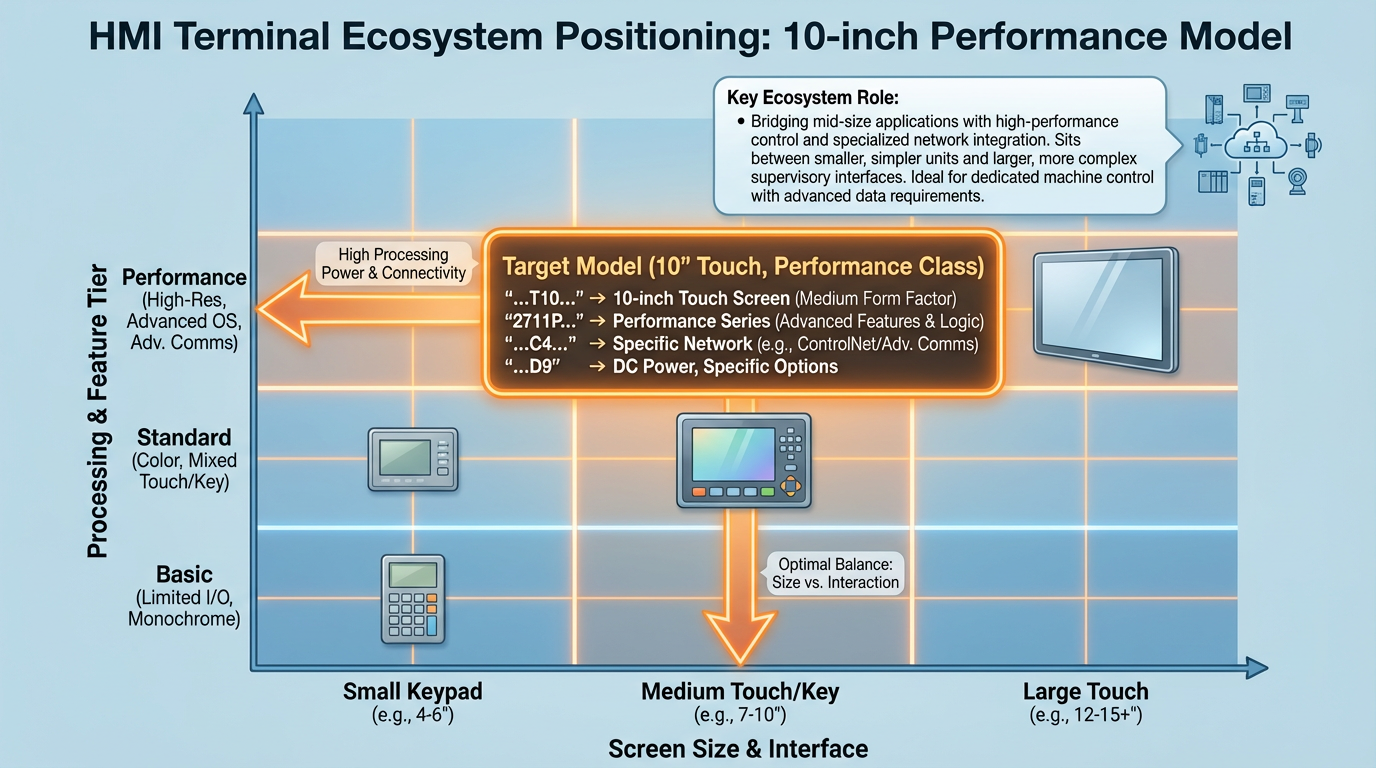
Within PanelView there are several subfamilies. RealPars and other Rockwell‑focused trainers split the modern lineup broadly into PanelView Plus (including the Plus 6 and Plus 7 families), PanelView 800 for smaller machines, and PanelView 5000 for tight Studio 5000 integration. The 2711P‑T10C4D9 belongs to the PanelView Plus line and uses a 10‑inch class color graphic display. That makes it a natural choice when you want more real estate than a compact 4‑inch or 6‑inch HMI, but you are not yet in the “full‑blown SCADA workstation” territory.
Industrial Automation Co. describes PanelView terminals as rugged operator interfaces for machine control, material handling, and process control, with common capabilities such as configurable graphic screens, Ethernet communications, support for modern programming environments, data logging, remote access, and user‑level security. In practice, that means a 2711P‑T10C4D9 can sit at the center of a small machine, handle day‑to‑day operator tasks, and still participate in wider plant networking and diagnostics if you design the system correctly.
From a lifecycle perspective, remember that many PanelView models highlighted in older selection guides are now obsolete. Rockwell’s own manuals for PanelView Plus 6 and Plus 7, along with third‑party buyers’ guides, consistently recommend checking lifecycle status and planning for long‑term support. When you design around a 10‑inch Plus terminal today, you are designing not just for the upcoming startup, but for maintenance teams who will still be living with that hardware years down the road.
Display Platform: The 10‑inch PanelView Plus Architecture
The 2711P‑T10C4D9 uses the same basic display concept as Rockwell’s 10‑inch PanelView Plus display module, documented in manuals for the 2711P‑RDT10C. Rockwell literature and independent summaries describe the 2711P‑RDT10C as a 10‑inch class color TFT display module in the PanelView Plus family. It is not a complete terminal by itself; it mates with a separate logic module, and together they form the full HMI.
This modular approach is central to how you should think about the 2711P‑T10C4D9. The display module brings the physical screen, bezel, gasket, and touch surface. The logic module brings the processor, memory, network ports, and operating system. From a specification standpoint, the display module determines what operators see and how they interact; the logic module determines how fast it behaves and what it can connect to.
Rockwell’s technical data for PanelView Plus 6 700–1500 terminals describes a family of field‑replaceable color flat‑panel displays in sizes roughly 6.5, 10.4, 12.1, and 15.1 inches. These displays support keypad input, touch input, or a combination of both. The 10‑inch class terminal you are working with is one instance of that pattern: a mid‑sized color TFT screen with a touch interface intended for industrial panel mounting.
Size, Technology, and Visual Comfort
Most engineers read “10‑inch” and move on, but you want to understand what that actually buys you. For operators, the difference between a cramped small HMI and a usable 10‑inch panel is night and day. A 10‑inch class TFT screen provides enough space to group related objects logically, show a few key trends, and present alarms without constant screen flipping. That directly impacts response time and error rate.
The Electronics Sourcing article on industrial displays emphasizes that display selection is fundamentally about matching the technology to the environment: brightness, contrast, color, and viewing angle have to be considered together with ambient lighting and operator workflows. PanelView Plus terminals use TFT technology specifically because it offers a good balance of brightness, color saturation, and response time for industrial control‑room and machine‑panel applications. You get crisp graphics with acceptable viewing angles, and you avoid the ghosting and lag associated with cheaper display technologies.
From the same article, you should keep in mind that industrial displays are engineered for temperature, vibration, and humidity that would kill a consumer tablet quickly. The PanelView Plus displays documented in Rockwell literature are designed for industrial enclosures with defined ambient limits, and the gaskets and bezels are built to maintain NEMA and IP ratings when mounted correctly. In other words, the 10‑inch PanelView screen is part of a system that is meant to keep dust, washdown spray, and airborne debris out of your electronics when installed properly.
Another practical advantage of this display size and technology is that it scales well for multi‑language and multi‑role designs. You can afford slightly larger fonts and duplicate labels in another language without the screen becoming unreadable, which matters in plants with mixed operator experience levels.
Touch Interface and Glove‑Friendly Operation
Touch is where theory often collides with reality. The industrial display article notes that projected capacitive (PCap) touch feels modern and responsive, but it can suffer in electrically noisy environments and when operators wear heavy gloves. Resistive touchscreens, while older in feel, are often more tolerant of noise and can be operated with gloves or styluses.
PanelView Plus terminals of this generation are designed with gloved operators in mind. Rockwell’s user manuals and training material consistently show use cases where operators are wearing typical industrial gloves and still interacting reliably with the screen. In my own projects, production teams have never had trouble operating 10‑inch plus‑series terminals with gloves, which is not always true of more consumer‑style panels.
From an engineering standpoint, that means you should not design tiny touch targets and expect good results. Even though a 10‑inch screen gives you room, controls still need to be large, well‑spaced, and grouped in a way that avoids accidental touches. The FactoryTalk Optix design recommendations summarized by Ultech Engineering, while focused on a different platform, are equally relevant here: keep layouts simple and logical, limit your color coding to a small palette with clear meaning, and use consistent fonts and iconography. That guidance applies just as much to a 2711P‑T10C4D9 as to a cloud‑enabled HMI.
Brightness, Outdoor Use, and High‑Bright Options
Not every PanelView Plus display is meant to live in sunlight. The Automation Blog’s deep dive into the PanelView Plus high‑bright display makes this distinction very clear. According to that article, standard PanelView Plus displays are rated around three hundred candelas per square meter in luminance. That is adequate for indoor panels and shaded locations, but will struggle in direct sun or on outdoor skids.
By contrast, Rockwell’s high‑bright 12‑inch display, catalog 2711P‑RDT12H, is rated at roughly one thousand candelas per square meter, more than three times the brightness of the standard units. It carries a NEMA 4X outdoor rating and uses a different bezel material that withstands UV exposure better than the standard plastic. It also incorporates features such as an ambient light sensor and the ability to reduce brightness automatically if internal temperature rises beyond its safe range, which is documented from about 32°F to 131°F.
Why does this matter when you are specifying a 10‑inch terminal like the 2711P‑T10C4D9? Because it shows you the limits of the standard platform. Standard ten‑inch PanelView Plus terminals are intended for indoor NEMA 4X type environments: protected inside a panel, occasionally seeing washdown but not constant UV and rain. When a customer wants a 10‑inch HMI directly exposed outdoors, I either move the terminal into a good enclosure with a viewing window or I push for the high‑bright outdoor‑rated hardware even if it means stepping up in size.
The high‑bright discussion also highlights something easy to miss in datasheets: small accessories can dramatically extend display life. The Automation Blog cites Rockwell’s own recommendation to use antiglare overlays and visor kits to cut down glare and UV exposure, and notes that this “greatly increases field life” of the display. If your 10‑inch PanelView sits opposite a big bay door or under strong lighting, budget a simple visor or overlay up front rather than treating premature discoloration or operator complaints as a surprise.
Display‑Related Specs That Actually Matter
With a 10‑inch PanelView Plus, the display specifications that make a difference in the field are usually not the ones you see in bold at the top of a marketing sheet. In practice, I pay particular attention to four aspects: screen size and layout density, brightness relative to ambient conditions, environmental ratings for the front panel, and maintainability.
Rockwell’s PanelView Plus 6 700–1500 documentation emphasizes that these displays are field‑replaceable modules. That means you can replace a failed 10‑inch display without disturbing the logic module and wiring, as long as you have a compatible spare. From a project planning perspective, that is a major advantage. It lets you standardize on a small number of spare display modules and logic modules, and it lets maintenance swap a failed display quickly without PC‑style reinstallation.
For the front panel ratings and optical performance, the article on industrial displays is a useful reminder that harsh lighting, temperature cycles, and shock all affect readability and life expectancy. Don’t treat the 10‑inch PanelView display as a consumer tablet; treat it as a machine component. Make sure you choose an enclosure, mounting location, and overlay strategy that matches the real conditions it will see.
Connectivity: How the 10‑inch PanelView Plus Talks to Your Plant
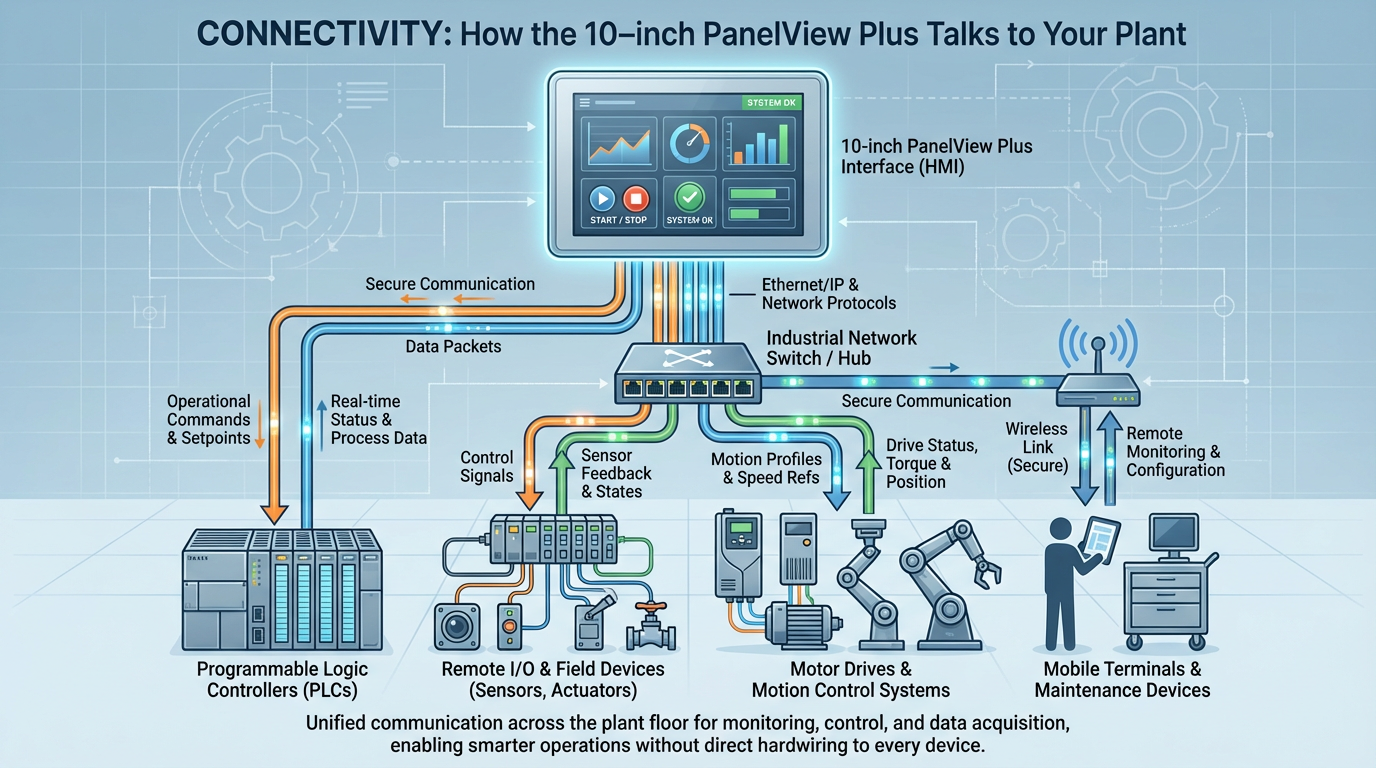
If the display determines what your operators can see and touch, connectivity determines how powerful the HMI can be as a node in your control system. Rockwell Automation’s PanelView Plus 6 700–1500 technical data and the 2711P‑UM001 user manual outline a consistent connectivity strategy across the family. A 10‑inch PanelView Plus such as the 2711P‑T10C4D9 follows the same pattern.
At a high level, you can think of connectivity in three layers. The first layer is the physical ports on the logic module. The second layer is the networks and protocols those ports carry. The third layer is the runtime services exposed by the operating system and FactoryTalk View application.
Onboard Ports and Base Networks
According to Rockwell’s technical data for PanelView Plus 6 700–1500 terminals, the logic modules provide built‑in Ethernet and RS‑232 serial ports. That combination is intentional. Ethernet gives you modern, plant‑wide connectivity for EtherNet/IP and other TCP‑based protocols. The RS‑232 port gives you a bridge into older serial‑based controllers or devices that still live on RS‑232 DF1, DH‑485 through serial, or printer connections.
The same documentation notes that additional network modules are available to support industrial networks like Data Highway Plus, DH‑485, and ControlNet. These optional communication modules are key when you are retrofitting into a plant that still has legacy PLC‑5 or SLC racks on older buses and you cannot justify upgrading everything at once. In those cases, the 10‑inch PanelView acts as a bridge between old networks and new ones, presenting a unified interface to the operator even while the back end remains mixed.
Rockwell’s PanelView Plus user manual further emphasizes proper wiring, power, and grounding around these ports. PanelView Plus terminals in this size range commonly use a 24‑volt DC power source, and the manual stresses clean power, overcurrent protection, and solid earth grounding to minimize network noise and communication issues. In the field, a surprising number of intermittent communications problems come back to poor grounding of the HMI, not to protocol settings.
Protocols and Controller Integration
RealPars’ overview of PanelView Plus HMIs explains that these terminals are engineered primarily for integration with CompactLogix and ControlLogix controllers using FactoryTalk View Machine Edition over Ethernet. The HMI application is developed in FactoryTalk View Studio, downloaded to the terminal, and then runs as an embedded runtime that exchanges data tags with the controller.
That integration is where the PanelView Plus line shines in Rockwell‑standard plants. Tag browsing, alarm integration, and diagnostics are tightly aligned with Logix controllers. When you place a 10‑inch PanelView Plus in front of a CompactLogix‑based machine, you can build a fairly sophisticated interface without fighting the software.
At the same time, the broader PanelView ecosystem supports multiple networks and drivers. The PanelView Plus 6 technical data notes support for legacy networks via optional modules, and the PanelView Plus 7 family documented by RealPars shows how Rockwell extended this approach into modern Ethernet‑only hardware with features such as dual Ethernet ports and embedded switches. While the 2711P‑T10C4D9 itself is in the Plus 6 class, understanding the Plus 7 architecture is useful if you are planning a phased modernization.
From a practical angle, I always ask three connectivity questions when specifying a 10‑inch PanelView. First, which controllers will it talk to, and on which networks. Second, whether it needs to log data or serve content beyond basic HMI functions. Third, whether remote maintenance or remote viewing is required. The answers drive whether the base Ethernet and serial ports are sufficient, whether you need optional modules, and how you plan security.
Runtime Services: FTP, VNC, Web Access, and Storage
One of the strengths of PanelView Plus 6 700–1500 terminals, documented in Rockwell’s technical data, is that high‑performance logic modules run Windows CE 6.0 and expose a set of useful services. The technical data highlights features such as an FTP server, VNC client and server, a PDF reader, support for ActiveX controls, and the ability to work with some third‑party devices. All of this runs underneath the FactoryTalk View Machine Edition runtime.
In practice, this means your 10‑inch PanelView can do more than show operator screens. You can use FTP to move log files and backups to and from the terminal without physical access. You can use VNC to remotely view or even control the HMI from a maintenance laptop, which is invaluable when the panel is in a hard‑to‑reach location or in a high‑risk area.
The same technical data notes that these terminals include hot‑swappable USB host ports and a Secure Digital card slot for 1784‑SDx cards. USB ports allow you to attach a mouse, keyboard, printer, or USB flash drive without shutting down the unit. The SD card slot is used for firmware upgrades, file transfer, and data logging. In one project controlling a batch process line, we configured the PanelView Plus SD card as a simple buffer for high‑frequency log data and then used scheduled FTP transfers to move files up to a historian node. It was not elegant, but it avoided modifying the plant’s IT firewall rules and gave the operations team the history they needed.
Rockwell’s documentation also points out that PanelView Plus 6 700–1500 terminals ship with FactoryTalk View Machine Edition Station runtime preloaded and activated, and that they include a license for FactoryTalk ViewPoint. ViewPoint enables remote viewing and limited interaction with HMI screens through a standard web browser. For a 10‑inch HMI in a packaging line, that can be the difference between sending a technician to the far end of the plant to see what is happening and checking the status from an engineering station.
Connectivity Summary in Context
The key point is that a 10‑inch PanelView Plus terminal is not just a “screen on a wire.” It is a networked appliance with Ethernet, serial, optional legacy networks, removable storage, and built‑in remote access services. Depending on how you configure it, it can act as a straightforward machine HMI, a protocol bridge, a local historian, or a small information node.
The table below summarizes the connectivity aspects that usually matter when designing around a 2711P‑T10C4D9‑class terminal, using characteristics described in Rockwell’s PanelView Plus 6 documentation and related sources.
| Connectivity area | What to review for a 10‑inch PanelView Plus terminal | Typical capabilities from Rockwell sources |
|---|---|---|
| Physical ports | Number and type of ports on the logic module | Built‑in Ethernet and RS‑232, with two USB host ports on Plus 6 700–1500 |
| Legacy networks | Need to talk to older PLCs or networks | Optional modules for Ethernet variants, Data Highway Plus, DH‑485, and ControlNet |
| Runtime services | Remote access, file transfer, diagnostics | Windows CE services such as FTP, VNC, and PDF viewing; FactoryTalk View ME runtime preloaded; ViewPoint license included |
| Storage | Local data logging and firmware handling | Nonvolatile memory on logic module plus SD card slot for firmware and logs |
| Controller integration | PLC families and software ecosystem | Tight integration with CompactLogix and ControlLogix via FactoryTalk View Studio and FactoryTalk View ME |
Reading the “Datasheet” Like a Project Engineer
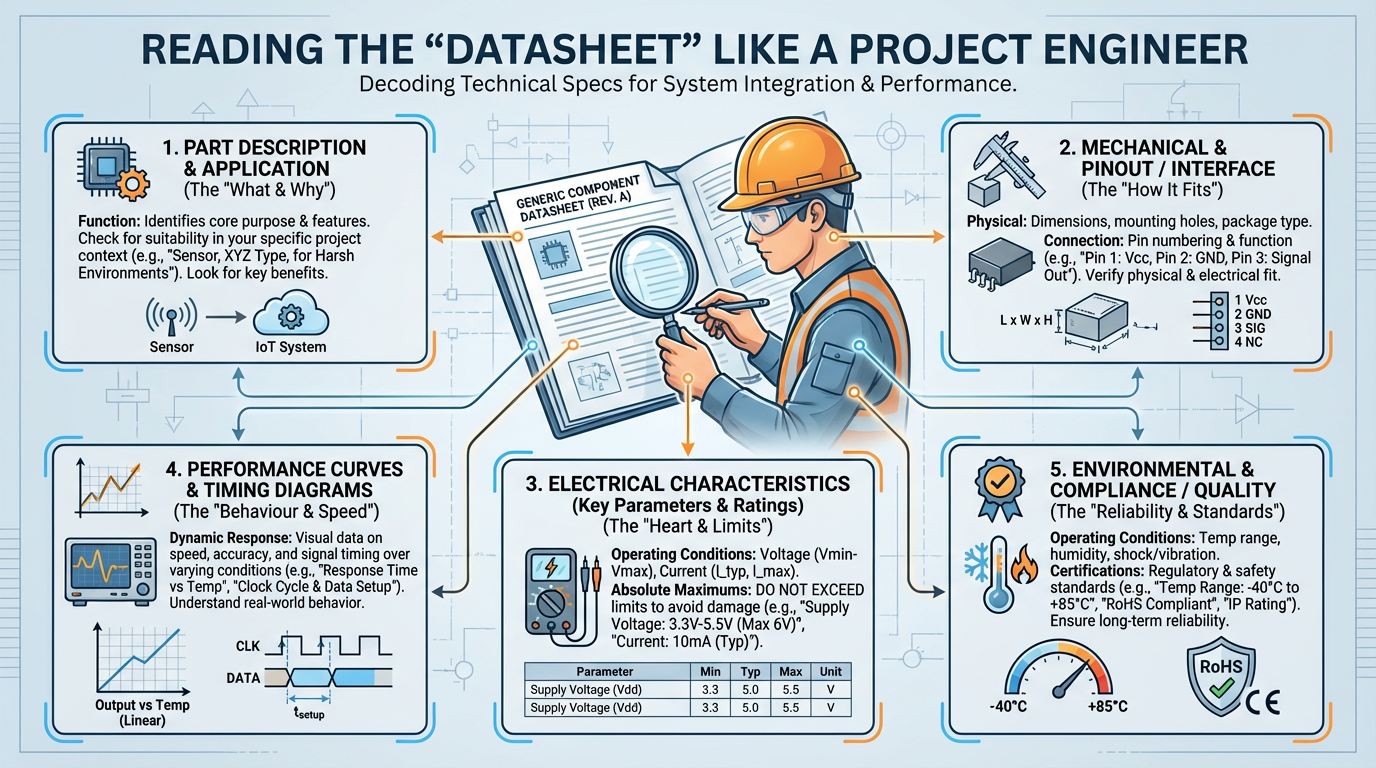
Manufacturers’ datasheets are written so that purchasing can confirm a model number. As an integrator, you need to read the same data with a different lens. For a 2711P‑T10C4D9‑class HMI, your focus should be on how the display and connectivity specs will behave in your specific panel, cell, or line.
Rockwell’s PanelView Plus 6 700–1500 technical data document is a good template. Instead of staring at the catalog matrix, pull out the sections that describe display size, operator input type, mounting and panel cutout dimensions, environmental ratings, communication ports, memory and storage, and supported networks. That information tells you how to design the enclosure, the network, and the operator experience.
The same document underscores that logic modules ship with 512 megabytes of RAM and 512 megabytes of nonvolatile storage, with roughly eighty megabytes free for user applications. That is plenty for a typical 10‑inch machine HMI with dozens of screens, alarm lists, and some data logging, but it is not infinite. If you try to turn a PanelView Plus terminal into a small SCADA server, you will hit limits quickly. The RealPars comparison of PanelView Plus 6 and Plus 7 highlights how Rockwell expanded memory and capabilities in the Plus 7 Performance family, precisely because some installations pushed the earlier hardware well beyond simple operator‑interface duties.
When I design around a 10‑inch PanelView Plus, I usually do a quick mental check in three areas. First, are the screen counts, tag counts, and logging needs comfortably inside what the hardware supports according to Rockwell’s technical data. Second, does the network layout put the HMI on a clean, managed segment with clear addressing and bandwidth, instead of dropping it into a congested, flat plant network. Third, have we planned for firmware and application management: backing up the project, tracking firmware versions, and documenting IP addresses and hostnames. Those issues do not show up in bold on the datasheet, but they are exactly what determine whether a 2711P‑T10C4D9‑style HMI feels “solid” in production.
When a 10‑inch PanelView Plus Is the Right Choice—and When It Is Not
The Hesco analysis of PanelView versus FactoryTalk Optix makes a useful strategic point: the HMI you choose is part of your plant’s long‑term automation platform, not just a display purchase. That applies directly when you are deciding whether to deploy or keep a 2711P‑T10C4D9‑class terminal.
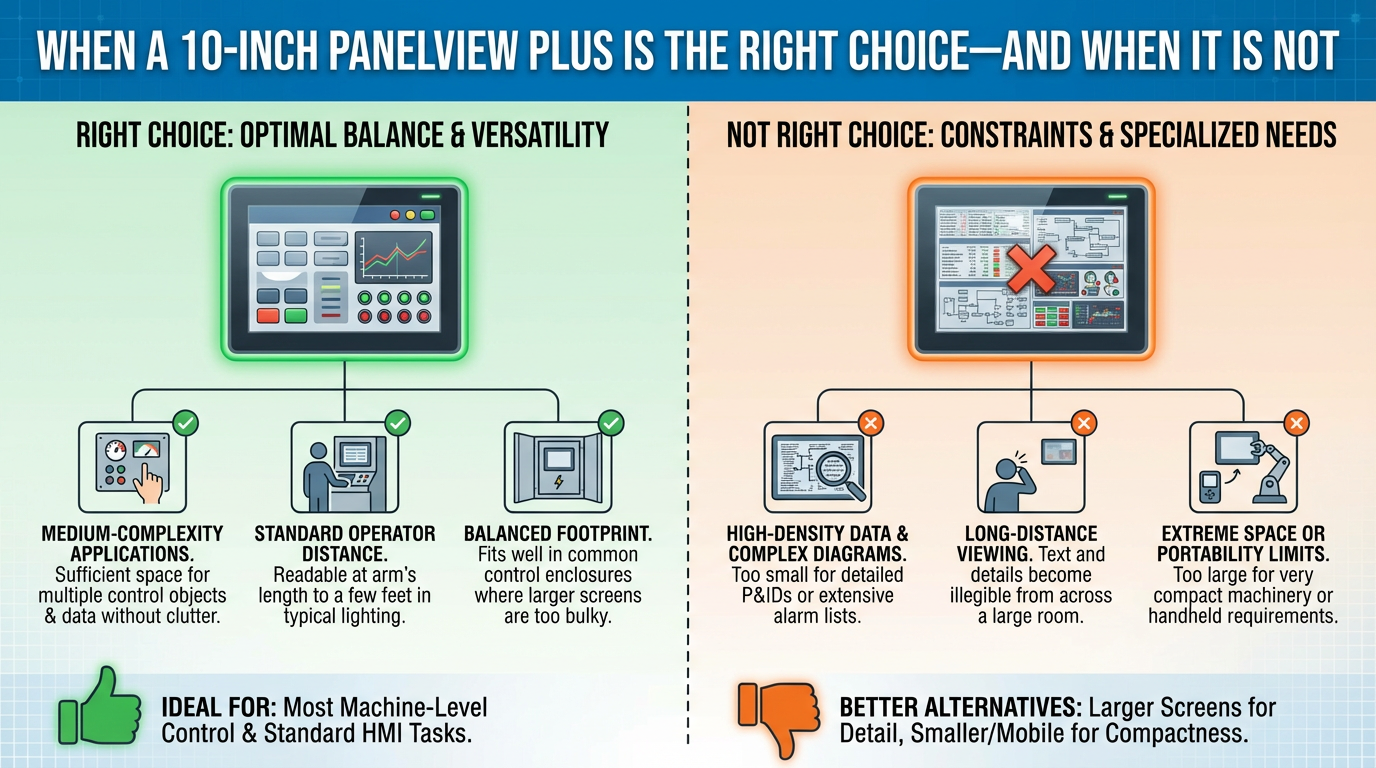
A 10‑inch PanelView Plus is a strong fit when you already have a Rockwell‑centric plant, your team is comfortable with FactoryTalk View Studio, and your IT policies discourage cloud dependency. It gives you sufficient screen space for meaningful visualization, tight integration with Logix controllers, and enough connectivity to bridge into older parts of the plant where needed. RealPars, Industrial Automation Co., and other Rockwell‑focused guides all position PanelView Plus as the stable, proven option for this kind of environment.
On the other hand, FactoryTalk Optix, as described by Ultech Engineering and Hesco, is Rockwell’s answer to more open, cloud‑capable, and protocol‑rich HMI architectures. It brings native OPC UA and MQTT connectivity, web‑based engineering, and easier collaboration between OT and IT. If your roadmap includes centralized monitoring across many sites, predictive maintenance, or extensive integration with non‑Rockwell devices, then it may make more sense to tolerate the learning curve of Optix rather than invest heavily in a new generation of PanelView Plus terminals.
There is also a middle ground. DoSupply’s comparison between PanelView 800 and PanelView Plus 7 shows that Rockwell offers smaller, more cost‑sensitive HMIs for simple machines and more capable Plus 7 Performance terminals for large, complex systems. In practice, I often keep 10‑inch PanelView Plus terminals like the 2711P‑T10C4D9 in brownfield areas where Logix integration and legacy networks dominate, while specifying newer platforms such as Plus 7 or Optix for greenfield cells where the architecture can be designed from scratch.
Practical Advice from the Field
All the specs in the world will not save you from a poor design decision. Based on projects where 10‑inch PanelView Plus terminals have run for years in real plants, a few practical patterns stand out.
First, treat the display as part of a visibility system, not just a screen. The Electronics Sourcing article is right that optical performance is about environment as much as technology. Take the time to visit the actual installation location at the same time of day operators will be using the HMI. If the sun is in their eyes or overhead lighting creates reflections, adjust the panel angle, add a visor, or change the mounting height. A 10‑inch display that looks great under office lighting can be nearly unusable under high‑bay LEDs or in a bright loading dock.
Second, decide early how you will use the connectivity services that come with the PanelView Plus platform. Rockwell’s documentation confirms that you have Ethernet, serial, USB, SD storage, FTP, VNC, and ViewPoint at your disposal. Use them intentionally. For example, regular FTP exports of alarm history and logs to a central file server dramatically reduce the pain of troubleshooting intermittent faults. VNC access, configured properly behind a secure VPN, allows off‑shift maintenance to see what operators are seeing without a midnight drive to the plant.
Third, keep your HMI applications within reasonable size and complexity for the hardware. The PanelView Plus 6 700–1500 terminals provide hundreds of megabytes of memory, but they are still embedded devices. RealPars’ material on PanelView Plus 7 shows how the Performance line needed more memory and processing power once people began treating HMIs as thin clients or mini SCADA nodes. On a 2711P‑T10C4D9‑class terminal, stay focused on what an HMI should do best: clear visualization, reliable command entry, and meaningful local diagnostics.
Finally, plan for lifecycle and support from day one. The Industrial Automation Co. guide on PanelView selection underscores that many specific models are now obsolete. Even if your 10‑inch PanelView Plus is currently active, you should document firmware versions, keep offline backups of the FactoryTalk View ME application, and standardize on a small set of panel and logic module combinations wherever possible. When a display eventually fails, being able to swap in a known‑good module, restore from backup, and rejoin the network without drama is the difference between a nuisance maintenance event and a line‑stopping crisis.
FAQ
Is a standard 10‑inch PanelView Plus suitable for outdoor use?
Standard PanelView Plus displays are designed primarily for indoor NEMA 4X‑type environments. The Automation Blog notes that the only PanelView Plus display explicitly rated for outdoor use is the high‑bright 12‑inch model with a NEMA 4X outdoor rating and a bezel material chosen for UV resistance. For true outdoor exposure to sun, rain, and icing, you either need that high‑bright outdoor‑rated hardware or a well‑engineered enclosure that protects a standard 10‑inch HMI from the elements.
How many networks can a 10‑inch PanelView Plus participate in?
According to Rockwell’s PanelView Plus 6 700–1500 documentation, the logic module provides a built‑in Ethernet port and an RS‑232 serial port, and supports optional modules for networks such as Data Highway Plus, DH‑485, and ControlNet. That means a single 10‑inch PanelView Plus terminal can connect simultaneously to modern EtherNet/IP controllers, serial devices, and legacy PLC networks if you configure everything correctly. The limiting factor is usually project complexity and maintenance overhead rather than a hard port count.
What is the best way to handle data logging on a 2711P‑T10C4D9‑class terminal?
Rockwell’s technical data highlights two storage mechanisms: nonvolatile memory on the logic module and removable SD cards. For small to medium applications, logging critical alarms and a few key process values to the internal memory and periodically exporting them via FTP is often sufficient. For higher‑volume logging, it is safer to use the SD card as a buffer and then pull files off to a server or historian. The key is to size logging to the hardware and to automate export so that storage does not quietly fill up over time.
In the end, the Allen‑Bradley 2711P‑T10C4D9 is less about a catalog number and more about a well‑understood 10‑inch PanelView Plus platform: a rugged TFT display module mated to a capable logic module that speaks your plant’s languages. If you respect the display’s environmental limits, design your screens for real operators, and take full advantage of the connectivity services Rockwell built into the platform, a 10‑inch PanelView Plus will be a reliable partner on your line for many years.
References
- https://peer.asee.org/hmi-design-an-analysis-of-a-good-display-for-seamless-integration-between-user-understanding-and-automatic-controls.pdf
- https://kirby-assets.roccommerce.net/files/_kirby/5/7/5/3160680.pdf
- https://blog.hesconet.com/understanding-allen-bradleys-panelview-and-factorytalk-optix-platforms
- https://www.artisantg.com/info/Rockwell_Allen_Bradley_2711P_RDT10C_Manual_2017719103316.pdf?srsltid=AfmBOoozdN6zNVmnENQHG0OkIBGsv7_buV68rZwxXv7TIVcx17c1SNo4
- https://www.asteamtechno.com/rockwell-automation-panelview-800-vs-panelview-plus-7/?srsltid=AfmBOooBP6CvIQJECpra_v0DKFtHhUJNUcPZhVA9RCKyE8ugrGCwviih
- https://kwoco-plc.com/allen-bradley-panelview-guide/
- https://www.realpars.com/blog/panelview-plus-hmis
- https://tcisupply.com/learn-allen-bradley-panelview-hmis-a-buyers-guide/?srsltid=AfmBOoon-1yyeayyq7ptEnFKJxJfFM73VQJyq9NO8IushIzMnbBxQOOS
- https://theautomationblog.com/the-panelview-plus-high-bright-display-seven-things-you-should-know/
- https://ultech-engineering.com/factorytalk-optix-hmi-greenfield-brownfield/
Keep your system in play!
Top Media Coverage
Categories



Related articles Browse All
-
 BlogImplementing Vision Systems for Industrial Robots: Enhancing Precision and Automation2025-08-12 11:26:54Industrial robots gain powerful new abilities through vision systems. These systems give robots the sense of sight, so they can understand and react to what is around them. So, robots can perform complex tasks with greater accuracy and flexibility. Automation in manufacturing reaches a new level of ...
 -
 BlogOptimizing PM Schedules Data-Driven Approaches to Preventative Maintenance2025-08-21 18:08:33Moving away from fixed maintenance schedules is a significant operational shift. Companies now use data to guide their maintenance efforts. This change leads to greater efficiency and equipment reliability. The goal is to perform the right task at the right time, based on real information, not just ...
 -
 BlogThe Evolution of Steam Turbine Control Systems2026-03-31 08:33:35CALL US:+86-18020776786 | E-MAIL:INFO@AMIKON.CN In-depth analysis of the GE Mark VIe control system Mark VIe: A Modern Mainstay for Industry 4.0 Mark VIe's core concepts are "high availability, open connectivity, and intelligent readiness." It utilizes comm...


- Q&A
- Policies How to order Part status information Shipping Method Return Policy Warranty Policy Payment Terms Email Marketing Policy VAT and Import Information
- Asset Recovery
- We Buy Your Equipment. Industry Cases Amikong News Technical Resources Why choose us FAQs
- Registered Address
-
32D Guomao Building, No.388, Hubin south Road, Siming district, Xiamen,Fujian, China

Leave Your Comment