
-
Please try to be as accurate as possible with your search.
-
We can quote you on 1000s of specialist parts, even if they are not listed on our website.
-
We can't find any results for “”.
PLCs with Dual Ethernet Ports: A Specification Comparison Guide


Why Dual Ethernet Ports Matter Now
In most plants I work in, the PLC is the one box everyone blames when production stops, even if the real problem is the network around it. As more systems move to industrial Ethernet, that network is rarely a single flat line anymore. You have controllers talking to drives, HMIs, historians, and cloud gateways all at once. That is where dual Ethernet ports on a PLC stop being a nice-to-have and start being a design decision that affects uptime, maintainability, and future expansion.
Modern PLCs are no longer just replacements for relay panels. As the Airline Hydraulics PLC overview notes, they are ruggedized industrial computers with powerful CPUs, millisecond scan cycles, and broad communications support over USB, Ethernet, serial ports, and industrial protocols such as Modbus, PROFINET, and EtherNet/IP. Market analyses cited there project the PLC market approaching tens of billions of dollars in the next few years, and forecast that a large majority of new PLC systems will be security-hardened and increasingly intelligent at the edge. Dual Ethernet is part of that shift because it gives you structure: you can separate traffic, build redundancy, and keep a growing system from turning into a spaghetti network.
From the field, the pattern is clear. Plants that standardized early on “cheap, one-port PLCs” often end up paying later in downtime and retrofit work. Sites that planned their network structure carefully, using dual-port controllers and HMIs as Control.com and Maple Systems describe, generally find it easier to scale, secure, and troubleshoot their systems years down the road. This guide walks through how vendors implement dual Ethernet ports, what to compare on the datasheet, and how those choices play out in real projects.
How Vendors Implement Dual Ethernet Ports
Dual Ethernet ports on a PLC are not all the same. The Control.com technical article on Ethernet ports makes a useful distinction between three broad behaviors: two jacks that behave as one port, two independent ports, and specialized modules or gateways that happen to have dual Ethernet interfaces. Understanding which category your controller falls into is more important than the raw number of jacks on the front.
Two Ports, One IP Address: Embedded Switch Designs
In one common design, the PLC presents a single IP address, even though it has two RJ45 jacks. Internally, the controller includes a small Ethernet switch. Both physical connectors land on that switch, which in turn connects to the PLC’s CPU. Control.com describes this as “two ports with one configuration.”
The immediate benefit is simplicity. You configure one IP, plug one uplink to your main switch, and use the second jack to daisy chain a drive, a remote I/O block, or another controller. Controllers of this type can participate in Device Level Ring (DLR) or similar ring structures. In a DLR, devices form a loop; if someone cuts one cable, the ring reroutes traffic over the other path and the system keeps running.
The trade-offs are subtle but real. Because the PLC is doing switching work, it introduces some additional latency as it services one downstream device at a time. Control.com warns that in motion-critical or very tight real-time applications, that extra switching delay can matter. You also need to remember that from a cybersecurity and addressing point of view, both jacks are effectively the same network interface; there is no true subnet separation.
Two Ports, Two IP Addresses: Dual-NIC or Routing PLCs
In the second design, each Ethernet port has its own IP address and its own subnet. Control.com refers to this as “two ports with individual IP addresses.” At that point, your PLC starts to behave like a small router or gateway. One port might be on the plantwide control network, while the other sits on a cell-level network with drives, remote I/O, and local HMIs.
This architecture unlocks cleaner network segmentation. Maple Systems’ dual Ethernet HMI guidance uses a similar pattern: they recommend LAN1 facing the remote or plant network and LAN2 facing the isolated local control network, with each port on a different subnet and no direct routing between them except what the application explicitly implements. When you apply that mindset to a PLC, you can keep chatter from a data-logging or MES system off your time-critical motion or safety traffic, while still letting the PLC act as a controlled bridge where appropriate.
The downside is complexity. Now you are managing two subnets, two sets of routing rules, and more firewall policy. Control.com points out that these dual-address designs demand more networking expertise and can cost more up front. In my experience, they pay off in plants where you care about clear security zones, clean integration between OT and IT, and predictable behavior as you add equipment over years, not months.
Dual-Ethernet Gateways and Intelligent Modules
The third category includes communication modules and gateways that are not PLC CPUs by themselves but look similar on the front panel. Rockwell Automation’s In-Cabinet EtherNet/IP solution, described in a RealPars article, is a good example. The 1834-AENTR gateway sits in a panel and bridges from standard EtherNet/IP on a round cable to a flat single-pair Ethernet cable that runs along the cabinet for about eighty feet and feeds dozens of contactors and operators. The gateway has dual Ethernet ports specifically so it can sit in a DLR, maintaining redundancy on the main network while serving as a branch into the in-cabinet system.
Another example is the dual-core intelligent PLC architecture described in an Applied Mechanics and Materials paper. That design uses communication modules with dual Ethernet ports in a switched industrial Ethernet system built around Q‑series PLCs and Modicon X80 remote I/O. Managed switches are configured as dual-ring switches to provide hot standby paths and daisy-chained loops. In that architecture, the dual Ethernet ports on the communication modules are essential to building redundant rings and integrating third-party distributed I/O on the same physical network.
When you see dual Ethernet ports on a gateway or comms module, the comparison questions are slightly different: you want to know what redundancy schemes it supports, what its role is in the topology, and how tightly it integrates with your PLC platform.
Comparison at a Glance
Before diving into individual specifications, it helps to see the architectural trade-offs side by side.
| Dual-Ethernet Type | Port Addressing | Typical Role | Strengths | Risks if Misapplied |
|---|---|---|---|---|
| Embedded switch (two jacks, one IP) | One IP shared across both jacks | Simple PLC with daisy-chain or DLR capability | Easy configuration; no routing; supports rings and small device chains | Hidden latency; no real subnet separation; fault in one chain leg can still affect many devices |
| Dual-NIC or routing PLC | Separate IP and subnet per port | Cell controller or gateway between plant network and machine network | Clean segmentation; scalable architectures; good for IT/OT separation | Higher configuration complexity; requires networking skills; misconfigured routing can create security holes |
| Dual-Ethernet gateway or module | Varies by module; often one port “upstream,” one “downstream” | Bridge between standard Ethernet and specialized segments (for example, in-cabinet networks) | Enables new wiring topologies; can sit in redundant rings; reduces panel labor and copper use | Another critical device in the path; failure affects many loads; must match vendor ecosystem and tools |
With this mental map in place, you can read a datasheet and quickly determine which family a given product falls into and whether it fits your project.
Key Specifications to Compare
Reading vendor literature, especially from PLC basics guides by C3Controls or Industrial Automation Co., you will see the usual CPU, memory, and I/O numbers. For dual Ethernet, pay close attention to network-related specifications that often sit deeper in the document or in separate communication manuals.
Network Role and Topology Support
First, determine whether the PLC port pair is meant to be a simple device on a larger network or a structural element in the network itself. Documentation like the Control.com article will usually state explicitly if the dual ports support DLR or ring topologies, daisy chaining, or only standard star connections.
In single-IP dual-port designs, look for language about an “embedded switch,” “linear topology,” or “device-level ring.” That tells you the controller can sit mid-chain. In dual-IP designs, look for statements that each port can be placed on a different subnet, often along the lines of “Port 1: LAN; Port 2: device network.” Those systems are typically used as gateways or cell routers.
If you are planning to follow an approach similar to the dual-ring, hot-standby architecture described in the Applied Mechanics and Materials paper, you will also want to confirm compatibility with your managed switch line, such as ConneXium or equivalent, and verify that the PLC or communication module truly supports dual-ring configurations rather than just basic redundancy.
Segmentation, Security, and Traffic Separation
Cybersecurity and segmentation are now table stakes. Airline Hydraulics’ research cites that IEC 62443 cybersecurity compliance is required in the vast majority of industrial sectors. Dual Ethernet ports are one of the ways you can implement that in the real world.
Maple Systems’ dual Ethernet HMI note is a good practical checklist. They configure LAN1 as the “outer” network with DNS and a default gateway, and LAN2 as the isolated control network with PLCs, drives, and other field devices. The two LANs are on different IP subnets. Devices on LAN1 cannot directly talk to devices on LAN2; any data crossing that boundary is controlled in the HMI application through data-transfer objects or macros. They also stress that remote access should default to read-only and that all factory passwords must be changed.
When you select a dual-Ethernet PLC, check whether its ports are intended as a similar security boundary or simply as connectivity conveniences. If the controller can act as a router or gateway, ask how it handles firewall rules, whether it supports role-based access, and how it logs connections. If it is an embedded-switch design with one IP, understand that it will not create a security zone by itself; you will need external switches and firewalls to enforce IEC 62443 zones and conduits.
Performance, Latency, and Scan Time
Every PLC executes a cyclic scan: read inputs, run logic, write outputs, and handle housekeeping, typically in tens of milliseconds as the Airline Hydraulics guide describes. Network traffic, especially cyclic I/O over Ethernet, is part of that real-time picture.
Dual-Ethernet designs that include embedded switches will introduce some latency as mentioned in the Control.com article. Usually that is not an issue for slower process control loops or discrete I/O, but if you are doing high-speed motion or tight synchronized operations, you should verify worst-case packet delays through the controller. The vendor’s communication manual may specify update intervals or Requested Packet Interval (RPI) ranges for protocols like EtherNet/IP.
If performance is critical, look for architectures similar to the dual-core intelligent PLC described in the Applied Mechanics and Materials paper, where one processor can be dedicated to communication and the other to control tasks. Also consider devices like the In-Cabinet EtherNet/IP gateway from Rockwell; RealPars reports that this approach significantly cuts wiring and test time while leveraging EtherNet/IP’s cyclic communication and diagnostics for predictable behavior inside the panel.
Protocol and Ecosystem Compatibility
A PLC with dual Ethernet ports is not helpful if it cannot speak the same language as the rest of your plant. Airline Hydraulics, Xinje, and Industrial Automation Co. all emphasize matching PLC communication capabilities to your field devices and supervisory systems.
From the notes, the dual-core intelligent PLC platform supports Modbus and CIP, which underpins EtherNet/IP, and can integrate Q‑series racks, Modicon X80 remote I/O, and third-party distributed I/O. Many modern PLCs support multiple Ethernet-based protocols: EtherNet/IP, PROFINET, Modbus TCP, and OPC UA for higher level integration. When dual ports are present, you sometimes see one protocol family favored on each side: for example, one port primarily for controller-to-controller EtherNet/IP and the other for Modbus TCP to drives and I/O.
You should also confirm support for necessary legacy ports. Xinje’s communication-port guidance reminds us that RS‑232 and RS‑485 still matter for legacy serial devices, longer-distance low-speed links, and simple master-slave systems. A dual-Ethernet PLC that also has RS‑485 can serve as a convenient gateway, but you need to know whether the vendor supports that use case within their tools.
Redundancy and Availability Features
True high availability requires more than two jacks. Dual Ethernet ports become meaningful for redundancy when the PLC and surrounding ecosystem support rings, hot standby pairs, or redundant networks.
The Applied Mechanics and Materials paper describes an Ethernet IO system with ConneXium managed switches configured as dual-ring switches, hot standby configurations, and dual Ethernet communication modules. A failure in one path does not bring down the entire segment. Rockwell’s In-Cabinet EtherNet/IP gateway, as explained by RealPars, supports DLR and uses single-pair Ethernet with collision-avoidance mechanisms so multiple devices can share the same cable reliably.
When you review specifications, look for explicit support for DLR, Media Redundancy Protocol, or vendor-specific ring schemes. Confirm the maximum supported nodes and network lengths, and verify that redundancy is supported end to end, not just in isolated segments. The percentages reported in the Rockwell-commissioned study, such as around eighty percent wiring-time reduction and substantial cuts in engineering and test time, underscore how moving to structured Ethernet architectures with redundancy and auto-discovery can pay off in real project metrics.
How Dual Ethernet Changes Design Decisions
The right dual-Ethernet strategy is different for a small standalone machine than for a plantwide system. The Control.com article frames this as a choice between top-down and bottom-up design approaches, and that maps well to how we select controllers.
For a simple machine with a handful of drives and one HMI, a PLC with dual ports sharing one IP can be enough. You plug one jack into the main plant switch and daisy chain drives and the HMI on the other jack. The wiring is clean, configuration is simple, and technicians appreciate being able to “follow the cable” during troubleshooting. If you expect only modest changes over the life of the machine and do not need strong segmentation, there is no point over-engineering the network.
As soon as you look at a production cell or line that will grow over time, dual-address controllers become more attractive. You can place Port 1 on the plant backbone with SCADA and engineering workstations, and put Port 2 on a machine-level subnet where all motion, safety, and I/O live. That lets you enforce security and performance boundaries, and you can grow the cell by adding devices and even additional PLCs on the machine subnet without exposing everything directly to the plant network.
For remote sites and multi-site architectures, the patterns Maple Systems describes for their dual Ethernet HMIs are instructive. You can run a local control network on the lower port with all critical devices and use the upper port purely for remote viewing or limited control, tightly constrained by security settings. Pair that with PLCs that have similar dual-Ethernet capabilities and you can design systems that support remote diagnostics and data collection without giving a remote user unfettered access to every device.
Real-World Patterns from the Field
Over the years, certain dual-Ethernet patterns have proven themselves repeatedly.
One common pattern is the dual-port PLC plus a string of EtherNet/IP devices in a DLR. This shows up in packaging lines, conveyor systems, and motor control centers. Rockwell’s In-Cabinet EtherNet/IP system is essentially an industrialized version inside the cabinet, with a gateway feeding a flat cable and quick-connect nodes. The RealPars article reports dramatic reductions in wiring labor, panel size, and copper consumption by moving from individual hardwired contacts to this shared Ethernet backbone. Dual Ethernet ports on the gateway ensure the in-cabinet system is not a single point of failure in the wider network.
A second pattern is the dual-address PLC acting as a cell router. Following the segmentation principles from Control.com and Maple Systems, you put all critical control devices on a private subnet behind Port 2 and use Port 1 for plant integration, SCADA, and historian access. The PLC becomes a controlled chokepoint, where you can manage what cross-zone data is exposed. When combined with IEC 62443-conscious engineering practices, this gives you a much more robust security posture than simply putting everything on the same VLAN.
The third pattern leverages dual Ethernet communication modules and managed switches to build redundant rings around higher-end PLC platforms. The intelligent dual-core PLC system described in Applied Mechanics and Materials is a good example. ConneXium managed switches provide dual-ring capability; communication modules with dual ports connect local and remote I/O drops as well as third-party devices, all on a switched network that maintains control traffic even when a link or device fails. In systems where downtime is measured in thousands of dollars per minute, that extra engineering is justified.

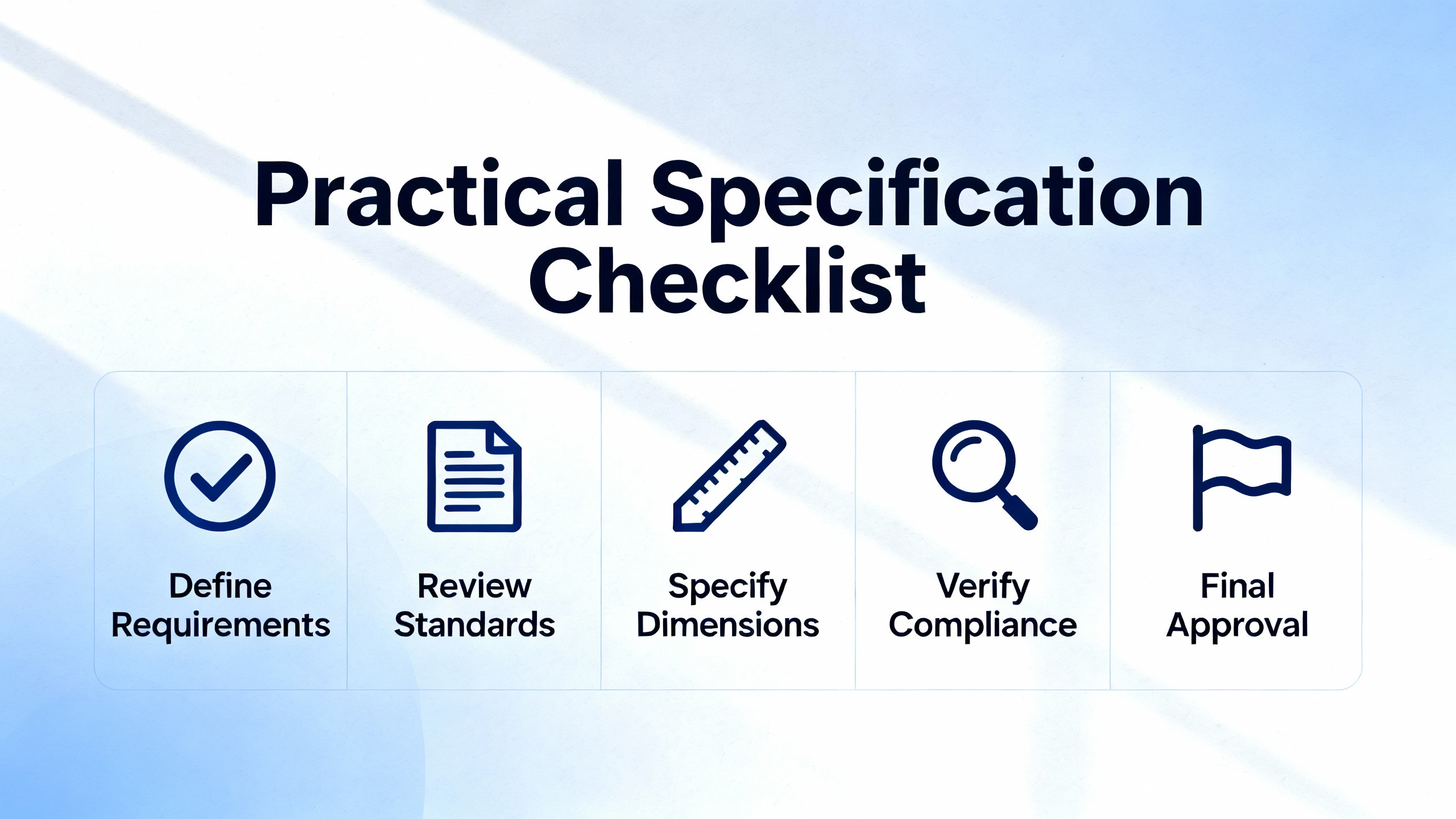
Practical Specification Checklist
When I sit down with a PLC datasheet and a plant network diagram, I run through a consistent mental checklist to decide whether a dual-Ethernet model is warranted and which one fits.
First, I clarify the controller’s network role. If it is just another node on an existing, well-structured Ethernet network, then embedded-switch dual-port designs may be enough, primarily for wiring convenience and basic ring support. If the controller is expected to sit between two security zones or between plant and machine networks, I look for true dual-IP capability.
Next, I review supported protocols and integration points. I confirm that the controller and its communication modules support the required mix of EtherNet/IP, PROFINET, Modbus TCP, or other industrial Ethernet protocols, and that the engineering tools can manage these connections cleanly. Where legacy serial devices are still in play, I check for RS‑232 or RS‑485 ports as Xinje’s guidance suggests.
Then I consider redundancy and topology. I check whether the PLC or gateway supports DLR, vendor-specific rings, or hot standby pairs, and whether those match our chosen managed switches and plant standards. I also verify maximum device counts and link lengths for each topology, comparing them against real cable runs and cabinet layouts.
Finally, I assess security and lifecycle implications. I look for features that help us implement IEC 62443-aligned zones and conduits: per-port configuration, access control, logging, and secure remote-access options. I weigh short-term simplicity against long-term scalability, echoing the Control.com observation that bottom-up designs can become tangled as more components are bolted on, while top-down designs risk initial overdesign but age more gracefully.
FAQ
Do I always need a PLC with dual Ethernet ports?
No. For very small, stable systems where you do not expect much growth, a single-port PLC tied into a well-designed switch network is often sufficient. Dual Ethernet starts to make sense once you are daisy chaining multiple devices, building rings, or separating plant-level and machine-level networks. If your project involves remote access, multiple vendors, or phased expansions, it is worth specifying dual ports from the start.
Is it safe to daisy chain devices through the PLC’s extra port?
It can be, provided you understand the limitations. Dual-port, single-IP PLCs with embedded switches are designed for daisy-chain and ring topologies, and Control.com notes that they work well in many applications. However, every extra hop adds some latency and introduces another failure point. In high-speed motion, safety-critical, or very large systems, it is often better to use dedicated industrial switches and treat the PLC’s ports as edge connections rather than as the backbone.
How should I approach remote access on dual-Ethernet systems?
Follow the conservative stance outlined in Maple Systems’ dual Ethernet HMI guidance. Place your PLC and critical devices on an isolated control subnet, expose only what you must through a carefully controlled upstream port, and default remote access to read-only wherever possible. Change defaults, harden credentials, and ensure that any remote user inherits the same security level and audit trails that a local operator would.
Closing Thoughts
Dual Ethernet ports on a PLC are not magic, but when they are matched to the right architecture and used with discipline, they become one of the most effective tools you have for building robust, maintainable, and secure automation systems. As a systems integrator and long-term project partner, I have seen too many plants discover late that their network choices boxed them in. If you take the time up front to understand how dual-Ethernet PLCs behave, compare the right specifications, and design with both today’s project and tomorrow’s expansion in mind, you will avoid a lot of unnecessary rewiring, midnight troubleshooting, and unplanned downtime.
References
- https://hybridplc.org/wp-content/uploads/chap3_S.pdf
- https://www.ethernet-apl.org/wp-content/uploads/2022/08/APLEngineeringGuidelineV111_1.11.pdf
- https://www.researchgate.net/publication/269365635_Design_of_a_New_Dual-Core_Intelligent_PLC_for_Ethernet_Communication
- https://blog.airlinehyd.com/what-is-plc
- https://www.empoweredautomation.com/best-practices-for-implementing-automation-plc-solutions
- https://documents.opto22.com/2376_Case_Study_RDI_Controls.pdf
- https://www.c3controls.com/white-paper/back-to-plc-basics-guide-programmable-logic-controller?srsltid=AfmBOopVdbl2r2-vbVlvAfmTmLEyYoCobx_7vA1qmqeMtgfyqXvWgixi
- https://www.controleng.com/plc-projects-programming-best-practices-part-2-case-studies-on-address-structures/
- https://www.realpars.com/blog/in-cabinet-ethernet-ip
- https://library.e.abb.com/public/9b804e3fe18f40638cf4f7c6a2d7354c/3ADR011074%2C%205%2C%20en-US%2C%20System_Manual_V3.pdf?x-sign=XTKb5srAfLv2pkuP2JukvkDo2XH4KPwKu73CeJZTyXmLCZPyXgio7d0du0BmSQZy
Keep your system in play!
Top Media Coverage
Categories


Related Products
-
 Legacy eight millimeter probeIn StockManufacturer: Bently Nevada
 -
 Transducer I/O ModuleManufacturer: General Electric
 -
 CPU ModuleManufacturer: General Electric
 -
Legacy eight millimeter probeIn StockManufacturer: Bently Nevada
-
 120V Cabinet Fan AssemblyManufacturer: Honeywell
 -
 thyristor diode moduleIn StockManufacturer: SEMIKRON
 -
POWER SUPPLYManufacturer: Schneider Electric
-
 Relay ModuleManufacturer: General Electric
 -
 Transducer I/O ModuleManufacturer: General Electric
 -
 Universal power amplifierManufacturer: W.E.ST. Elektronik

Related articles Browse All
-
 BlogImplementing Vision Systems for Industrial Robots: Enhancing Precision and Automation2025-08-12 11:26:54Industrial robots gain powerful new abilities through vision systems. These systems give robots the sense of sight, so they can understand and react to what is around them. So, robots can perform complex tasks with greater accuracy and flexibility. Automation in manufacturing reaches a new level of ...
 -
 BlogOptimizing PM Schedules Data-Driven Approaches to Preventative Maintenance2025-08-21 18:08:33Moving away from fixed maintenance schedules is a significant operational shift. Companies now use data to guide their maintenance efforts. This change leads to greater efficiency and equipment reliability. The goal is to perform the right task at the right time, based on real information, not just ...
 -
 BlogThe Evolution of Steam Turbine Control Systems2026-03-31 08:33:35CALL US:+86-18020776786 | E-MAIL:INFO@AMIKON.CN In-depth analysis of the GE Mark VIe control system Mark VIe: A Modern Mainstay for Industry 4.0 Mark VIe's core concepts are "high availability, open connectivity, and intelligent readiness." It utilizes comm...


- Q&A
- Policies How to order Part status information Shipping Method Return Policy Warranty Policy Payment Terms Email Marketing Policy VAT and Import Information
- Asset Recovery
- We Buy Your Equipment. Industry Cases Amikong News Technical Resources Why choose us FAQs
- Registered Address
-
32D Guomao Building, No.388, Hubin south Road, Siming district, Xiamen,Fujian, China

Leave Your Comment