
-
Please try to be as accurate as possible with your search.
-
We can quote you on 1000s of specialist parts, even if they are not listed on our website.
-
We can't find any results for “”.
Proximity Sensor Not Detecting: Alignment and Testing Guide


From the Plant Floor: Why “No Detect” Is Almost Never Just a Bad Sensor
When a proximity sensor suddenly stops detecting, the temptation is to blame the hardware and order a replacement. After a few decades walking factory floors and debug screens, I have learned that a “dead” proximity sensor is often a symptom, not the root cause. Misalignment, marginal air‑gap, dirty faces, damaged cabling, noisy power, or a confused controller input will quietly undermine even the best device.
Recent troubleshooting guides from industrial suppliers and repair houses back this up. Maintenance engineers writing for GES Repair emphasize that environmental contamination, misalignment, cabling, and power issues are leading causes of proximity sensor failure in the field, often long before the electronics truly die. Red Lion’s documentation for inductive sensors makes the same point from another angle: if the target is wrong, the gap is off, or the speed specification is exceeded, the sensor will not register even though it is electrically healthy. And newer IoT-style proximity devices, such as the capacitive door sensors covered by Disruptive Technologies, add another layer of complexity with wireless links, regional radio variants, and cloud connectivity.
This guide takes a pragmatic, stepwise approach to “not detecting” problems, with alignment and testing at the center. The intent is simple: give you, as a controls engineer or maintenance lead, a structured way to prove whether you have a mechanical, electrical, or system problem before you touch the PLC program or call for a replacement sensor.
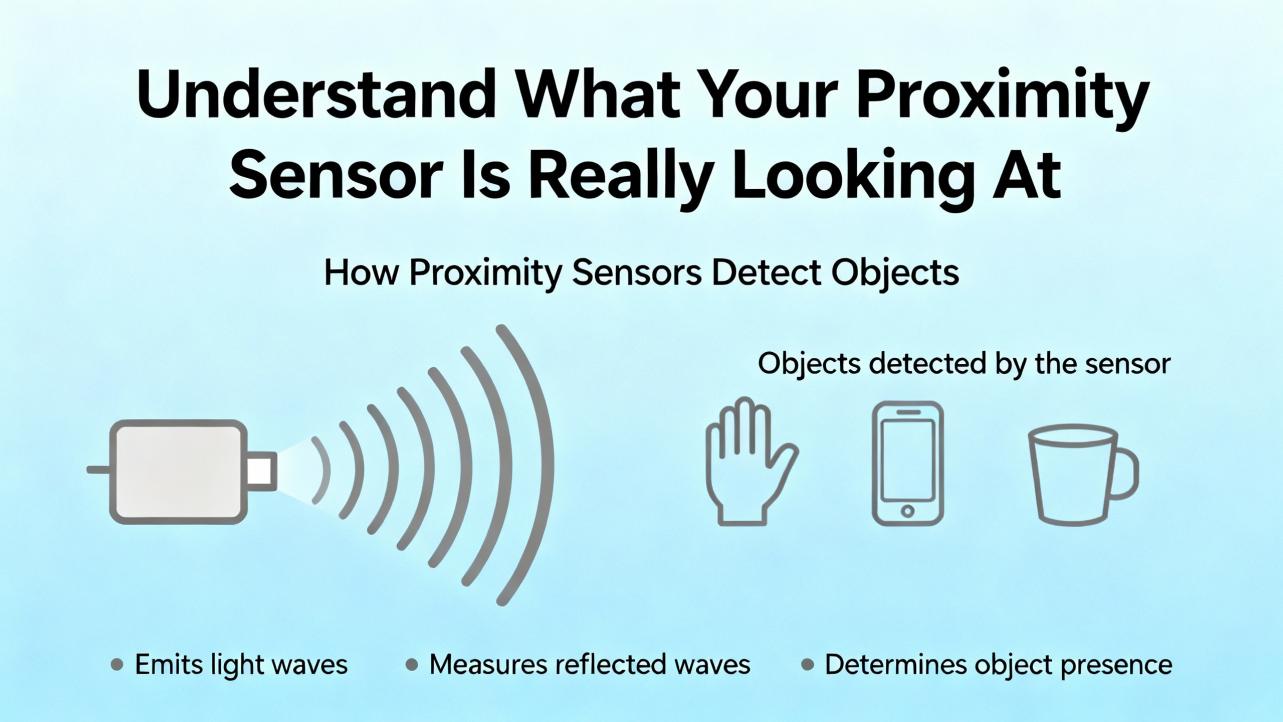
Understand What Your Proximity Sensor Is Really Looking At
Before you can fix alignment or test performance, you need a clear mental model of what kind of proximity device you are dealing with and how it decides that an object is “present.”
Inductive, capacitive, photoelectric, ultrasonic, and mechanical switches
OMCH’s testing guide lays out four common non-contact proximity types used in industrial automation. Inductive proximity sensors generate a high‑frequency magnetic field and detect metals via changes in that field. Typical sensing distances are on the order of about 0.04 to roughly 2.4 inches, depending on the model and target metal. Ferrous metals usually give the full rated range, while non‑ferrous metals reduce it. Capacitive proximity sensors form part of a capacitor and respond to changes in capacitance caused by nearby materials. They can see metals, plastics, liquids, powders, and most solids over short to moderate distances, roughly from about 0.12 inches to around 2.4 inches, but they are more sensitive to humidity and temperature.
Infrared photoelectric proximity sensors emit light and interpret reflections from mostly non‑transparent objects. Their range extends from a few inches into the multi‑foot range and they are compact and inexpensive, but they are vulnerable to ambient light, dust, smoke, and surface reflectivity. Ultrasonic sensors emit high‑frequency sound and measure echo time, detecting most solids and liquids over distances from a few inches up into multiple feet, largely independent of color or transparency, but affected by soft, sound‑absorbing surfaces, temperature, and air turbulence. In parallel, many systems still use mechanical proximity switches activated by direct physical contact. Fluke’s instrumentation article on troubleshooting mechanical proximity switches shows how mechanical contacts can slowly degrade, develop contact bounce, and create intermittent faults that are invisible to simple DC measurements.
Different targets demand different proximity technologies. The acoustic-based smartphone proximity research from Technion’s Signal and Image Processing Laboratory makes this explicit. In that work, the authors note that plastic targets are handled well by capacitive or photoelectric sensors, while inductive sensors only respond to metals. In their smartphone context, traditional infrared proximity hardware adds cost, consumes power, and occupies valuable screen real estate, all reasons they explored using the phone’s own speaker and microphones as an acoustic proximity detector instead.
How alignment and distance define the sensing window
Across all these technologies, the core idea is the same: there is a three‑dimensional detection zone that must intersect the target in a predictable way. GES Repair stresses that sensors have strict limits on target distance and alignment, and that too much gap or slight misalignment will cause intermittent faults, especially when the target only partially enters the sensing zone. Red Lion goes further and quantifies the mechanical relationship. Their inductive sensors are specified for metallic targets that are at least as large as the sensor face, and the gaps between gear teeth or other features must be at least as large as the target section for reliable counting. They also note that each model defines a maximum air‑gap and a maximum target speed in its manual; exceed either and the sensor will not detect consistently.
Disruptive Technologies’ capacitive proximity sensor illustrates the same alignment problem in a different package. That device is designed to detect objects within about zero to roughly 0.20 inches of the front face. Because the sensor package itself has some height, the recommended installation gap between the sensor surface and the moving target is about 0.12 to roughly 0.31 inches. If the door, panel, or frame moves over time due to building settling, temperature, or humidity, that gap can drift out of range, and a sensor that once worked flawlessly will begin to miss events.
When an operator reports “no detect,” what you are often seeing is a system that has slid just outside its geometric sweet spot.
Step 1: Inspect, Clean, and Realign the Hardware
The first step whenever a proximity sensor is not detecting is a careful visual inspection. Almost every reputable troubleshooting source starts there, and for good reason.
Contamination and mechanical damage
GES Repair points to contamination on the sensor faceplate as one of the dominant real‑world failure causes. Dust, grease, oil mist, fine metal particles, or residual coolant on the sensing face and mounting bracket will distort the electromagnetic or optical field and can completely block detection. Their first recommended action is to wipe the sensor face clean, remove residue from the bracket, and look for chips or scratches that might distort the field. For capacitive and photoelectric sensors, fine dust or condensation can be enough to push the signal just below the detection threshold.
Smart device guides echo the same theme. OMCH highlights that in smartphones, the proximity sensor near the earpiece or front camera can be blocked by dirt, oils, and dust along the top bezel or under the screen protector. Misaligned or low‑quality protectors, with bubbles or cloudy adhesive around the sensor window, also cause false “not detecting” complaints. If you ask a service technician at iFixit about phones whose proximity sensors failed after a screen replacement, you hear the same diagnosis: misaligned or missing gaskets, improperly seated sensor flex cables, and poorly designed front glass assemblies that leak too much light into the sensor cavity.
Mechanical damage is the next check. In a Snapmaker community case, a 3D printer owner faced repeated proximity sensor issues because the sensor cracked at the point where a threaded insert entered the plastic near the mounting screw. That crack was a mechanical stress point that eventually broke the sensor housing. A replacement printhead shipped to the user showed questionable factory alignment, reminding us that even new hardware should not be trusted blindly without inspection.
Alignment on machines and 3D printers
Once the sensor face is clean and undamaged, alignment is your next suspect. On printers and many pick‑and‑place heads, the proximity sensor controls critical clearances, such as nozzle‑to‑bed spacing. The Snapmaker user learned that proper adjustment of the replacement proximity sensor required using offset mounting holes rather than the default ones. That small mechanical shift allowed the sensor to detect the build surface at the intended distance, where the internal threshold and the physical geometry matched.
The underlying lesson carries into industrial machines. Mounting brackets often have slotted holes. Over time, vibration and small collisions move the bracket a fraction of an inch. Technicians sometimes improvise shims or washers. Every one of those changes shifts the sensing zone. When a sensor that used to detect a cam or flag no longer reacts, you should ask whether the target is still sweeping through the same three‑dimensional cone of sensitivity, not just whether the LED lights.
For photoelectric sensors, alignment is even more critical. The SensorPartners article stubbed in the dataset hints at optical path alignment problems, and the OMCH guidelines on photoelectric sensors describe failure categories where no detection or intermittent detection appears because the emitter and receiver are out of line, the reflector is skewed, or the target crosses only part of the beam. Even without the full text, this matches what we see daily: half a degree of rotation on a retro‑reflective sensor can be the difference between a clean reflected spot on the receiver and a weak, noisy signal at the edge of the detector.
Door, panel, and chuck position sensors
For door and panel sensors, alignment failures are similarly subtle. Disruptive Technologies notes that their capacitive proximity sensor should maintain a consistent gap to the door or panel surface. Over time, the building structure can shift, or installers may move the panel slightly. When that happens, the sensor’s field no longer intersects the door trim at the right distance, leading to missed events or continuous “present” readings. Their guide explicitly recommends remounting or realigning the sensor and its target when measurements become unreliable.
On CNC lathes, chuck open/close sensors introduce another level of alignment sensitivity. A trainee machinist on Practical Machinist described an XYZ CT 52 lathe that stopped after each part with a chuck open/close error. One of the chuck position sensors had failed, then came back to life after cleaning, but its alignment was now unknown. The machinist initially aligned the sensor by closing the jaws on a bar and advancing the sensor until its indicator lit, assuming that represented the correct “closed” position. That did not fully clear the alarm, so a second alignment attempt without the bar was planned. The broader point is that for such position sensors, the controller logic expects the sensor to switch within a narrow window relative to mechanical travel. The indicator LED alone does not tell you whether that switching point is mechanically correct.
On large CNCs, such as those covered in Haas CNC proximity sensor troubleshooting notes, you will find non‑contact sensors backing up encoders on axes or detecting hardware stops. There, it is crucial not just to verify the sensor alignment mechanically but to confirm that the sensor’s switching point matches what the control expects in software. Haas recommends combining an encoder status check with voltage measurements at the sensor to distinguish between a failed sensor and an upstream power or processor board fault.

Step 2: Confirm the Target and the Air-Gap
Once the sensor is correctly oriented, the next question is whether it is seeing a compatible target at the right distance.
Target material, size, and motion
Red Lion’s proximity sensor guide is explicit: their inductive PSAxB series requires a metallic target, typically a gear or similar component. If the gear is not metal, the sensor will never detect it, and either the gear must be changed or a different sensor type chosen. They also specify that the target area must be at least as large as the sensor face, and the gaps between teeth or features must be at least as large as that target section. Smaller features or too‑tight spacing will prevent reliable detection because the sensor’s field cannot fully “see” each tooth.
Target speed matters in exactly the same way. These inductive sensors are rated for a maximum target speed. If the shaft, gear, or conveyor feature passes faster than the specified value, the sensor cannot complete a full on–off cycle for each feature and starts to miss counts. That can look like random non‑detection in a high‑speed application, when in reality you are simply asking the physics to do more than it can.
Other technologies have analogous constraints. OMCH notes that capacitive sensors can detect a wide variety of materials but remain sensitive to humidity and temperature shifts. That means a powder hopper level sensor that worked at one humidity may behave very differently at another, since the effective dielectric constant of the bulk material changes. Ultrasonic sensors fail to detect soft, sound‑absorbing surfaces such as foam or thick fabrics, not because the electronics are faulty but because the acoustic energy never returns.
In smart devices, “target” can be something as mundane as a case or screen protector. The iFixit repair discussion on phones whose proximity sensors failed after screen replacement reinforces that if you install a front assembly whose optical filter around the sensor hole is wrong, or omit the original light‑blocking gasket, the sensor no longer sees a clean difference between free space and a face.
Practical air-gap checks
Air‑gap is the third leg of this stool. Red Lion recommends using a standard credit card, which is about 0.03 inches thick, as a quick reference to set the air‑gap for many of their inductive sensors. If the sensor is designed for that kind of spacing to a metal gear, a gap significantly larger than a card thickness will cause missed detections, while a smaller gap can invite mechanical contact and damage.
The capacitive door sensor from Disruptive Technologies offers another anchor point. Its detection zone extends about 0.20 inches out from the front face, and the recommended installation gap between the sensor and the door surface is about 0.12 to roughly 0.31 inches, taking into account the sensor thickness. A door that slowly warps out of plane, or a frame that moves, can push that gap outside its sweet spot. Their guide explicitly advises remounting or realigning the sensor and target when real‑world building movement alters the geometry.
In industrial practice, I often ask technicians to measure the actual physical distance from the sensing face to the target at the point of closest approach, then compare it to the sensor’s data sheet and the practical examples above. If you are beyond the rated distance, no amount of PLC logic tuning will fix the underlying geometry.

Step 3: Electrical Tests – Power, Output, and Cabling
If your hardware passes visual, alignment, and air‑gap checks, move to electrical testing. This is where many problems hide, and where a disciplined approach saves a lot of wasted replacements.
Verify supply voltage and sensor type
Bxuan Sensor’s troubleshooting article and the Cascade Industrial guide both start with power verification. Use a multimeter to confirm that the supply voltage matches the sensor’s requirements. Bxuan gives a concrete example: a nominal 24 volt DC sensor that only receives about 18 volts may behave erratically, with flickering indicators or missed detections. Red Lion specifies that some of their inductive models operate from 5 to 30 volts DC, while others require 10 to 30 volts DC. Haas CNC points out that certain proximity sensors on their machines run at 12 volts DC, while three‑wire 5 volt DC proximity sensors share the same five‑volt source as the axis encoders on the processor board. If the encoder is healthy and shows no alarms, that is indirect evidence that the five‑volt supply feeding the proximity sensor is also healthy.
Once voltage is confirmed, identify the sensor’s logic type. Cascade Industrial stresses the importance of knowing whether your sensor is PNP or NPN, and whether the output is normally open or normally closed, before making assumptions about “no detect.” PNP sensors source positive voltage into the PLC input on activation, while NPN sensors sink current to the common reference. Testing them incorrectly can lead you to conclude that a good sensor is bad simply because you wired or measured it as the opposite type.
Use the meter the right way
Cascade Industrial describes practical voltage test setups. For a PNP sensor, they recommend connecting one meter lead to zero volts DC and the other to the sensor output at the machine input. In a healthy configuration, the off state reads approximately zero volts, and the on state rises toward the supply voltage with possibly a small drop under load. For an NPN sensor, one meter lead goes to the positive 24 volt DC supply and the other to the sensor output. An active sensor pulls the output near zero volts relative to the positive lead, while the off state allows the output to float or be pulled high toward the supply. These differences matter when interpreting what “not detecting” really means. Bxuan adds that you should also check voltage quality itself, using regulators or uninterruptible supplies where needed, because fluctuating or sagging supply can cause delayed responses and unintended activations that mimic sensor failure.
Red Lion recommends specific resistor loads and oscilloscope checks for their PSA1B and PSA2B models, using a 3.9 kilo‑ohm resistor between signal and common, and for other models a 7.8 kilo‑ohm resistor between signal and the positive supply. Measuring the resulting waveforms with an oscilloscope verifies that the sensor produces the expected signal amplitude and frequency under load. This is particularly useful when you suspect that the sensor is switching, but the downstream electronics do not see a clean digital transition.
Buying that kind of rigor is not overkill. Fluke’s example of a failing mechanical proximity switch on a conveyor shows why oscilloscopes earn their keep. In that case, digital multimeter readings of peak voltage, minimum voltage, and frequency all appeared acceptable. Only when a technician connected an oscilloscope and looked at the relationship between the switch output and the controller input did the true problem emerge: about five milliseconds of contact bounce on each transition, creating a jagged waveform that the controller could not interpret consistently. Translating that lesson into non‑contact sensors, if you have a proximity sensor feeding a high‑speed counter or safety relay, an oscilloscope trace may reveal marginal rise times, signal noise, or timing jitter that a multimeter will never show.
Cables, shields, and connectors
GES Repair’s field experience underscores that cabling is a common hidden failure point. Vibration, flexing, and washdowns damage insulation and shields. Poor crimps or corroded connectors cause intermittent signal loss that often shows up only during motion or after a restart. They recommend visually inspecting cables for nicks, compression, or tight bends; opening connector shells to inspect contact pins; and testing electrical continuity and shielding integrity.
Bxuan extends that advice with an emphasis on electromagnetic interference. They note that nearby motors, high‑frequency drives, and other equipment can inject noise into proximity sensor wiring, especially when signal cables run alongside power conductors. Their mitigation recommendations include shielding, proper grounding, and circuit designs oriented toward noise reduction. In documented case studies they cite, effective shielding and grounding improved operational efficiency by up to roughly 30 percent.
Cascade Industrial adds a simple but often overlooked practical step: examine connectors and pins for cleanliness, corrosion, and mechanical tightness. Loose or corroded contacts can mimic complete sensor failure or create intermittent readings that are difficult to reproduce.
Step 4: Check the Controller, Network, and Environment
At this point, if the sensor appears correctly aligned and electrically sound, the fault may lie upstream in the control system or in the environment around the device.
PLC and controller inputs
Power and input circuitry can mimic sensor problems. GES Repair notes that low supply voltage or mismatched input impedances at the controller can cause false positives or attenuated signals, even when the sensor output is nominal. That is why they recommend verifying voltage at the sensor and at the controller terminal under load. Haas CNC’s troubleshooting sequence for proximity sensors reflects the same principle: first check for encoder alarms; if none are present, measure sensor voltage; and only if correct voltage is present without output switching do they recommend replacing the sensor.
In safety and limit applications, software configuration interacts heavily with the physical sensor behavior. Avid CNC’s support material on proximity sensors in Mach4‑based systems explains that Mach4 allows all hardware limit switches to be disabled as a workaround when metallic chips or debris cause false limit hits. When those hardware limits are disabled, the machine can still be homed normally and soft limits will provide some protection, but the risk of physical crashes rises significantly. They explicitly warn that operators should not disable limit switches until they understand the risks and have enough experience with the machine.
If a proximity sensor is “not detecting” because the machine never responds to its signal, verify how that input is mapped and used in the PLC or CNC configuration. There is no gain in chasing alignment for a sensor whose input address is disabled, inverted, or re‑used for another purpose.
Wireless and IoT proximity sensors
Disruptive Technologies’ proximity sensor troubleshooting guide is a good illustration of failures that have nothing to do with sensing physics. Their proximities use capacitive sensing but rely on low‑power radio to send periodic heartbeats to nearby cloud connectors. A sensor is marked offline if the cloud does not receive a heartbeat within the expected interval. That can stem from a missing or offline connector, a cloud service disruption, or excessive attenuation from metal surfaces and building structures.
They also emphasize regional compatibility. Their devices come in European and US variants using different radio bands, and an EU sensor must talk to EU cloud connectors, and similarly for US devices. A sensor that appears “dead” may simply be transmitting on a frequency that no nearby connector listens to. When connectivity is unstable, they recommend repositioning sensors, connectors, and range extenders closer together and away from shielding materials like thick walls, metal or glass doors, or large machinery. They also flag electromagnetic interference sources such as RFID access systems, other radio transmitters, fluorescent lighting, or large electrical machinery as potential culprits.
When the physical gap and alignment of a wireless proximity sensor look fine, it is worth asking whether the problem lies in the RF path or the backend service before condemning the hardware.
Environmental conditions and condensation
Both the Disruptive Technologies guide and Bxuan’s troubleshooting article highlight environmental conditions. The capacitive wireless proximity sensor from Disruptive Technologies is rated for a temperature range from about -40°F to 185°F and is IP68‑rated for water ingress. However, they caution that prolonged exposure to water or condensation, particularly at elevated temperatures, shortens lifespan. They also note that condensation forming on the sensor surface can change capacitive properties and trigger false detections.
Bxuan’s article adds that extreme temperatures and high humidity can corrode contacts and shorten sensor life, and they cite industry reports claiming that appropriate climate control and sensor selection for harsh conditions can extend proximity switch life by up to roughly 25 percent. Combined with mechanical shock and vibration, these environmental factors explain why sensors on washdown lines and outdoor installations fail more often than those inside dry electrical enclosures.
When Replacement Is the Right Call
After working through mechanical inspections, alignment checks, target verification, gap measurements, electrical tests, and system‑level diagnostics, you will occasionally end up where you started: with a sensor that has the correct supply, correct wiring, correct target, and correct air‑gap, yet still refuses to switch.
GES Repair suggests that replacement should be the last step, not the first, but when the sensor is physically damaged, non‑responsive, or confirmed to output no signal even under controlled test conditions, the only practical choice is replacement. When you replace a proximity sensor, you must match the original specification closely. GES Repair calls out sensing range and type (inductive, capacitive, ultrasonic, and so on), output type (PNP, NPN, analog), power and polarity, and mechanical details like thread size, housing, and connector. Red Lion and Cascade Industrial both emphasize that mismatching PNP and NPN, or ignoring normally open versus normally closed logic, can create persistent “not detecting” or always‑on behavior, even with a healthy new sensor.
Bxuan’s perspective on preventive replacement is also worth noting. They argue that intermittent detection and false triggers carry a high cost in unplanned downtime and that replacing a suspect proximity switch early, especially in high‑impact applications, can be more economical than letting an intermittent problem linger.
Preventive Maintenance and Alignment Practices That Stick
A one‑time fix is not enough. To keep proximity sensors out of the fault log, you need lightweight but consistent maintenance practices.
Bxuan’s article recommends proactive inspections, regular power quality checks, mitigation of electromagnetic interference, and environmental control as part of a broader reliability strategy. They reference industry data showing that voltage quality management and improved shielding pay for themselves through reduced failures and downtime. In the same vein, Cascade Industrial urges regular testing of proximity sensors in hydraulic and automation systems, not only when problems occur, framing it as a safety and reliability practice.
GES Repair notes that effective troubleshooting requires not just bench tests but real‑world verification. After any fix, their recommendation is to run the machine through a full cycle under realistic operating conditions, monitoring the sensor’s performance over time. That applies equally to industrial gear tooth sensors, conveyor switches, and door sensors.
On the calibration side, Bxuan points to guidelines that suggest calibrating high‑usage sensors quarterly or biannually, especially where accuracy and reliability are critical. For high‑duty doors, Disruptive Technologies introduces a mode called counting mode, where the proximity sensor aggregates events and transmits them in batches to conserve battery life. Enabling or tuning such modes through vendor support can significantly extend maintenance intervals.
In every case, alignment checks, cleaning, and quick voltage tests are low‑effort tasks that prevent many “no detect” calls from ever occurring.

Special Case: Proximity Sensors in Phones and Smart Devices
Although this guide is grounded in industrial practice, consumer devices provide useful lessons about alignment and testing because they use the same physical principles in tight mechanical packaging.
OMCH describes a basic smartphone proximity sensor test: place a call without using speakerphone, cover the area near the earpiece where the sensor sits, and observe whether the screen turns off and touch is disabled, then uncover to see if it wakes. Apps such as sensor test utilities can show numeric distance readings shifting toward zero when the sensor is covered. If the screen never turns off, or never turns back on, while other phone functions are normal, that strongly suggests a proximity sensor or its optical path is compromised.
The Google Pixel support thread summarized in the dataset shows an example of a suspected hardware defect. The user reports that the proximity sensor appears to work only when the phone is held face down, stops responding when face up, and flickers on and off when the device is shaken, accompanied by a rattling sound inside. That combination of orientation dependence, intermittent readings, and mechanical noise is more consistent with a loose or damaged component than with software miscalibration, and the implied recommendation is to treat it as a hardware issue requiring repair or replacement.
The iFixit case of proximity sensors failing after screen replacement gives another angle. There the repair community emphasizes checking that the original proximity and earpiece flex assemblies have been transferred, that connectors are fully seated, and that the plastic or foam light shields around the sensor window are correctly positioned. They also note that low‑quality replacement screens sometimes have poorly designed openings or missing dark filters around the sensor, letting stray light in and preventing proper detection even when the electronics are healthy.
On the research front, the acoustic proximity detector for mobile phones designed at Technion’s Signal and Image Processing Laboratory shows a very different way to implement proximity sensing. Instead of a dedicated infrared sensor, they reuse the existing speaker and two microphones. By sending high‑frequency audio, in the 15 to 20 kilohertz range, and analyzing the transfer function between the speaker and microphones, they can classify whether an object is near the phone. They experiment with time and frequency‑domain features and use algorithms such as the least mean squares method for system identification, ReliefF for feature selection, support vector machines, and convolutional neural networks for classification. On two commercial phones they report detection accuracy around 99.3 percent, recall 100 percent, precision 98.5 percent, F1‑score of 0.99, and area under the ROC curve of 0.99 on a labeled dataset of 739 recordings. Their work reinforces a theme industrial engineers know well: even when sensing hardware is embedded in a complex system, careful modeling, calibration, and testing of the signal chain are what ultimately deliver reliable detection.
Brief FAQ
How can I quickly distinguish between a misaligned sensor and an electrical fault?
From the field experience documented by GES Repair, Cascade Industrial, Red Lion, and Bxuan, the fastest discriminators are the sensor’s indicator LED, direct voltage measurements at the sensor output, and a simple mechanical test with a known target. If the LED behaves correctly and the output voltage toggles as the target passes but the machine does not react, your problem is likely in the controller, wiring, or configuration. If the LED never changes and voltage remains fixed despite careful repositioning and cleaning with a verified target at the correct distance, you are probably dealing with a failed or unpowered sensor.
When do I need an oscilloscope instead of just a multimeter?
Fluke’s conveyor case shows that whenever you are chasing intermittent, timing‑related, or high‑speed issues, a multimeter alone may not be enough. If your proximity sensor feeds a counter, a high‑speed input, or a safety device and you suspect that edges are missing, bouncing, or noisy, an oscilloscope will reveal waveform shape and timing that a multimeter’s averaged readings hide. Red Lion’s recommended resistor‑plus‑scope checks for inductive sensors fall into the same category of deeper diagnostics.
What is the most common mistake people make when replacing a “bad” proximity sensor?
Based on the combined guidance from GES Repair, Cascade Industrial, Bxuan, and the anecdotal repair cases, the most common mistake is treating the replacement as a plug‑and‑play part and ignoring specification matching and mechanical setup. Swapping a PNP sensor where an NPN was expected, mixing normally open and normally closed outputs, ignoring target material and size, or assuming the old bracket still holds the correct air‑gap will all lead to a “new” sensor that also does not detect. Matching the original type, range, and logic, and then re‑verifying alignment and gap, takes a bit more time but saves you from repeating the failure.
Closing Thoughts
Proximity sensors look simple from the outside, but once you have chased a few stubborn “not detecting” problems you learn that geometry, wiring, power, and environment all share the blame. If you treat alignment, air‑gap, and electrical tests as standard practice, instead of last‑resort troubleshooting, you will spend far less time swapping parts and far more time running product. That is the mindset I bring to every project: respect the physics, verify the fundamentals, and let replacements be the conclusion, not the starting point.
References
- https://www.academia.edu/67874401/Acoustics_Based_Proximity_Detector_for_Mobile_Phones
- https://scholarworks.calstate.edu/downloads/9306t1451
- http://www-video.eecs.berkeley.edu/papers/zachv/Masters%20Thesis%20%E2%80%94%C2%A0Zach%20Van%20Hyfte.pdf
- https://upcommons.upc.edu/bitstreams/b6af6247-d77d-4bac-b125-7c69aaf5fa0f/download
- https://www.ri.cmu.edu/pub_files/pub3/kanade_takeo_1983_1/kanade_takeo_1983_1.pdf
- https://csef.usc.edu/History/2005/Projects/S0702.pdf
- https://www2.cs.arizona.edu/classes/cs645/fall05/cs645-papers/Tracking/trackC.pdf
- https://ces.siu.edu/iucrc/projects/year5/y5-siu/y5-fsr-ch_fh.php
- http://research.engineering.uiowa.edu/wrl/sites/research.engineering.uiowa.edu.wrl/files/attachments/sensys06_1.pdf
- https://www.bxuansensor.com/blog/troubleshooting-common-proximity-switch-issues-and-fixes
Keep your system in play!
Top Media Coverage
Categories



Related articles Browse All
-
 BlogImplementing Vision Systems for Industrial Robots: Enhancing Precision and Automation2025-08-12 11:26:54Industrial robots gain powerful new abilities through vision systems. These systems give robots the sense of sight, so they can understand and react to what is around them. So, robots can perform complex tasks with greater accuracy and flexibility. Automation in manufacturing reaches a new level of ...
 -
 BlogOptimizing PM Schedules Data-Driven Approaches to Preventative Maintenance2025-08-21 18:08:33Moving away from fixed maintenance schedules is a significant operational shift. Companies now use data to guide their maintenance efforts. This change leads to greater efficiency and equipment reliability. The goal is to perform the right task at the right time, based on real information, not just ...
 -
 BlogThe Evolution of Steam Turbine Control Systems2026-03-31 08:33:35CALL US:+86-18020776786 | E-MAIL:INFO@AMIKON.CN In-depth analysis of the GE Mark VIe control system Mark VIe: A Modern Mainstay for Industry 4.0 Mark VIe's core concepts are "high availability, open connectivity, and intelligent readiness." It utilizes comm...


- Q&A
- Policies How to order Part status information Shipping Method Return Policy Warranty Policy Payment Terms Email Marketing Policy VAT and Import Information
- Asset Recovery
- We Buy Your Equipment. Industry Cases Amikong News Technical Resources Why choose us FAQs
- Registered Address
-
32D Guomao Building, No.388, Hubin south Road, Siming district, Xiamen,Fujian, China

Leave Your Comment