
-
Please try to be as accurate as possible with your search.
-
We can quote you on 1000s of specialist parts, even if they are not listed on our website.
-
We can't find any results for “”.
How to Select an Industrial PC for Automation Control System Design


In any serious automation project, the industrial PC is no longer just a glorified office box bolted into a cabinet. It is often the heart of the control system, hosting HMI, soft‑PLC runtimes, historians, edge analytics, and connectivity to the rest of the plant and the cloud. Industrial organizations from ISA to Control Engineering keep repeating the same message: the wrong control platform locks you into downtime, fragile integrations, and painful upgrades; the right one quietly supports uptime, safety, and growth for a decade or more.
Speaking as someone who has lived through both outcomes, I treat industrial PC selection as a high‑stakes engineering decision, not a purchasing exercise. In this guide I will walk through how I evaluate and specify industrial PCs for automation control systems, using practices that align with guidance from AutomationDirect, Maple Systems, Beckhoff Automation, OnLogic, SINSMART, and others.
Start With Requirements, Not Part Numbers
Every good controller decision starts with a clean requirements specification. The AutomationDirect and Premier Automation material emphasizes this for PLCs and PACs, and the same discipline applies when your controller is an industrial PC.
Begin by describing the process and the role the PC will play in it. Is the industrial PC going to run a soft‑PLC and close real‑time loops, or will it only host the SCADA client and data logging while a dedicated PLC handles hard real‑time control? Are you feeding machine vision, high‑speed motion, and analytics, or mostly presenting HMI screens and moderate logging? The more precisely you define the control role, the more accurately you can size the hardware.
At the same time, count your I/O and connections. The AutomationDirect guidance recommends listing discrete and analog I/O, communication requirements, and motion and safety needs for any controller. For an industrial PC this translates into concrete questions: how many Ethernet networks, serial ports, USB devices, and fieldbus links do you need now, and how many are likely to be added later? Will the PC talk to PLCs over Modbus TCP, PROFINET, EtherNet/IP, or OPC UA, and will it also connect to MES or ERP systems?
Do not skip the performance side. Define required scan times or update rates for whichever functions will actually run on the PC, any deterministic timing constraints, and the volume of data logging and historian storage you need locally versus in a central server or cloud. OnLogic explicitly recommends deciding early whether you will process data locally or just forward it, because this strongly drives CPU, memory, and storage choices.
Finally, capture regulatory and safety requirements. Several sources, including AutomationDirect and Maple Systems, stress checking for required certifications and standards at the point of selection, not after you fall in love with a specific model. If you need UL, CE, FCC, ATEX, EN 50155, marine approvals, or RoHS compliance, that is a hard filter, not an afterthought.
Where an Industrial PC Fits Among PLCs, PACs, and DCS
Manufacturers such as AutomationDirect and JHCTECH describe PLCs, PACs, and industrial PCs as overlapping controller classes rather than a strict hierarchy. PLCs excel at rugged discrete control, PACs add more advanced processing and networking, and industrial PCs bring PC‑class computing power in an industrial form factor.
Beckhoff Automation and Control Engineering highlight that the long‑running PLC versus PAC versus IPC argument often boils down to vendor strategies rather than a simple technical winner. What really matters is matching the platform to the control problem, the real‑time requirements, and your team’s skills.
Industrial PCs make sense in automation control design when you need one or more of the following, all of which are well documented in the sources:
Rich PC‑based HMI and SCADA with complex alarm handling and flexible data logging. Edge analytics, AI inference, or machine vision near the machines, as described by SINSMART and OnLogic. Open, software‑defined architectures that can run multiple workloads, including soft‑PLC runtimes, databases, and custom applications. Tight integration with IT systems, including virtualization, containerization, or open‑source stacks.
Dedicated PLCs or PACs remain attractive when deterministic scan behavior is paramount and the application is relatively bounded in scope. ISA’s writing on distributed control systems pushes even further, arguing that for large, complex plants a DCS with proven, robust controllers and dedicated control networks is often the better backbone, with industrial PCs acting as operator stations, engineering workstations, and application servers.
The practical message is straightforward. Decide whether the industrial PC will be a view node, an edge server, or a true controller, and design the architecture so that each platform does what it is best at. Do not ask an office PC to act like a safety PLC, and do not ask a tiny PLC to pretend it is a data center.
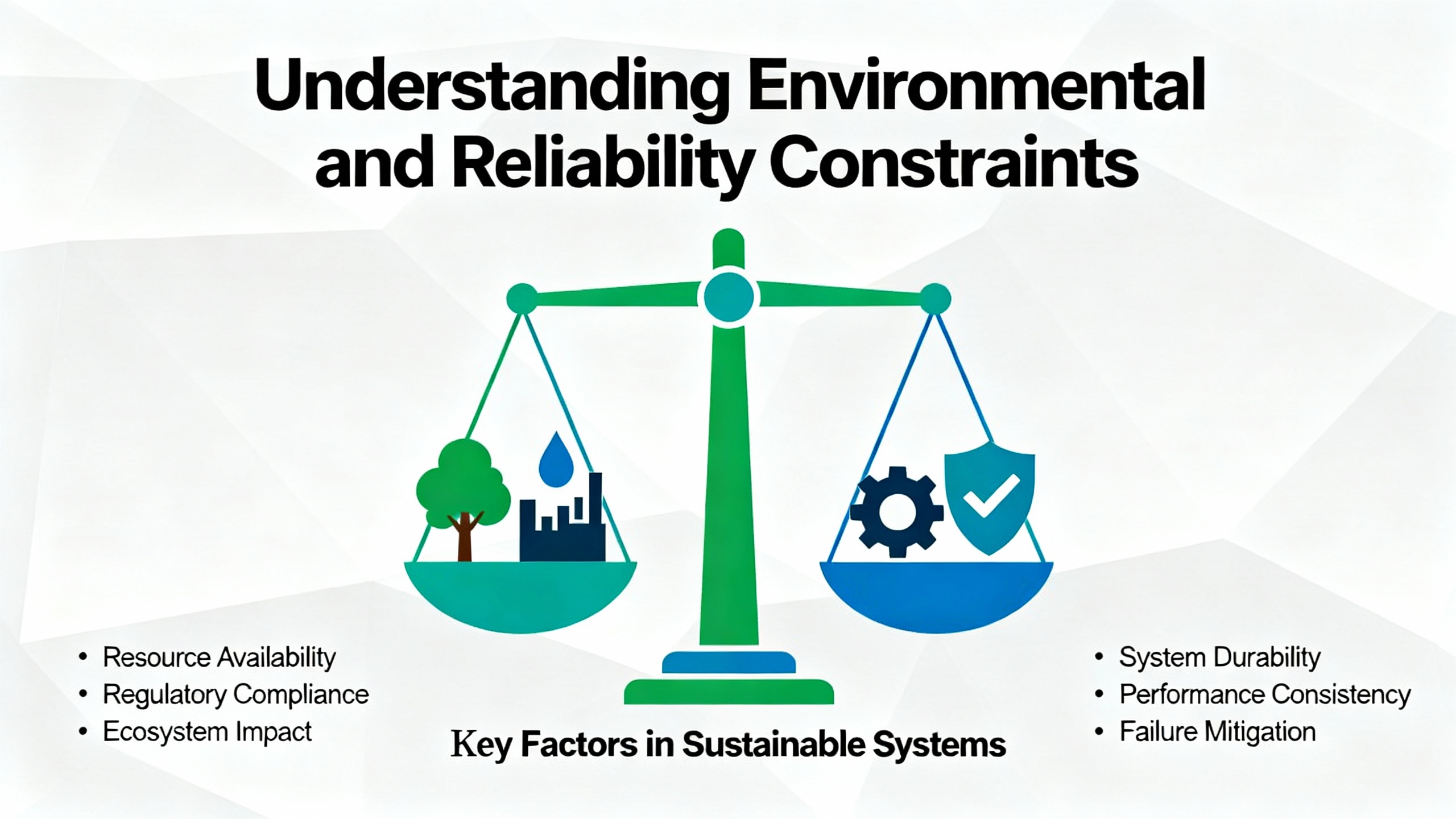
Environmental and Reliability Constraints
Most of the painful failures I have seen with PCs in plants had nothing to do with CPU speed and everything to do with environment. The guidance from Maple Systems, Manufacturing Tomorrow, PSB Engineering, SINSMART, and OnLogic is consistent: start by engineering for the environment, then for compute.
Temperature, Dust, Moisture, and Washdown
Industrial PCs are expected to run in conditions where a typical office desktop would not even boot. SINSMART and Maple Systems describe industrial units that operate over ranges from roughly -40°F up to about 160°F, far beyond the 32°F to 120°F window in which many consumer machines are comfortable.
If you are in a standard indoor control room, a 32°F to 120°F rated PC may suffice, but as temperatures climb or drop you want hardware explicitly rated for extended ranges. Outdoor kiosks, freezers, hot process areas, and steel mills point you toward the widest temperature ratings you can justify.
Dust and moisture are equally unforgiving. Mining, textiles, food processing, and welding all create airborne contaminants that will clog fans and corrode boards. Maple Systems and Manufacturing Tomorrow both stress ingress protection ratings as a hard requirement. An IP6X rating signals complete dust protection. IP64 and higher handle dust and water spray. Food and beverage washdown areas typically demand at least IP66 and, in many hygienic designs described by SINSMART, stainless steel enclosures with IP69K fronts to withstand high‑pressure cleaning.
The key pattern across the sources is that true IP‑rated designs are almost always fanless. Removing fans and ventilation grills is the only reliable path to sealed enclosures, especially when you must clean equipment with hoses or handle salt spray offshore.
Shock, Vibration, and EMI
Factories, rail applications, vehicles, and construction equipment introduce a constant diet of shock and vibration that can shake loose connectors and destroy spinning disks. SINSMART points to MIL‑STD‑810G as a helpful benchmark for mechanical ruggedness, and several sources emphasize the importance of solid‑state drives and board‑level reinforcement.
Electromagnetic interference is another silent killer. High‑power drives and welders inject noise into cabinets and cables. Maple Systems and SINSMART both refer to electromagnetic compatibility as a design priority, with good shielding, grounding, and careful port design to keep sensitive logic running while everything around it is misbehaving.
Uptime, Lifecycle, and Long‑Term Availability
Industrial automation is not forgiving about downtime. PSB’s guidance for 24/7 automation PCs assumes continuous operation year‑round. L‑Tron notes that consumer PCs are often turned over every one to two years, while industrial PCs are designed with seven to ten years of service in mind. SINSMART and PSB both describe industrial systems that can run for a decade or more when well specified and maintained.
Lifecycle is not just about hardware survival. OnLogic and several industrial PC vendors emphasize long‑term availability and stable bills of material so that replacement units are functionally identical and do not trigger requalification or software rewrites.
The difference in philosophy is clear. A consumer PC is built to chase the next product cycle. An industrial PC is built to sit in a cabinet beside a conveyor line for many years, booting every time and accepting firmware and security updates without needing a forklift upgrade.
A simple way to think about environment‑driven design is summarized in the following table, pulling together recommendations from Maple Systems, SINSMART, PSB, and OnLogic.
| Environment scenario | Key industrial PC features to require |
|---|---|
| Clean, air‑conditioned control room | Commercial‑style enclosure may work, but prefer fanless cooling, SSD storage, and at least basic industrial certifications for longevity. |
| Dusty plant floor or machining area | Fanless, sealed enclosure, IP6X or better front, solid‑state drives, conformal‑coated boards, robust grounding and EMI controls. |
| Washdown food or pharmaceutical line | Stainless steel enclosure, at least IP66 and often IP69K on exposed surfaces, sealed connectors, hygienic bezel‑less touchscreens. |
| Outdoor, freezer, or hot process area | Wide temperature rating from roughly -40°F up to about 160°F depending on application, fanless cooling, UV‑resistant and sealed enclosure. |
| Mobile equipment, rail, vehicles | MIL‑STD‑810G or EN 50155 compliance, wide DC input range (for example, 9 to 36 V), shock‑mounted chassis, sealed connectors, GPS and wireless options as needed. |
Performance Sizing: CPU, RAM, Storage, and Graphics
Once the environment is under control, you can right‑size the computing resources. Maple Systems, JHCTECH, OnLogic, and SINSMART all caution against both extremes: the undersized PC that drops frames or misses deadlines, and the overpowered tower that turns the cabinet into an oven.
CPU and GPU
Maple Systems offers a practical way to compare processors using PassMark’s CPU scores. For light HMI and simple data collection, CPUs scoring under about 2000 can be acceptable and thermally efficient. For multi‑application systems with remote monitoring and heavier SCADA workloads, scores in the 2000 to 6000 range are more appropriate. Vision, 3D graphics, and intensive real‑time networking push you into CPUs above roughly 6000, often paired with dedicated GPUs.
JHCTECH contrasts Intel and ARM architectures. Intel processors tend to bring strong single‑core performance and broad software compatibility, making them a natural fit for Windows‑based HMI, data analysis, and machine vision. ARM processors are attractive when energy efficiency and fanless, embedded form factors dominate, especially in tightly constrained edge devices.
For AI, machine learning, and complex vision, OnLogic and SINSMART both highlight the value of platforms with integrated neural processing units or expansion options for GPUs and accelerators. In practice, that means choosing motherboards and chassis that expose PCIe slots or M.2 sockets and making sure those slots can tolerate the power and thermal load of the cards you intend to use.
RAM and Storage
Memory is one of the cheapest ways to avoid subtle performance issues. Maple Systems notes that many panel PCs ship with 4 GB of RAM as a baseline, even though modern operating systems can run in 2 GB. Their recommendation is to oversize RAM relative to the bare minimum so that multitasking and data logging remain smooth as applications grow.
Storage is a clear case where industrial practice has settled on a default. Across Maple Systems, JHCTECH, SINSMART, and PSB, solid‑state drives are the norm because they have no moving parts and handle vibration far better than spinning disks. SATA SSDs at 6.0 Gb/s are common, and NVMe drives bring higher bandwidth and capacity. Capacities from 32 to 64 GB up through 1 TB and beyond are typical; keep in mind that the operating system alone can consume a large fraction of the smaller sizes.
Mission‑critical systems may justify RAID for redundancy. PSB and OnLogic both discuss redundant power and storage as tools to eliminate single points of failure in automation PCs expected to run 24/7.
Graphics, HMI, and Vision
When the industrial PC is also an HMI, the display and graphics load matter. Maple Systems and LinkedIn material on panel PCs describe screen sizes from about 7 inches up to 24 inches and beyond, with resolutions chosen to match how much information operators must see at once.
Touch technology is another lever. Resistive touch screens are pressure based and work with gloves and styluses, at the cost of single‑touch input and occasional recalibration. Projected capacitive touch offers multi‑touch and gestures, which are attractive for kiosk‑like HMIs and richer user interfaces.
Brightness is crucial in bright or outdoor environments. Maple Systems notes that indoor industrial displays around 250 to 450 nits are common, while “sunlight readable” units are often in the 1000‑nit range. If your operators are reading graphics next to exterior doors or under skylights, that may be the difference between a usable HMI and a constant complaint.
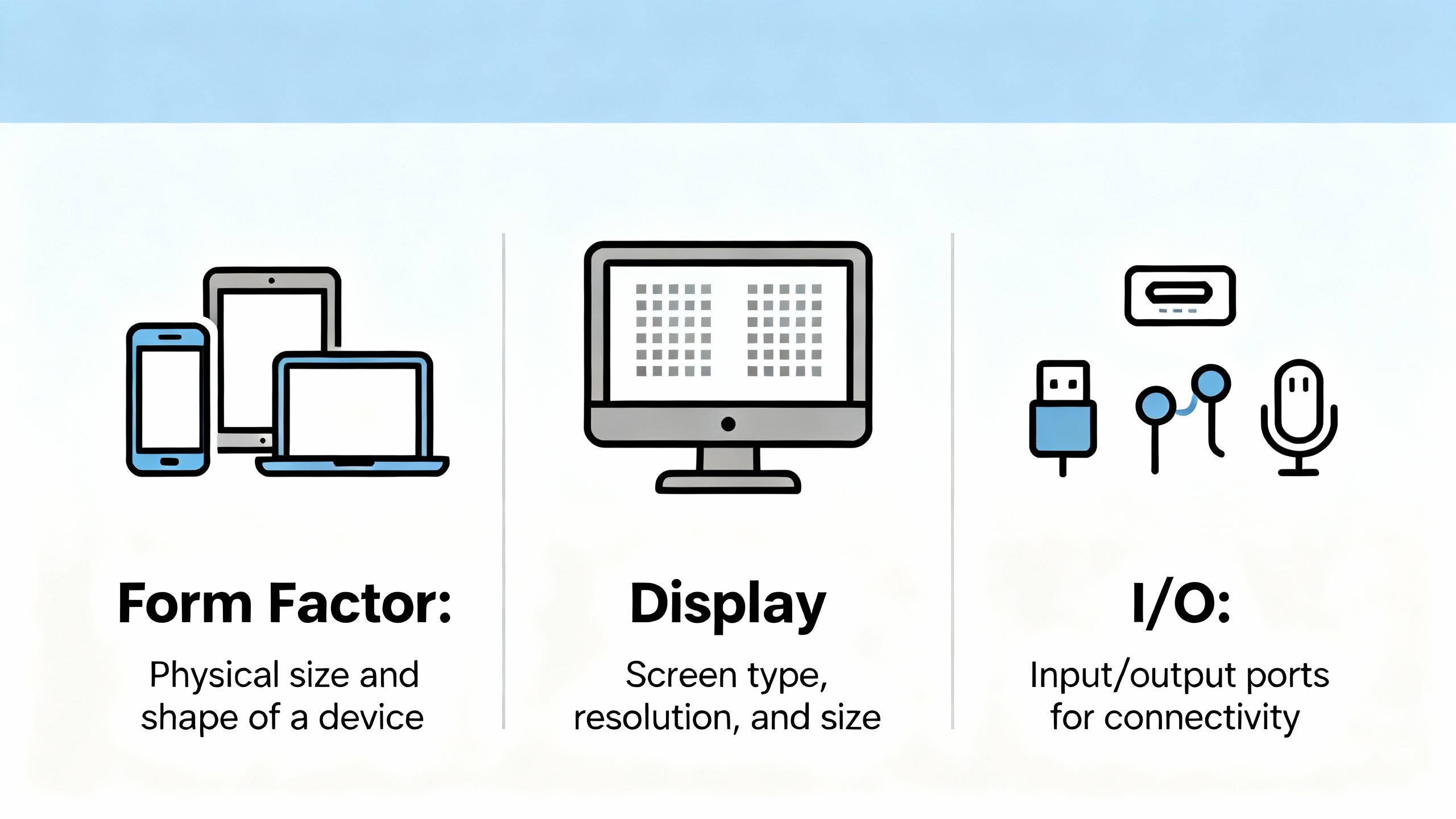
Form Factor, Display, and I/O
Industrial PCs are available as box computers, panel PCs, rackmount servers, DIN‑rail modules, and fully mobile devices. L‑Tron, L‑TronDirect, SINSMART, PSB, and Maple Systems all offer slightly different taxonomies, but they align around several archetypes.
Box, Panel, Rackmount, and Mobile IPCs
Box industrial PCs are compact, fanless units intended for mounting inside cabinets or on walls using brackets or VESA patterns. They are workhorses for applications where the HMI display is separate or not required at all.
Panel PCs combine the computer with an integrated touch display and are designed for front panel mounting. L‑Tron distinguishes among panel PCs for light industrial use, touch panel PCs for standard SCADA workloads, and industrial panel PCs for heavy‑duty environments such as dairy plants and automotive lines. These more robust panel PCs often offer additional I/O, RAID options, and expansion slots compared to their slimmer cousins.
Rackmount industrial PCs, described by PSB and SINSMART, live in 19‑inch racks in control rooms and network rooms. Short 1U and 2U cases serve telecommunications and energy racks where space is tight. Deeper 3U and 4U chassis support many slots for I/O cards, GPUs, and specialty hardware for AI vision and monitoring.
Mobile and field‑oriented devices include rugged tablets, laptops, and portable briefcase PCs. SINSMART highlights their use in logistics, inspection, and field diagnostics where technicians need computing power and connectivity while moving between assets.
DIN‑rail PCs, which appear in several sources, adopt the form factor of a typical PLC and snap into control panels, offering an elegant bridge between traditional controls hardware and PC functionality.
A simple way to relate these options to control‑system roles is shown below.
| Form factor | Typical role in automation control | Key considerations |
|---|---|---|
| Box PC | Edge controller or gateway in a cabinet, often running soft‑PLC or protocol conversion | Fanless cooling, mounting method, I/O density, space in the enclosure, access for maintenance. |
| Panel PC | Operator HMI and sometimes local control at the machine | Screen size, touch type, brightness, IP rating on the front, hygienic design where washdown applies. |
| Rackmount IPC | Central SCADA, historian, or edge data center | Redundancy, hot‑swap drives, expansion for I/O and GPUs, airflow in the rack, remote access for maintenance. |
| DIN‑rail IPC | Compact controller in a control panel, often alongside PLCs and remote I/O | Depth in the panel, wiring access, temperature and airflow in the enclosure. |
| Rugged tablet or laptop | Mobile HMI, maintenance, and diagnostics | Drop resistance, battery life, wireless connectivity, docking, and integration with plant security policies. |
Connectivity and Expansion
Industrial PCs distinguish themselves from office PCs by the variety and robustness of their I/O. The research from Maple Systems, JHCTECH, OnLogic, L‑Tron, and SINSMART converges on several recurring ports.
Ethernet is foundational, often in multiple independent ports to separate control networks from corporate networks. Modern systems may offer multi‑Gigabit Ethernet and optional Power over Ethernet for cameras and field devices.
Serial ports, especially RS‑232 and RS‑485 in DE‑9 connectors, remain vital for legacy controllers, drives, and instrumentation. CAN bus, digital I/O, and fieldbus adapters fill in the gaps, often via expansion cards.
USB 2.0 and USB 3.0 support peripherals and removable media. USB‑C brings higher bandwidth and can carry video signals such as 4K output, which is useful for larger or remote displays.
Wireless options including Wi‑Fi, Bluetooth, 4G, 5G, and GPS appear as mini‑PCIe or M.2 modules. OnLogic advises paying attention to antenna count, placement, and cable losses in industrial enclosures so that radio performance is not crippled by poor installation.
Expansion slots are your hedge against future needs. L‑TronDirect’s configuration guidance dives into PICMG backplanes, PCI and PCIe cards, and the importance of matching card lane requirements to available slots. Even if you do not plan to install additional cards immediately, choosing a platform with at least a few spare PCIe or M.2 positions can save you from a forklift upgrade when someone later decides to add vision, additional network ports, or specialty communication cards.
Networking, Operating System, and Software Ecosystem
Hardware is only half the controller story. The control‑system articles from Andrews‑Cooper, Control Engineering, Beckhoff, and AutomationDirect emphasize the software platform, coding practices, and support ecosystem as equal partners in long‑term success.
On the operating system side, Windows 10 and 11 Pro and Enterprise dominate industrial PCs, according to Maple Systems. Enterprise editions offer longer support lifecycles and more control over updates, which is vital when your PC is running a plant instead of a desk. Windows 11 adds hardware security requirements such as TPM 2.0 and Secure Boot, which can be positive from a cybersecurity standpoint but must be accounted for in hardware specs.
Linux distributions, including Ubuntu and specialized industrial builds, provide an open, flexible alternative without licensing fees. JHCTECH and OnLogic both highlight Linux for stability, security, and real‑time options, at the cost of a steeper learning curve and occasional gaps in vendor‑supplied tools.
Beckhoff points to FreeBSD as another emerging option in industrial PCs, in part because of its low‑latency network behavior. Their TwinCAT/BSD offering combines their control runtime with FreeBSD, showing one example of how control vendors are experimenting with new OS foundations while still presenting familiar engineering tools.
Above the OS, controller programming environments matter. The IEC 61131‑3 languages summarized by Control Engineering—ladder diagram, function block, structured text, and sequential function chart—give you a common vocabulary for PLC and soft‑PLC programming across vendors. Maple Systems and AutomationDirect stress evaluating the quality of vendor tools, diagnostic features, and documentation so that code is maintainable and online changes are safe.
Finally, consider how the industrial PC will integrate into your cybersecurity and remote‑access posture. OnLogic and PSB both mention remote monitoring, predictive diagnostics, and secure management as design goals. That usually translates into hardened OS images, well‑defined user access control, VPN or zero‑trust remote access, and policies for patching and firmware updates.
Lifecycle, Support, and Total Cost of Ownership
A recurring theme across Premier Automation, Control Engineering, PSB, SINSMART, and L‑Tron is that controller choice must be evaluated over the entire lifecycle, not just the purchase price.
Engineering time to configure the system, build images, and debug integrations is a real cost. So are training, documentation, and the overhead of maintaining multiple software platforms if you spread purchases across many vendors.
Obsolescence management often surprises teams. Andrews‑Cooper describes the expensive scenarios that follow when an operating system goes out of support or a hardware line is discontinued with no migration path. Industrial vendors that commit to long‑term availability and provide disciplined revision control can save you from scavenging old PCs on auction sites just to support a legacy line.
Support is another filter. Control Engineering and Premier Automation both recommend weighing vendor and integrator support heavily. That includes phone and on‑site assistance, online knowledge bases, and automated verification tools such as Schneider Electric’s EcoStruxure Control Engineering verification for PLC code quality.
Industrial PCs from vendors like L‑Tron, OnLogic, PSB, and SINSMART often come with services such as factory imaging, burn‑in testing, environmental qualification, and long‑term technical support. When you factor in downtime risk and staff time, those services frequently cost less than maintaining a fleet of commodity PCs yourself.
The total cost picture, then, includes not just the hardware SKU but engineering, commissioning, training, downtime, spares, obsolescence, and long‑term security and maintenance.
A Practical Workflow for Selecting an Industrial PC
Bringing all of this together, here is the kind of workflow I use on real automation projects, closely aligned with the best‑practice guidance in the research notes.
First, clarify the control architecture. Decide what the industrial PC will do and what a PLC, PAC, or DCS will do. If real‑time loops and safety are heavy, keep them in proven controllers and treat the PC as HMI, historian, and edge server. If the application is moderate and the vendor’s soft‑PLC platform is proven, a PC‑centric architecture may be appropriate.
Second, characterize the environment aggressively. Walk the plant, ride the lift, and understand actual temperature swings, dust, washdown, shock, and electrical noise. Map those conditions to temperature ratings, IP ratings, EMC requirements, and mechanical standards such as MIL‑STD‑810G or EN 50155, using the vendor data sheets.
Third, size the performance envelope. Based on the expected workloads, select CPU classes using tools like PassMark, reserve generous RAM, and choose SSDs and, where appropriate, RAID levels. Be explicit about graphics and GPU needs if you plan to run rich HMIs or vision workloads.
Fourth, select the form factor and I/O mix. Choose between box, panel, rackmount, DIN‑rail, or mobile formats based on how operators interact with the system and how it integrates physically with cabinets and machines. Count present and future network, serial, digital, and fieldbus connections and confirm that the mainboard and expansion backplane can support them with some headroom.
Fifth, lock in the software and OS strategy. Decide whether you standardize on Windows, Linux, or a mixed environment, and ensure that your industrial PC vendor supports your chosen stack well. Verify that your control, HMI, historian, and cybersecurity tools are all compatible with the hardware and OS choices.
Sixth, evaluate lifecycle and support. Favor vendors who commit to multi‑year availability, provide clear migration paths, and offer strong technical support and documentation. For critical applications, consider factory imaging, environmental testing, and remote monitoring options.
Finally, pilot before you proliferate. Premier Automation and Control Engineering both recommend bench‑testing controller platforms before rolling them across a plant. Run your actual control software, HMI, and data logging on a candidate industrial PC in a test setup, subject it to realistic loads, and verify thermal behavior, timing, and resilience to power disturbances.
In my experience, investing in that upfront engineering rigor saves far more money and stress than it costs. When you commission a system and the industrial PCs simply disappear into the background, doing their job day and night, you know the design work paid off.
Brief FAQ
Q: When should I use a PLC instead of an industrial PC for control? A: If your application has strict real‑time and safety requirements, relatively modest data and visualization needs, and a long expected life with minimal functional change, a PLC or PAC is often the most straightforward choice. The research from ISA, AutomationDirect, and Control Engineering consistently shows that PLCs excel at deterministic, rugged control, while industrial PCs shine when you add rich HMI, analytics, and connectivity on top.
Q: Is it acceptable to run both HMI and control on the same industrial PC? A: It can be, provided the hardware is sized correctly, the environment is well controlled, and the vendor’s soft‑PLC and operating system are proven in similar applications. Several vendors document such architectures, but many integrators still prefer to separate control and visualization where downtime or safety risks are high, so that a software issue in the HMI cannot stop the controller.
Q: How often should I plan to replace industrial PCs in a plant? A: Sources such as L‑Tron, PSB, and SINSMART describe industrial PCs with design lifetimes of seven to ten years or more in continuous operation, assuming they are correctly specified for temperature, vibration, and power quality. In practice, teams often plan obsolescence programs around that horizon, refreshing hardware proactively rather than waiting for failures.
A well‑chosen industrial PC will not win you awards, but it will quietly underpin your automation system for years. If you treat the selection as a serious engineering decision, grounded in your process requirements and the environmental realities of your plant, you will end up with a platform that your operators, maintenance team, and future projects can trust.
References
- https://blog.isa.org/how-to-select-best-industrial-automation-process-control-system
- https://www.jhc-technology.com/how-to-choose-an-industrial-computer
- https://www.controleng.com/advice-compendium-for-controls-and-automation-programmers/
- https://www.india.fujielectric.com/blog/a-guide-to-choosing-the-right-industrial-automation-controller
- https://industrialpc.com/guide-choosing-industrial-computer/?srsltid=AfmBOorizm38dIuRX2E0QGcSV6IoFU6Xw7d4QvY3J2PkXDPHFMOBFYmV
- https://www.l-tron.com/finding-the-right-industrial-pc-to-suit-your-needs/
- https://www.linkedin.com/pulse/practical-guide-selecting-industrial-panel-pc
- https://maplesystems.com/10-things-to-consider-when-choosing-industrial-pc/?srsltid=AfmBOorTL391VY2BINpn31Hhx75v9o4_TBg8jyEbbkypdKBhlFZrXcGq
- https://info.premierautomation.com/blog/8-practices-for-specifying-plcs-pacs-or-pc-controllers
- https://www.andrews-cooper.com/tech-talks/guide-to-selecting-an-automation-controls-system/
Keep your system in play!
Top Media Coverage
Categories


Related Products
-
 HC900 POINT BLDR UTL v3.0Manufacturer: Honeywell
 -
TERMINAL BOARD JUMPERManufacturer: Honeywell
-
Eight millimeter proximity probeIn StockManufacturer: Bently Nevada
-
Eight millimeter proximity probeIn StockManufacturer: Bently Nevada
-
Eight millimeter proximity probeIn StockManufacturer: Bently Nevada
-
Unarmored imperial proximity probeIn StockManufacturer: Bently Nevada
-
Point Builder Utility SoftwareManufacturer: Honeywell
-
HC900 HISTORIAN v2.0.Manufacturer: Honeywell
-
ControlEdge HC900 R720Manufacturer: Honeywell
-
Eight millimeter proximity probeIn StockManufacturer: Bently Nevada

Related articles Browse All
-
 BlogImplementing Vision Systems for Industrial Robots: Enhancing Precision and Automation2025-08-12 11:26:54Industrial robots gain powerful new abilities through vision systems. These systems give robots the sense of sight, so they can understand and react to what is around them. So, robots can perform complex tasks with greater accuracy and flexibility. Automation in manufacturing reaches a new level of ...
 -
 BlogOptimizing PM Schedules Data-Driven Approaches to Preventative Maintenance2025-08-21 18:08:33Moving away from fixed maintenance schedules is a significant operational shift. Companies now use data to guide their maintenance efforts. This change leads to greater efficiency and equipment reliability. The goal is to perform the right task at the right time, based on real information, not just ...
 -
 BlogThe Evolution of Steam Turbine Control Systems2026-03-31 08:33:35CALL US:+86-18020776786 | E-MAIL:INFO@AMIKON.CN In-depth analysis of the GE Mark VIe control system Mark VIe: A Modern Mainstay for Industry 4.0 Mark VIe's core concepts are "high availability, open connectivity, and intelligent readiness." It utilizes comm...


- Q&A
- Policies How to order Part status information Shipping Method Return Policy Warranty Policy Payment Terms Email Marketing Policy VAT and Import Information
- Asset Recovery
- We Buy Your Equipment. Industry Cases Amikong News Technical Resources Why choose us FAQs
- Registered Address
-
32D Guomao Building, No.388, Hubin south Road, Siming district, Xiamen,Fujian, China

Leave Your Comment