
-
Please try to be as accurate as possible with your search.
-
We can quote you on 1000s of specialist parts, even if they are not listed on our website.
-
We can't find any results for “”.
Siemens 6AV2 124-0MC01 TP1200 HMI Alternative: Compatible Touch Panel Solutions


When a Siemens 6AV2 124-0MC01 TP1200 HMI fails, goes end of life, or simply becomes too expensive to keep specifying, the pressure is immediate and very real. Operations wants the machine running, management wants cost control, and nobody wants to rewrite proven PLC code that has been stable for years. As a systems integrator, I have been in that conversation many times at the cabinet door, TP1200 dark, production supervisor looking over my shoulder.
This article walks through practical, field-tested paths for replacing a Siemens TP1200 HMI with compatible touch-panel solutions. The focus is not just on “does it talk to my Siemens PLC,” but on touch technology, environmental robustness, mounting, and lifecycle. I will draw on vendor guidance from sources such as Maple Systems, Comark, Teguar, OnLogic, Faytech, Weidmuller, and SINSMART, along with market insights from Gartner and other analysts, and translate that into a straightforward, project-ready perspective.
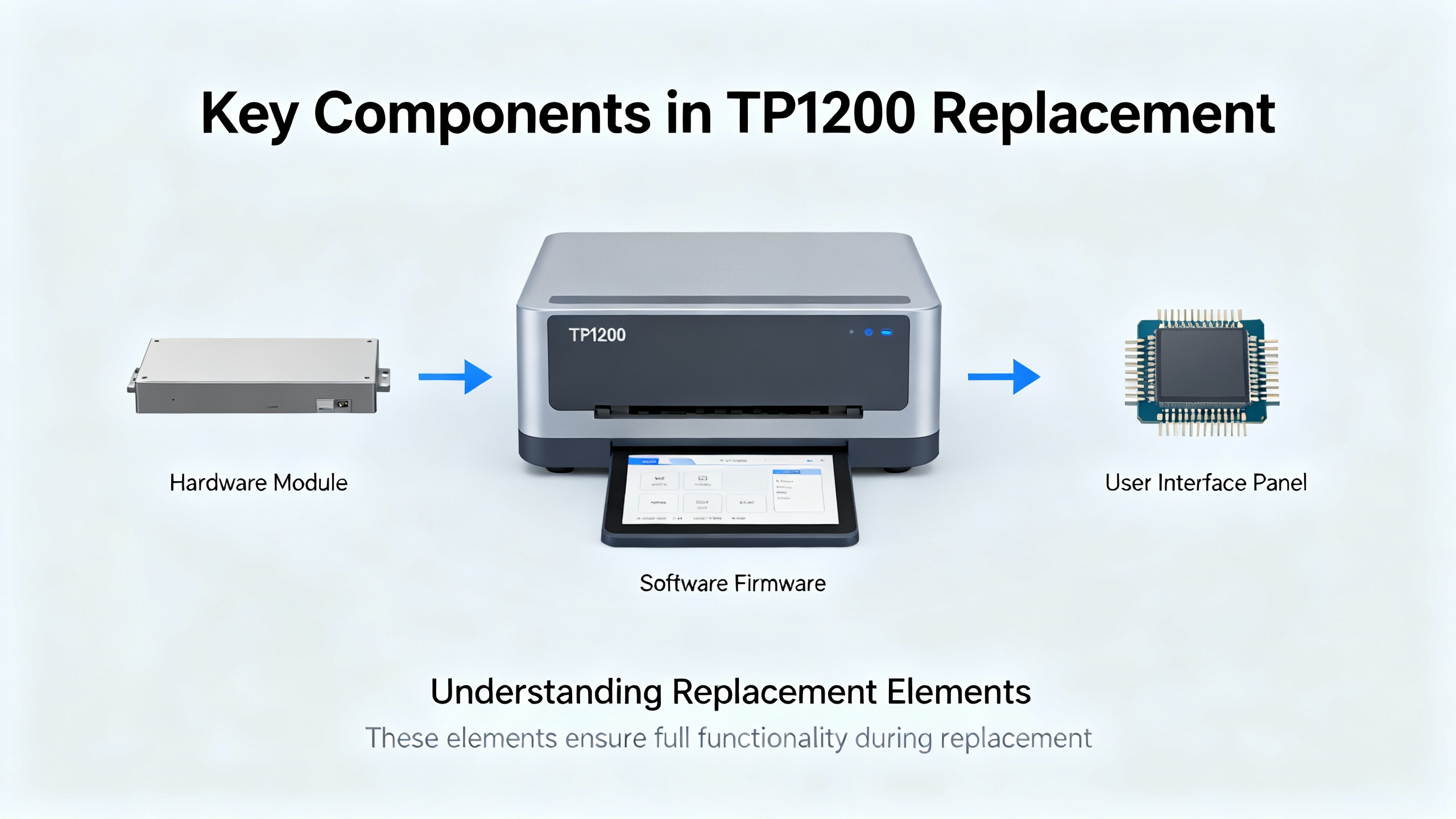
What You Are Really Replacing When You Replace a TP1200
It helps to start with the right mental model. The TP1200 is an HMI, not the controller. According to Maple Systems, an HMI is the operator touchscreen or panel used to monitor and control industrial processes that run on PLCs such as Siemens S7 controllers. The PLC executes the ladder logic and sequence, while the HMI presents the data and writes setpoints. Accio’s overview of HMIs reinforces this: the HMI is the operator-facing dashboard, while the PLC is the control brain.
In most brownfield projects where a TP1200 is being replaced, the Siemens PLC layer remains off-limits. Plants often run a mix of Siemens controllers that include modern S7-1200 and S7-1500, along with legacy S7-200, S7-300, and S7-400, and sometimes specialty devices like SIMATIC T1505 and Logo logic modules. The job is to drop in a new HMI that speaks to all of those without disturbing their programs.
The task, therefore, is not to “rip out Siemens” but to decouple the operator interface from a single vendor. Maple Systems explicitly positions its HMIs as replacements for existing Siemens HMIs that reduce cost while maintaining control and visualization. That is the mindset you want: preserve the control strategy, modernize or optimize the interface.
Core Requirements for a Siemens TP1200 Replacement
On real projects, the right TP1200 alternative is rarely decided by a single specification point. Instead, the decision typically comes down to four or five practical dimensions: touch and visual performance, mechanical fit, environmental hardening, connectivity and protocol support, and lifecycle.
Display and Touch Behavior
The TP1200 sets expectations on readability and touch responsiveness. Industrial display vendors such as Comark and Teguar describe why that matters. Industrial touch monitors emphasize high image quality and clear visualization of machine and process data. Teguar points out that industrial screens often use high-brightness panels and anti-glare treatments to stay readable in harsh lighting, while Comark notes that resistive and projected capacitive (PCAP) touch behave very differently.
Resistive touchscreens, as Comark explains, are the most common and cost-effective choice for industrial automation. A key advantage is operation with gloved hands, and resistive touch is widely available up to display sizes around 24 inches. PCAP touchscreens, by contrast, use a glass substrate and are more resistant to scratching, while providing multi-touch gestures such as pinch, zoom, and rotate. PCAP can be tuned for thin gloves but is primarily aimed at bare fingers or stylus use.
When replacing a TP1200, you have to decide whether your operators need that gloved, anything-goes resistive feel or the smartphone-like, multi-touch PCAP experience. Teguar stresses exactly this tradeoff: resistive shines in dirty, wet, or gloved environments, while PCAP delivers a modern, responsive user experience.
Mechanical and Mounting Constraints
The mechanical envelope is often the first hard constraint you hit. The original Siemens panel is usually mounted in a door or machine enclosure. Comark highlights the most common industrial mounting methods for touch monitors and panel PCs: panel mount, VESA mount, and open frame.
Panel mount is what most TP1200s use: a cutout in a door or faceplate and clips or brackets holding the display in place. VESA mount uses standardized hole patterns on the back of the display, defined by the Video Electronics Standards Association, so any VESA-compatible mount can hold displays from different manufacturers. Open frame mounting hides the display behind a custom bezel, with only the active LCD area visible; gaskets around the perimeter help maintain a seal.
If you want a relatively painless TP1200 swap, you prioritize a replacement that either fits the existing panel cutout or can be adapted with a simple overlay plate, and that supports either panel or VESA mount depending on your enclosure. A cost-effective HMI such as Maple Systems’ 7‑inch HMI5070Bv3 ships with panel mounting clips in the box, which simplifies installation when you are retrofitting smaller stations or secondary operator panels.
Environmental Ratings and Ruggedness
A TP1200 is usually not hanging in a clean office. It is on a factory floor, near washdown zones, in dusty packaging rooms, or mounted on mobile equipment. Industrial display specialists such as Teguar, OnLogic, and SINSMART converge on similar design priorities: rugged housings (often steel or aluminum), hardened glass, and ingress protection ratings such as IP65 or IP66 that guard against dust and water.
OnLogic’s Tacton panel PCs, for example, use front bezels rated up to IP66 or IP69K, resistant to dust, water, and even high-pressure washdowns. SINSMART describes panel PCs that are engineered for continuous operation in harsh environments with dust, water, vibration, and wide temperatures, including ranges roughly from -4°F to 158°F in outdoor energy and similar applications. Faytech highlights flat, edge-to-edge glass fronts with IP65 ratings and fanless designs that avoid dust-sensitive fans.
When choosing a TP1200 alternative, match the environmental spec to the actual exposure. Teguar recommends aligning IP rating and temperature range with the real conditions, whether it is washdown in food and beverage, dust and vibration in factory automation, or outdoor kiosks. If the Siemens panel survived in that spot for years, your alternative needs an equal or better environmental profile.
Connectivity, Protocols, and Software Compatibility
Communication compatibility is non-negotiable. Maple Systems is explicit that its HMIs support Siemens S7‑1200 and S7‑1500 PLCs, as well as S7‑200, S7‑300, S7‑400, SIMATIC T1505, and Siemens Logo. That breadth is what makes Maple a practical drop-in replacement for Siemens HMIs across mixed fleets of Siemens controllers. In practice, that means you can leave the PLC code intact and re-create the HMI tags and screens on the new panel, talking to the same PLC addresses.
Industrial panel PCs from vendors such as OnLogic, SINSMART, and Faytech extend this idea further. They integrate compute and touchscreen into a single device and are intended to run HMI, SCADA, or MES software. SINSMART describes panel PCs widely used for HMI, SCADA, and real-time process control, while Accio notes that software platforms such as Ignition from Inductive Automation can span HMI, SCADA, MES, and machine control. In a TP1200 replacement scenario, a panel PC can run a software HMI that talks to Siemens PLCs over Ethernet, without being tied to a single hardware brand.
The key is to verify supported protocols and drivers: Siemens S7 communication, any legacy serial interfaces, and required fieldbuses. Also confirm that the device offers the network and serial ports you need; Faytech mentions mixed industrial and consumer connectivity, including multiple serial ports and general-purpose I/O, precisely to bridge modern and legacy equipment.
Lifecycle, Service, and Total Cost
One of the usual reasons for looking beyond a Siemens TP1200 is cost. The Maple Systems article frames its HMIs as a way to reduce costs while maintaining visibility and control. Industrial panel PC vendors like SINSMART also present themselves as cost-effective yet rugged alternatives.
However, price alone is not enough. Teguar and SINSMART both talk about extended lifecycles and long-term availability. Industrial vendors often maintain product lines far longer than consumer devices. Accio’s guidance on evaluating HMI manufacturers also emphasizes on-time delivery, engineering support, quality validation, and certifications such as ISO and CE. In other words, you want both an affordable panel today and a realistic path to buy the same or compatible unit five or more years down the road.
Touch Technology Choices: Matching Operator Reality
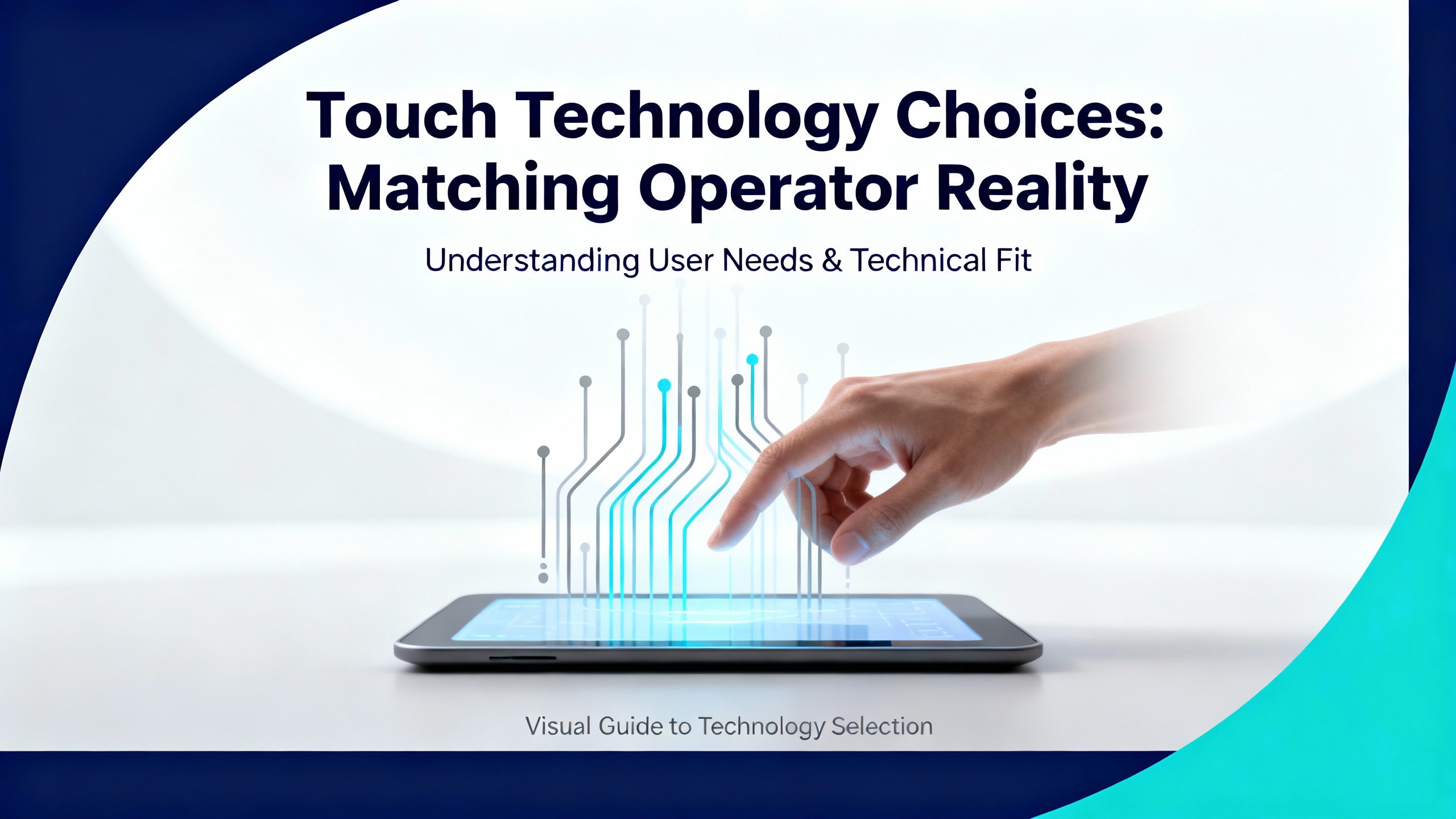
Touch technology is where operator acceptance is won or lost. Comark and Teguar outline the two most relevant technologies for TP1200 alternatives: resistive and projected capacitive.
Here is a concise comparison drawn from those sources.
| Touch Technology | Key Characteristics | Where It Fits Best |
|---|---|---|
| Resistive | Most common and cost-effective for industrial automation, operates reliably with gloved hands, not very sensitive to dirt or moisture on the surface, but uses a softer top layer more prone to scratching, single-touch only. | Heavy glove use, dirty or wet processes, basic button and numeric entry, applications where cost and robustness matter more than gesture control. |
| Projected capacitive (PCAP) | Uses a glass substrate that is harder and more scratch resistant, supports multiple touch points and modern gestures such as pinch, zoom, and rotate, delivers a smartphone-like user experience, usually tuned for bare fingers or stylus and sometimes thin gloves. | Clean or semi-clean environments, advanced visualization, multi-touch interaction, applications that benefit from a modern, responsive interface. |
In my experience, if operators wear thick gloves all day and the panel sits near dust, flour, or oil mist, resistive is often the safer choice. Comark notes that resistive remains the most common option in industrial automation for good reasons. If, on the other hand, you are modernizing a packaging line where operators are already used to cell phones and tablets, and the enclosure is reasonably clean, PCAP gives you a more intuitive, gesture-friendly interface.
Regardless of technology, Comark and Teguar both stress the importance of aligning the touch choice with usage: glove type, hygiene and cleaning requirements, and how much finesse is expected on-screen. Every TP1200 replacement should explicitly answer those questions before a purchase order is cut.
Compatible Touch Panel Options
There is no single “best” Siemens TP1200 alternative. The right answer depends on whether you want a like-for-like HMI panel, an all-in-one panel PC, or a more unconventional route. Based on the available data and what works reliably in the field, there are a few solid patterns.
Maple Systems HMIs as Siemens-Compatible Panels
Maple Systems positions its HMIs specifically as Siemens alternatives. According to Maple, its panels support Siemens S7‑1200 and S7‑1500 PLCs that dominate modern Siemens-based systems, and they also talk to S7‑200, S7‑300, and S7‑400 families, plus SIMATIC T1505 and Siemens Logo modules. This protocol coverage allows them to act as practical drop-in replacements for Siemens HMIs across mixed or aging Siemens fleets, while leaving the PLC layer untouched.
In practice, a TP1200-to-Maple migration typically involves three main tasks. The first is mapping the PLC communication: every PLC model on site, every IP address or serial link, and the tags the HMI reads and writes. Maple explicitly encourages engineers to inventory all Siemens PLC models that the HMI touches, so you can confirm support for each. The second is re-creating the HMI screens, alarms, and navigation on the Maple engineering environment. The third is testing that the new panel reads and writes the correct PLC addresses without side effects.
For smaller stations or where budget is tight, Maple’s HMI5070Bv3 offers an example of a cost-effective 7‑inch touch HMI that ships with the device, power connector, warranty statement, installation instruction, product flyer, and panel mounting clips included. The exact model does not match the TP1200’s size, but it shows the pattern: panel-mount hardware, industrial-grade HMI, and all essentials in one box. Larger Maple panels follow a similar philosophy with bigger screens.
The benefit of this route is clear. You remain in the dedicated-HMI world, using hardware built for 24/7 control-room duty, but you decouple from Siemens hardware pricing while maintaining communications compatibility with Siemens PLCs.
Industrial Panel PCs: When You Want HMI and PC in One
Instead of a dedicated HMI panel, some plants use a panel PC. This is an all-in-one industrial computer with a touchscreen front, designed for harsh environments. SINSMART describes industrial panel PCs as specialized all-in-one computers that integrate a touchscreen and embedded computer, built for continuous operation in dusty, wet, vibrating, and hot or cold environments. They are widely used as HMIs, SCADA terminals, and real-time process control stations.
OnLogic’s panel PCs, for example, combine rugged displays with industrial compute hardware. The Tacton line offers both resistive and PCAP touch options, as well as high-brightness screens for outdoor or high-glare environments. Front bezels reach IP66 and IP69K ratings, resisting dust and water, even high-pressure washdowns, and they are built to withstand UV, scratches, and vibration. Faytech’s capacitive touch PCs take a similar approach: flat, IP65-rated glass fronts, fanless aluminum housings, VESA mounting, multiple serial ports and digital I/O, and moderate but capable CPUs and SSD storage.
SINSMART further highlights mechanical and environmental robustness, citing IP65 or IP66 for dust and water, optional IP69K for high-pressure washdown, MIL-STD-810G shock and vibration resistance for vehicle applications, and passive, fanless cooling. Typical temperature ranges they discuss for outdoor and energy applications stretch roughly from -4°F up to about 158°F.
In a TP1200 replacement context, a panel PC usually runs HMI or SCADA software instead of a vendor-specific HMI runtime. Accio cites Ignition as an example of software that can provide HMI, SCADA, MES, and machine control on general-purpose hardware. SINSMART notes that panel PCs are widely deployed for those very use cases. That means you can standardize on a software platform, connect to Siemens PLCs over Ethernet using standard S7 drivers, and still have a rugged, wall- or panel-mounted operator station.
This route demands more software engineering but pays off when you want richer functions: data logging, remote access, multi-station visualization, or future flexibility across lines and vendors.
Consumer Laptops as HMIs: Why They Are Usually a Last Resort
Engineers sometimes wonder whether they can replace multiple dedicated Siemens HMI panels with laptop-based touch HMIs. The Facebook discussion in an automation-focused group reflects exactly that question. Practitioners there explore the idea of using mainstream laptop touchscreens from brands such as HP or Dell as HMIs, particularly where others locally have reportedly done so.
From a pure connectivity standpoint, a laptop running HMI software can certainly talk to Siemens PLCs over Ethernet. However, Teguar’s comparison of industrial touch monitors versus consumer displays makes the tradeoff clear. Industrial monitors are designed for durability: reinforced metal housings, hardened glass, shock and vibration resistance, and IP-rated sealing such as IP65 or IP66 for dust and water. They are also specified for wide temperature ranges that match outdoor kiosks, cold storage, or hot production areas, and they are built for extended lifespans and long product availability.
Consumer laptops are designed for offices, not washdown lines or dusty packaging cells. They typically lack meaningful ingress protection, are not rated for continuous vibration, and their product cycles are measured in months rather than years. For non-critical supervision in a clean control room, a laptop HMI can be acceptable. As a direct replacement for a cabinet-mounted TP1200 on the plant floor, the lack of IP rating and ruggedness makes it a risky long-term solution.
Migration Strategy: How to Swap a TP1200 Without Surprises
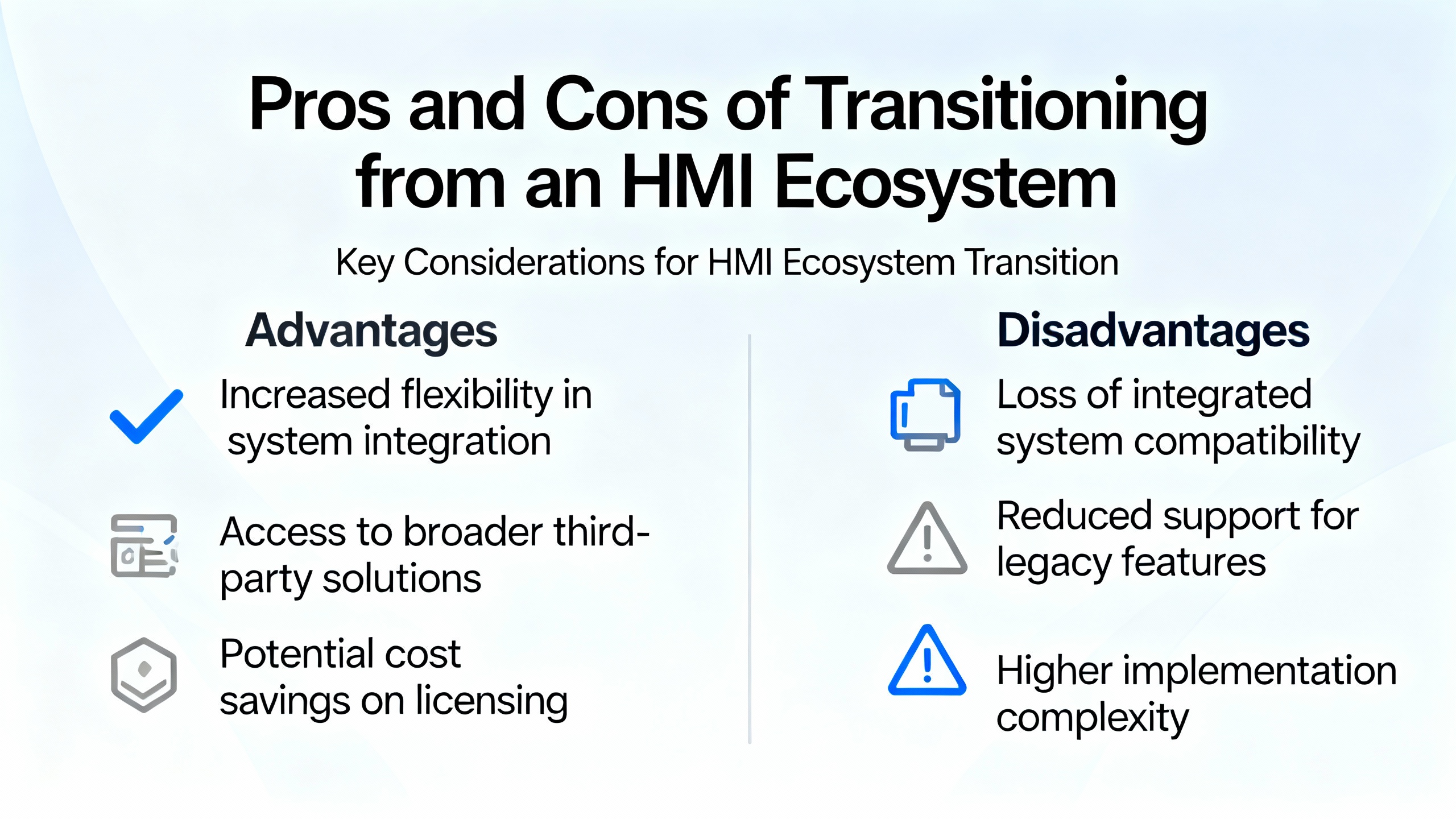
Over the years, successful TP1200 replacement projects have followed a consistent pattern. While every site is different, the same underlying steps appear again and again.
The first phase is a thorough assessment of what the existing HMI actually does. That means documenting which Siemens PLCs it speaks to, whether those are S7‑1200 or S7‑1500 controllers, older S7‑200, S7‑300, or S7‑400 units, or specialized devices such as SIMATIC T1505 or Logo modules. Maple Systems explicitly highlights this mapping as a prerequisite to choosing an HMI replacement. You also need to capture the tag list, alarm behavior, security model, and any recipes or data logging the TP1200 handles.
The second phase is selecting the replacement hardware and touch technology. Here, you weigh the tradeoffs that vendors such as Comark, Teguar, and SINSMART describe. For environments with heavy glove use, high dirt, or frequent washdowns, resistive touch on a sealed panel might be preferable. For cleaner settings where multi-touch gestures improve usability, a PCAP front from a vendor like Faytech or OnLogic is attractive. You consider IP ratings (IP65, IP66, or even IP69K), shock and vibration needs, and temperature ranges aligned with SINSMART’s and Teguar’s guidance for harsh environments.
Mechanical fit is also decided in this phase. If you want a straightforward retrofit, you may choose a panel-mount HMI like those from Maple or Teguar, possibly with an adapter plate. If you are redesigning the enclosure or adding more computing, you might opt for a VESA-mounted panel PC from OnLogic or Faytech, combined with an adjustable arm or wall mount.
The third phase is engineering and testing. For a dedicated HMI panel such as a Maple unit, you build the new application in the vendor’s tools, using the PLC communication drivers for Siemens controllers that Maple provides. For a panel PC, you deploy an HMI or SCADA platform such as Ignition, which Accio notes is designed for exactly that role. In either case, you recreate the operator screens, alarms, and workflows, then test against the live PLCs, first in a staged environment and then during a planned production window.
Finally, you treat commissioning as a controlled change, not a simple swap. Operators should have at least a short orientation on the new interface, even if it closely mirrors the old TP1200. Maintenance teams should know how to restore backups, reset communication settings, and source replacement hardware. Given the recommendations from Accio and others around supplier evaluation, it is wise to classify the new HMI vendor as a strategic partner, with clear contact paths for support and a documented lifecycle plan.
Pros and Cons of Leaving the Siemens HMI Ecosystem
The decision to move away from a Siemens TP1200 is more than a purchase choice; it is a small architectural decision for your control system.
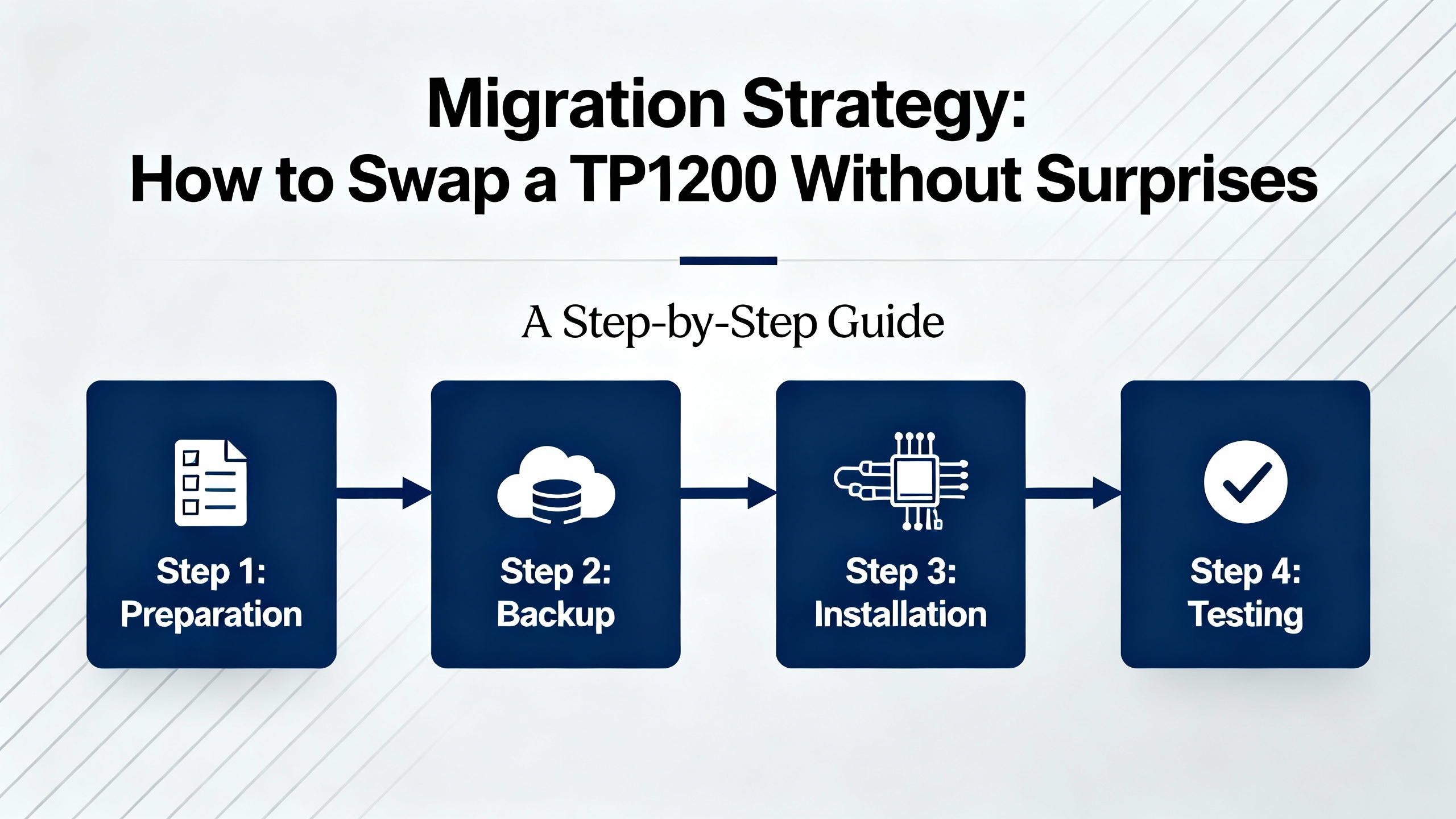
On the benefit side, cost savings can be significant. Maple Systems explicitly markets its HMIs as a way to replace Siemens HMIs and save money while keeping the underlying PLC layer intact. SINSMART likewise presents panel PCs as cost-effective, rugged industrial computers. When you decouple the HMI from a single vendor, you can also standardize across lines or plants, choosing a sensor-to-screen stack that matches your own preferences rather than those of a single automation vendor.
Flexibility improves as well. Industrial panel PCs from OnLogic, SINSMART, and Faytech enable you to run the HMI, SCADA, or even MES of your choice. Gartner’s review of alternatives to Siemens in the MES market, highlighting Solumina by iBaseT as a robust and adaptable platform, illustrates a broader point: many organizations already run non-Siemens software layers on top of Siemens hardware. Using third-party HMIs and panel PCs is consistent with that decoupled approach.
There are tradeoffs. Siemens Simatic HMI Comfort Panels are described in independent rankings as benchmark options, combining high-resolution touchscreens, robust industrial design, and tight integration with Simatic automation systems. When you leave that ecosystem, you trade away some native, pre-integrated features and the convenience of one vendor for HMI and PLC. Engineering effort is required to re-create screens and behavior, and maintenance teams must learn a new HMI environment.
Vendor quality becomes your responsibility to evaluate. Accio recommends checking on-time delivery metrics, response times, factory audits, IP and environmental testing, and reorder rates as indicators of long-term reliability. Some suppliers show outstanding on-time delivery and high reorder percentages, suggesting stable customer satisfaction, but others may be strong on speed and weaker in long-term retention. It is essential to apply that due diligence when you pick a TP1200 alternative.
Sample Comparison: TP1200 Replacement Paths
Putting the options side by side helps to clarify where each approach fits. The table below summarizes common paths using information from Siemens ecosystem analyses, Maple Systems, Teguar, OnLogic, Faytech, SINSMART, and related sources.
| Approach | How It Replaces a TP1200 | Typical Advantages | Typical Tradeoffs |
|---|---|---|---|
| New Siemens HMI panel | Replace the TP1200 with another Siemens HMI in the Simatic family, reusing much of the existing engineering environment and integration with Siemens PLCs. | Benchmark integration with Simatic PLCs, familiar engineering tools, strong industrial design, clear vendor responsibility. | Higher hardware cost in many markets, continued dependence on a single-vendor stack, less flexibility if you later want to standardize across mixed automation brands. |
| Third-party HMI panel (for example, Maple Systems) | Install an industrial HMI that supports Siemens S7‑1200, S7‑1500, and legacy S7 controllers, then re-create screens and tags in the new environment. | Lower cost while preserving PLC layer, protocol support across modern and legacy Siemens PLCs, industrial panel form factor, panel-mount installation similar to TP1200. | Engineering effort to rebuild the HMI project, new toolchain for maintenance teams, dependence on how well the vendor maintains drivers and long-term product availability. |
| Industrial panel PC (for example, OnLogic, Faytech, SINSMART) | Replace the TP1200 with a rugged panel PC running HMI or SCADA software that talks to Siemens PLCs over Ethernet. | High flexibility, ability to run full HMI/SCADA/MES stacks, strong IP ratings and ruggedization, options for resistive or PCAP touch, scalable compute resources. | More complex to engineer and maintain, higher upfront configuration effort, longer learning curve for staff, potential overkill for very simple machines. |
| Consumer laptop touchscreen | Use a laptop with touch capability, running HMI software connected to Siemens PLCs, typically in a control room or non-rugged location. | Very low initial cost, easy software installation, flexible for development and testing. | Not rugged or sealed, not designed for vibration or washdown, short product lifecycles, poor fit for cabinet-mounted or harsh-environment replacements, typically unsuitable as a long-term TP1200 substitute on the plant floor. |
This comparison reflects what vendors and practitioners repeatedly emphasize: match the device to the environment, the integration needs, and the long-term support expectations, rather than chasing a single specification.
FAQ
Will a non-Siemens HMI talk to my Siemens PLCs without changing the PLC code?
Yes, provided you choose a panel or panel PC that explicitly supports Siemens protocols. Maple Systems states that its HMIs communicate with Siemens S7‑1200 and S7‑1500 PLCs, as well as S7‑200, S7‑300, S7‑400, SIMATIC T1505, and Siemens Logo modules. In practice, you leave the PLC logic untouched and configure the HMI to read and write the same PLC addresses that the TP1200 used.
Can I reuse my existing TP1200 project on a third-party HMI?
You generally cannot import a TP1200 project directly into a third-party panel. The usual path is to export or document the tag list, addresses, alarm settings, and screen layouts, then rebuild them in the new vendor’s engineering environment or in your chosen HMI software on a panel PC. It is more work up front, but it is also an opportunity to clean up decades-old screens and align them with current operating practices.
When does it make sense to move to a panel PC instead of another HMI panel?
A panel PC pays off when you want more than simple HMI. SINSMART and OnLogic both describe panel PCs serving as HMI, SCADA, and edge-computing nodes, particularly in smart factories and outdoor or vehicle environments. If you need richer analytics, centralized HMI projects, remote monitoring, or closer coupling with MES systems, running HMI software on a rugged panel PC is worth considering. For simple machines with basic screens and minimal data logging, a dedicated HMI panel such as those from Maple or similar vendors is often simpler and more cost-effective.
Are consumer touch devices ever a good replacement for a TP1200?
They can be useful in clean control rooms for supervisory roles or as temporary engineering stations. However, Teguar’s comparison of industrial and consumer screens makes it clear that consumer devices lack the rugged housings, hardened glass, shock and vibration ratings, and IP65 or IP66 sealing that industrial HMIs provide. For harsh, wet, or vibration-prone environments where the TP1200 was designed to live, a consumer laptop or tablet is normally a short-term workaround rather than a true replacement.
Closing Thoughts
Replacing a Siemens 6AV2 124-0MC01 TP1200 is not just a catalog exercise; it is a small redesign of how operators interact with your process. If you treat the Siemens PLC layer as fixed, map your communication and environmental requirements carefully, and choose between industrial HMI panels and panel PCs with eyes open to the tradeoffs described by vendors like Maple Systems, Teguar, Comark, OnLogic, Faytech, SINSMART, and others, you can reduce cost and risk at the same time. The plants that get this right are the ones that treat the HMI as a strategic component of their automation stack, not as a disposable screen.
References
- https://www.plctalk.net/forums/threads/touch-screen-comparison.38941/
- https://www.beetronics.com/industrial-touchscreens?srsltid=AfmBOoqO3LmDcwpKVN2JpL__E2-xf6EtTgm9_g-fGcatGr0EShGrb9OO
- https://www.mochuan-drives.com/a-news-top-10-best-industrial-hmi-panels-for-any-industry
- https://www.accio.com/supplier/hmi-manufacturers
- https://comarkcorp.com/understanding-modern-display-devices/
- https://www.faytech.us/touch-screen-products/?srsltid=AfmBOoqURs5pHmjt4asjqPvf6I_NSVw7bvun1NNX41EL6HVxLOk8v9P7
- https://www.innoaiot.com/best-industrial-displays-for-industrial-use/
- https://maplesystems.com/siemens-hmi-alternative/?srsltid=AfmBOookNlbDOMKWZ6JySNZBbggcc94WaXMlJVF6H5pWo-lFqkMXBnBY
- https://shimetadevice.com/how-to-choose-the-best-touchscreen-panel-pc-for-industrial-use/
- https://teguar.com/best-touch-screen-monitors-for-industrial-use/?srsltid=AfmBOooRhERGEVCjvqXHeFQ7WcD00pf8UKxz9sXKYnoaT5ofJHOgjJzv
Keep your system in play!
Top Media Coverage
Categories



Related articles Browse All
-
 BlogImplementing Vision Systems for Industrial Robots: Enhancing Precision and Automation2025-08-12 11:26:54Industrial robots gain powerful new abilities through vision systems. These systems give robots the sense of sight, so they can understand and react to what is around them. So, robots can perform complex tasks with greater accuracy and flexibility. Automation in manufacturing reaches a new level of ...
 -
 BlogOptimizing PM Schedules Data-Driven Approaches to Preventative Maintenance2025-08-21 18:08:33Moving away from fixed maintenance schedules is a significant operational shift. Companies now use data to guide their maintenance efforts. This change leads to greater efficiency and equipment reliability. The goal is to perform the right task at the right time, based on real information, not just ...
 -
 BlogThe Evolution of Steam Turbine Control Systems2026-03-31 08:33:35CALL US:+86-18020776786 | E-MAIL:INFO@AMIKON.CN In-depth analysis of the GE Mark VIe control system Mark VIe: A Modern Mainstay for Industry 4.0 Mark VIe's core concepts are "high availability, open connectivity, and intelligent readiness." It utilizes comm...


- Q&A
- Policies How to order Part status information Shipping Method Return Policy Warranty Policy Payment Terms Email Marketing Policy VAT and Import Information
- Asset Recovery
- We Buy Your Equipment. Industry Cases Amikong News Technical Resources Why choose us FAQs
- Registered Address
-
32D Guomao Building, No.388, Hubin south Road, Siming district, Xiamen,Fujian, China

Leave Your Comment